
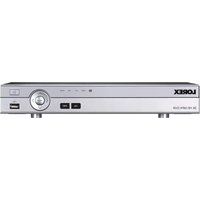
LHA4108 - Digital Video Recorder Lorex - Free user manual and instructions
Find the device manual for free LHA4108 Lorex in PDF.


Pick your language and provide your email: we'll send you a specifically translated version.
| Brand | Lorex |
| Model | LHA4108 |
| Product Type | 8-Channel 1080p DVR Security System |
| Video Input | 8 BNC channels (1080p HD) |
| Video Output | HDMI, VGA, CVBS |
| Recording Resolution | 1080p at 15 fps per channel (standalone) |
| Storage Capacity | 1 SATA HDD up to 10TB (internal) |
| Power Supply | 12V DC, 2A (adapter included) |
| Dimensions (W x D x H) | 11.0 x 9.1 x 2.0 inches (279 x 231 x 51 mm) |
| Weight | 4.2 lbs (1.9 kg) without HDD |
| Operating Temperature | 14°F to 122°F (-10°C to 50°C) |
| Network Interface | 10/100 Ethernet port for remote access |
| Mobile App | Lorex Home (iOS & Android) |
| Audio | 1 audio input, 1 audio output (RCA) |
| Alarm I/O | 4 alarm inputs, 1 relay output |
| Remote Control | USB mouse included; optional IR remote |
| Playback | Simultaneous record and playback (up to 4 channels) |
| Motion Detection | Advanced motion zones per camera |
| Backup | USB flash drive, network backup (FTP/email) |
| Warranty | 1 year limited hardware warranty |
Frequently Asked Questions - LHA4108 Lorex
How many cameras can I connect to the LHA4108?
You can connect up to 8 cameras via BNC connections. The system supports 1080p HD analog cameras.
What is the maximum hard drive capacity?
The DVR supports a single internal SATA hard drive up to 10TB. It is recommended to use a surveillance-rated drive (e.g., WD Purple or Seagate SkyHawk).
Can I view the cameras remotely on my phone?
Yes, download the Lorex Home app on iOS or Android. Connect the DVR to your network via Ethernet and follow the setup wizard to enable remote access.
How do I reset the DVR to factory defaults?
Go to Menu > System > Default and select 'Restore Factory Defaults'. Alternatively, press and hold the reset button on the back panel for 10 seconds with the power on.
Does the LHA4108 support audio recording?
Yes, it has 1 audio input and 1 audio output (RCA). You can connect a microphone to the input to record audio along with the video.
What video resolutions are supported?
The system records in 1080p (1920x1080) at up to 15 fps per channel when using all 8 channels. With fewer cameras, higher frame rates may be available.
How do I export recorded footage?
Insert a USB flash drive into the front USB port, go to Playback, select the time and cameras, then click Backup. You can also backup via FTP or email through the network settings.
Can I use this DVR with IP cameras?
No, the LHA4108 is designed for analog HD cameras (CVI, TVI, AHD, CVBS). It does not support IP cameras directly.
What is the power consumption?
The DVR consumes approximately 24 watts (12V DC, 2A) without hard drive. With a 10TB HDD, expect up to 30 watts.
How do I set up motion detection?
Go to Menu > Camera > Motion Detection. You can enable detection per camera, adjust sensitivity, and define up to 8 custom zones per camera.
User questions about LHA4108 Lorex
0 question about this device. Answer the ones you know or ask your own.
Ask a new question about this device
No questions yet. Be the first to ask one.
Download the instructions for your Digital Video Recorder in PDF format for free! Find your manual LHA4108 - Lorex and take your electronic device back in hand. On this page are published all the documents necessary for the use of your device. LHA4108 by Lorex.
USER MANUAL LHA4108 Lorex


Manual assistant
Powered by Anthropic
Waiting for your message
Product information
Brand : Lorex
Model : LHA4108
Category : Digital Video Recorder