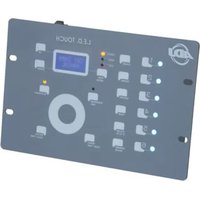
LED Touch - Lighting console American Audio - Free user manual and instructions
Find the device manual for free LED Touch American Audio in PDF.


Pick your language and provide your email: we'll send you a specifically translated version.
| Product Type | LED Lighting Effect with Touch Control |
| Brand | American Audio |
| Model | LED Touch |
| Light Source | RGB LED (Red, Green, Blue) |
| Control Type | Touch-sensitive panel |
| Modes | Auto, Sound Active, Color Fade, Static Color |
| DMX Channels | 3/7 channels (selectable) |
| Power Supply | AC 100-240V, 50/60Hz |
| Power Consumption | 30W max |
| Dimensions (L x W x H) | 10.6 x 8.3 x 4.7 inches (27 x 21 x 12 cm) |
| Weight | 3.5 lbs (1.6 kg) |
| Beam Angle | 120 degrees |
| Housing Material | Plastic with metal brackets |
| Mounting | Floor standing or hanging bracket |
| Cooling | Passive (no fan) |
| Operating Temperature | 32°F to 104°F (0°C to 40°C) |
| Included Accessories | Power cord, user manual |
| Safety Certifications | CE, RoHS |
| Cleaning | Wipe with dry soft cloth; avoid solvents |
| Repairability | LED module replaceable by qualified technician |
Frequently Asked Questions - LED Touch American Audio
How do I turn on the LED Touch?
Press and hold the touch panel for 2 seconds to power on. The indicator light will turn on.
Can I control the device via DMX?
Yes, use a 3-pin XLR cable. Set DMX address via touch panel; see manual for channel mapping.
How do I change colors?
Tap the touch panel to cycle through modes. In static color mode, tap to select from preset colors.
Why is the light not responding to sound?
Ensure sound activation mode is selected. Check that the built-in microphone is not blocked and reduce ambient noise.
What is the recommended distance for mounting?
Maintain at least 1 meter from flammable materials and ensure proper ventilation.
How do I clean the device?
Disconnect power. Use a soft, dry cloth to wipe the surface. Do not use water or cleaning solvents.
Can I connect multiple units together?
Yes, chain up to 32 units via DMX in/out ports. Use a DMX terminator on the last unit.
What to do if the touch panel is unresponsive?
Reset the device: unplug power for 10 seconds and reconnect. If problem persists, contact support.
Is the LED module replaceable?
Yes, but only by a qualified technician. Do not attempt to open the housing yourself.
Does it work with a dimmer?
No, do not connect to a standard dimmer pack. Use a switched power outlet only.
User questions about LED Touch American Audio
0 question about this device. Answer the ones you know or ask your own.
Ask a new question about this device
No questions yet. Be the first to ask one.
Download the instructions for your Lighting console in PDF format for free! Find your manual LED Touch - American Audio and take your electronic device back in hand. On this page are published all the documents necessary for the use of your device. LED Touch by American Audio.
USER MANUAL LED Touch American Audio
Manual assistant
Powered by Anthropic
Waiting for your message
Product information
Brand : American Audio
Model : LED Touch
Category : Lighting console