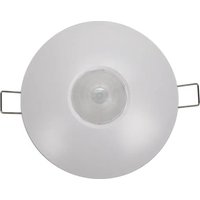
Arista ALC-CMP-BT - Presence sensor INTERMATIC - Free user manual and instructions
Find the device manual for free Arista ALC-CMP-BT INTERMATIC in PDF.


Pick your language and provide your email: we'll send you a specifically translated version.
| Product Type | Lighting Control Device |
| Model | ALC-CMP-BT |
| Brand | Intermatic |
| Wireless Connectivity | Bluetooth Low Energy (BLE) |
| Operating Voltage | 120 VAC, 60 Hz |
| Maximum Load | 15 A (resistive) |
| Dimensions (H x W x D) | 4.1 x 1.8 x 1.2 inches |
| Weight | 0.2 lbs |
| Primary Functions | On/Off control, scheduling, dimming (if supported) |
| Mounting | Fits standard single gang junction box |
| Operating Temperature | 32°F to 104°F (0°C to 40°C) |
| Certifications | UL Listed |
| Compatible Systems | Works with Alexa, Google Assistant (via bridge) |
| Smartphone App | Intermatic Arista app (iOS/Android) |
| Maximum Bluetooth Range | 30 feet (typical) |
| Memory Backup | Settings retained during power loss |
| Warranty | 1 year limited |
| Cleaning Instructions | Wipe with a dry cloth; do not use liquids |
| Safety Features | Overload protection, fail-safe mode |
Frequently Asked Questions - Arista ALC-CMP-BT INTERMATIC
How do I pair the Arista ALC-CMP-BT with my smartphone?
Open the Intermatic Arista app, ensure Bluetooth is enabled on your phone, and follow the in-app instructions to add a new device. The device will enter pairing mode automatically when power is applied.
What is the maximum load this switch can handle?
The Arista ALC-CMP-BT is rated for 15 amps resistive load at 120 VAC. For inductive or LED loads, derating may apply; consult the manual for specific limits.
Can I use this switch without a neutral wire?
No, the ALC-CMP-BT requires a neutral wire for proper operation. Check your junction box for a neutral connection before installation.
Does the switch work with 3-way or multi-location setups?
Yes, the Arista switch supports 3-way configurations with compatible remote switches (sold separately). Refer to the manual for wiring diagrams.
What happens if my Wi-Fi goes down? Will the switch still work?
The switch uses Bluetooth, not Wi-Fi, for direct control. Even without internet, you can control it via the app as long as your phone is within Bluetooth range.
How do I reset the switch to factory defaults?
Press and hold the toggle button for 10 seconds until the LED flashes rapidly. Release and the switch will reboot to factory settings.
Is the switch compatible with LED bulbs?
Yes, the ALC-CMP-BT is designed to work with LED, CFL, incandescent, and halogen bulbs. However, dimming compatibility varies; check the app for a list of tested bulbs.
Can I schedule lights to turn on/off automatically?
Yes, the app allows you to create custom schedules by time, sunrise/sunset, or randomness. Schedules are stored locally on the switch.
What is the Bluetooth range of the switch?
Typical Bluetooth range is up to 30 feet (10 meters) in open space. Walls and obstacles may reduce the range.
How do I clean and maintain the switch?
Use a soft dry cloth to wipe the surface. Do not use any liquids, cleaners, or abrasive materials as they may damage the switch.
User questions about Arista ALC-CMP-BT INTERMATIC
0 question about this device. Answer the ones you know or ask your own.
Ask a new question about this device
No questions yet. Be the first to ask one.
Download the instructions for your Presence sensor in PDF format for free! Find your manual Arista ALC-CMP-BT - INTERMATIC and take your electronic device back in hand. On this page are published all the documents necessary for the use of your device. Arista ALC-CMP-BT by INTERMATIC.
USER MANUAL Arista ALC-CMP-BT INTERMATIC

Manual assistant
Powered by Anthropic
Waiting for your message
Product information
Brand : INTERMATIC
Model : Arista ALC-CMP-BT
Category : Presence sensor