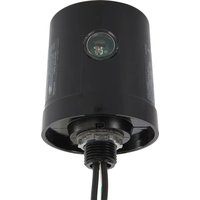
AG2401C3 - Surge protector INTERMATIC - Free user manual and instructions
Find the device manual for free AG2401C3 INTERMATIC in PDF.


Pick your language and provide your email: we'll send you a specifically translated version.
| Product Type | Digital Timer Control |
| Brand | Intermatic |
| Model | AG2401C3 |
| Dimensions | 4.5 x 3.0 x 1.8 inches |
| Weight | 6.7 oz (190 g) |
| Power Supply | 120 VAC, 60 Hz |
| Maximum Load | 16 Amps, 1200 W Tungsten |
| Control Type | 7-Day Programmable Timer |
| Number of Settings | Up to 24 On/Off Events per Day |
| Manual Override | Yes, Temporary or Permanent |
| Display Type | Digital LCD |
| Operating Temperature | 14°F to 122°F (-10°C to 50°C) |
| Weather Resistance | Indoor Use Only |
| Installation Type | Wall Box Mount, Requires 1-Gang Box |
| Warranty | 1 Year Limited |
| Certifications | UL Listed |
| Power Consumption | Less than 3 Watts Standby |
| Compatibility | Motor, Resistive, Inductive Loads |
| Timer Range | 1 Minute to 99 Minutes (Countdown), 24 Hours (Countdown) |
| Key Features | Astronomic Timing, Daylight Saving Adjust |
Frequently Asked Questions - AG2401C3 INTERMATIC
What is the maximum load capacity of the Intermatic AG2401C3?
The AG2401C3 can handle up to 16 Amps or 1200 Watts of tungsten lighting. For inductive loads, de-rate by 50%.
Can I use the AG2401C3 outdoors?
No, this timer is designed for indoor use only. It should be installed in a dry location, such as a wall box inside a building.
How do I reset the timer to factory settings?
Press and hold the Reset button (usually a small recessed button) for 10 seconds. All programmed events and time will return to default.
Does the AG2401C3 have a backup battery?
Yes, the timer includes a rechargeable battery that keeps the time and settings during a power outage. The battery lasts approximately 2 days.
What type of load is compatible with this timer?
The timer is compatible with resistive, inductive, and motor loads. Examples include lighting, fans, pumps, and small motors. Ensure the load does not exceed the rated maximum.
How do I program the AG2401C3 for a weekly schedule?
Use the PROG button to enter programming mode. Select the day(s), set the ON time, then set the OFF time. Repeat for each event. You can program up to 2 events per day (one on/off pair).
My timer is not turning on/off at the correct time. What should I check?
First, verify the time and day are set correctly. Check for power interruptions that may have drained the backup battery. Also ensure that manual override is not active.
Can I override the scheduled program temporarily?
Yes, press the ON or OFF button once to temporarily override. The timer will resume the next scheduled event automatically. For permanent override, hold the button for 5 seconds.
What is the warranty on the Intermatic AG2401C3?
Intermatic provides a 1-year limited warranty against defects in materials and workmanship. Check the official Intermatic website for full terms.
How do I clean and maintain the timer?
Wipe the front panel with a soft, dry cloth. Do not use liquids or abrasives. Ensure the ventilation slots are free of dust. Replace the backup battery every 3-5 years if needed.
User questions about AG2401C3 INTERMATIC
0 question about this device. Answer the ones you know or ask your own.
Ask a new question about this device
No questions yet. Be the first to ask one.
Download the instructions for your Surge protector in PDF format for free! Find your manual AG2401C3 - INTERMATIC and take your electronic device back in hand. On this page are published all the documents necessary for the use of your device. AG2401C3 by INTERMATIC.
USER MANUAL AG2401C3 INTERMATIC

Manual assistant
Powered by Anthropic
Waiting for your message
Product information
Brand : INTERMATIC
Model : AG2401C3
Category : Surge protector