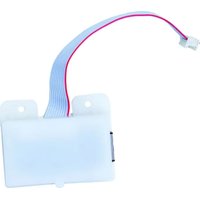
ET9232 - Ethernet Module INTERMATIC - Free user manual and instructions
Find the device manual for free ET9232 INTERMATIC in PDF.


Pick your language and provide your email: we'll send you a specifically translated version.
| Product Type | 24-Hour Programmable Timer |
| Brand | Intermatic |
| Model | ET9232 |
| Dimensions (W x H x D) | 4.5 x 2.5 x 1.5 inches |
| Weight | 0.5 lbs |
| Power Supply | 120V AC, 60Hz, 15A |
| Programmable Cycles | Up to 8 On/Off events per day |
| Manual Override | Yes |
| Countdown Timer | 1 minute to 23 hours 59 minutes |
| Backup Battery | Rechargeable NiMH (keeps time during power loss) |
| Mounting | Wall box or surface mount |
| Operating Temperature | 32°F to 122°F (0°C to 50°C) |
| Material | Thermoplastic housing |
| Safety Certifications | UL Listed, CSA Certified |
| Indoor Use Only | Yes |
| Warranty | 1 year limited |
Frequently Asked Questions - ET9232 INTERMATIC
How do I program the Intermatic ET9232 timer?
Press the PROGRAM button to enter programming mode. Use + and - to set the time and day. Then set On and Off times for each event. Press PROGRAM again to save.
What should I do if the timer loses its settings?
The timer has a rechargeable backup battery that maintains settings during power loss. If settings are lost, replace the battery or ensure the timer is powered for 24 hours to recharge.
Can the ET9232 control outdoor lighting?
No, this timer is designed for indoor use only. For outdoor applications, use a model with a weatherproof enclosure.
What is the maximum load the timer can handle?
The timer is rated for 15 amps at 120V AC, suitable for resistive loads like incandescent lights. For inductive loads like motors, derate to 80%.
How do I reset the timer to factory defaults?
Press and hold the RST button (located on the side) for 5 seconds. All programming will be erased, and the timer will return to default settings.
Does the ET9232 have a countdown feature?
Yes, it includes a countdown timer mode. Press the COUNTDOWN button, set the duration, and the timer will turn off the load after the countdown ends.
Can I use this timer with a three-way switch?
No, the ET9232 is designed for single-pole applications only. It cannot be used with three-way or multi-location switches.
What does the red light on the timer indicate?
A solid red light indicates the timer is powered and in standby. A blinking red light may indicate a programming error or power interruption.
How do I clean the timer?
Use a soft, dry cloth to clean the exterior. Do not use water, solvents, or abrasive cleaners, as they may damage the device.
Where can I find replacement parts for the ET9232?
Contact Intermatic customer support or visit their website for replacement parts. Common parts include the backup battery and fuses.
User questions about ET9232 INTERMATIC
0 question about this device. Answer the ones you know or ask your own.
Ask a new question about this device
No questions yet. Be the first to ask one.
Download the instructions for your Ethernet Module in PDF format for free! Find your manual ET9232 - INTERMATIC and take your electronic device back in hand. On this page are published all the documents necessary for the use of your device. ET9232 by INTERMATIC.
USER MANUAL ET9232 INTERMATIC
Manual assistant
Powered by Anthropic
Waiting for your message
Product information
Brand : INTERMATIC
Model : ET9232
Category : Ethernet Module