
IDS-3110N-40SVA1E - Monitor Advantech - Free user manual and instructions
Find the device manual for free IDS-3110N-40SVA1E Advantech in PDF.


Pick your language and provide your email: we'll send you a specifically translated version.
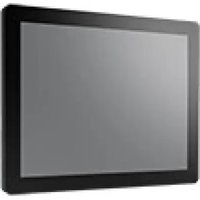
| Product Type | Industrial LCD Monitor |
| Brand | Advantech |
| Model | IDS-3110N-40SVA1E |
| Display Size | 10.4 inches (diagonal) |
| Resolution | 800 x 600 (SVGA) or 1024 x 768 (XGA) – refer to manual |
| Brightness | 300 cd/m² (typical) |
| Contrast Ratio | 500:1 (typical) |
| Viewing Angle | 65° vertical, 70° horizontal (typical) |
| Touchscreen | Optional resistive or capacitive – check model variant |
| Input Signal | VGA, DVI-D (depending on configuration) |
| Power Supply | 12V DC, 2A (typical) |
| Power Consumption | ~15W (typical) |
| Operating Temperature | 0°C to 50°C |
| Dimensions (W x H x D) | 260 x 200 x 45 mm (approximate) |
| Weight | 2.5 kg (approximate) |
| Mounting | VESA 75x75 mm, panel mount optional |
| OSD Controls | Buttons for brightness, contrast, and menu navigation |
| Certifications | CE, FCC Class A |
| Included Accessories | Power adapter, VGA cable, user manual |
| Cleaning | Wipe with a soft, dry cloth; avoid liquids directly on screen |
| Repairability | Spare parts available through Advantech service centers |
Frequently Asked Questions - IDS-3110N-40SVA1E Advantech
How do I clean the Advantech IDS-3110N-40SVA1E monitor?
Turn off the monitor and disconnect the power. Use a soft, lint-free cloth slightly dampened with water or a mild cleaner. Gently wipe the screen and bezel. Do not spray liquids directly on the screen or allow moisture into openings.
What video input does the IDS-3110N-40SVA1E support?
The monitor typically supports VGA and DVI-D inputs. Check your specific model configuration to confirm. Ensure you use the appropriate cable for your source device.
Can the IDS-3110N-40SVA1E be mounted on a wall?
Yes, it supports VESA 75x75 mm mounting. Use a compatible VESA mount or wall bracket designed for the monitor's weight (approx. 2.5 kg). Follow the mount's installation instructions.
What is the power requirement for this monitor?
The monitor requires a 12V DC power supply with a minimum of 2A. Use only the supplied adapter or a certified equivalent to avoid damage.
How do I adjust brightness and contrast?
Use the OSD (On-Screen Display) controls located on the bezel. Press the Menu button to open the OSD, then navigate with arrow keys to adjust brightness, contrast, and other settings.
Is the touchscreen model available?
The IDS-3110N series offers optional resistive or capacitive touchscreen. Check your product label to see if your unit includes touch functionality. Refer to the manual for touch driver installation.
What is the typical resolution of this monitor?
It supports up to 1024 x 768 (XGA) resolution. For best image quality, set your computer output to this resolution or the native resolution specified in the manual.
How do I troubleshoot a blank screen?
Ensure the power adapter is connected and the power LED is lit. Check that the video cable is securely connected to both the monitor and the source. Try a different cable or source to isolate the issue. If still blank, contact Advantech support.
Where can I download the user manual?
The manual is available for free on Notice-Facile.com or the Advantech official website. Search for the model IDS-3110N-40SVA1E. You can also request a translated version via email on Notice-Facile.
What is the warranty period for this monitor?
Advantech typically offers a 2-year warranty for industrial monitors. Confirm with your distributor or check the product documentation for exact terms.
User questions about IDS-3110N-40SVA1E Advantech
0 question about this device. Answer the ones you know or ask your own.
Ask a new question about this device
No questions yet. Be the first to ask one.
Download the instructions for your Monitor in PDF format for free! Find your manual IDS-3110N-40SVA1E - Advantech and take your electronic device back in hand. On this page are published all the documents necessary for the use of your device. IDS-3110N-40SVA1E by Advantech.
USER MANUAL IDS-3110N-40SVA1E Advantech
Manual assistant
Powered by Anthropic
Waiting for your message
Product information
Brand : Advantech
Model : IDS-3110N-40SVA1E
Category : Monitor