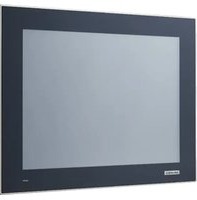
TPC-1751T - Ordinateur industriel tactile Advantech - Free user manual and instructions
Find the device manual for free TPC-1751T Advantech in PDF.


Pick your language and provide your email: we'll send you a specifically translated version.
| Product Type | Touch Panel Computer |
| Display Size | 17 inches |
| Display Resolution | 1280 x 1024 (SXGA) |
| Display Type | TFT LCD with LED backlight |
| Touch Screen Technology | Projected Capacitive or Resistive (varies by configuration) |
| Processor | Intel Celeron J1900 or Intel Core i5 (depending on variant) |
| System Memory | 4 GB DDR3L SO-DIMM (expandable up to 8 GB) |
| Storage | 64 GB mSATA SSD (optional HDD up to 500 GB) |
| Operating System | Windows 7 / 10 / Embedded Standard 7 |
| Dimensions (W x H x D) | 440 x 290 x 60 mm |
| Weight | Approximately 5 kg |
| Power Supply | 24 V DC (input voltage range: 19 ~ 32 V DC) |
| Power Consumption | 60 W typical |
| Operating Temperature | 0°C ~ 50°C |
| Ingress Protection (Front Panel) | IP65 |
| Mounting | Panel mount, VESA 75/100 mm |
| Main Functions | Industrial HMI, data acquisition, process control, visualization |
| Interfaces | 2 x GbE LAN, 4 x USB 2.0, 2 x COM (RS-232/422/485), 1 x VGA, 1 x Audio |
| Maintenance and Cleaning | Clean with a soft, dry cloth; avoid harsh chemicals; ensure power is disconnected before cleaning |
| Safety Compliance | CE, FCC Class A, UL/cUL listed |
| Spare Parts and Repairability | Spare parts available from Advantech; modular design for easy replacement of SSD, memory, and fan |
Frequently Asked Questions - TPC-1751T Advantech
How do I reset the touch screen calibration on the TPC-1751T?
Go to Windows Control Panel -> Tablet PC Settings -> Calibrate. Follow on-screen prompts. For resistive touch, use a stylus for accurate calibration.
What is the recommended cleaning procedure for the touch screen?
Use a soft, lint-free cloth slightly dampened with water or isopropyl alcohol. Do not spray directly on the screen. Avoid abrasive cleaners.
Can I install a different operating system on the TPC-1751T?
Yes, it supports Windows 10, Windows 7, and Linux (Ubuntu, Fedora). Ensure drivers are available from Advantech's support page.
How do I mount the TPC-1751T to a panel?
Use the included mounting clamps. Cut a panel opening of 420 x 270 mm. Insert the unit and tighten the clamps to secure it. VESA mount is also supported.
The touch screen is not responding. What should I check?
First, check if the touch controller driver is installed. Reboot the system. Ensure the USB cable (if external touch controller) is connected. Try recalibrating.
What power supply specifications are required?
A 24 V DC power supply with a minimum current of 3A is recommended. Use a regulated power supply to avoid damage. The input range is 19~32 V DC.
How can I extend the product's lifespan?
Keep the unit in a clean, well-ventilated area. Avoid extreme temperatures and humidity. Clean the fan and vents regularly. Use a surge protector.
Is the TPC-1751T suitable for outdoor use?
It has an IP65 front panel, but the rear is not sealed. For outdoor use, install in an enclosure with environmental protection. Avoid direct sunlight to prevent overheating.
How do I replace the internal SSD?
Disconnect power. Remove the back cover screws. Locate the mSATA SSD on the motherboard. Unclip and replace with a compatible SSD. Reassemble and secure.
Where can I find the latest drivers and manuals?
Visit Advantech's official website and search for 'TPC-1751T'. Under 'Downloads', you will find drivers, user manuals, and technical specifications.
User questions about TPC-1751T Advantech
0 question about this device. Answer the ones you know or ask your own.
Ask a new question about this device
No questions yet. Be the first to ask one.
Download the instructions for your Ordinateur industriel tactile in PDF format for free! Find your manual TPC-1751T - Advantech and take your electronic device back in hand. On this page are published all the documents necessary for the use of your device. TPC-1751T by Advantech.
USER MANUAL TPC-1751T Advantech

Manual assistant
Powered by Anthropic
Waiting for your message
Product information
Brand : Advantech
Model : TPC-1751T
Category : Ordinateur industriel tactile