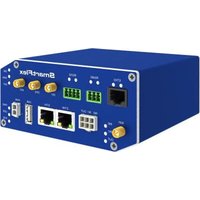
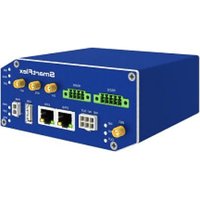
BB-SR30000110-SWH - Router Advantech - Free user manual and instructions
Find the device manual for free BB-SR30000110-SWH Advantech in PDF.


Pick your language and provide your email: we'll send you a specifically translated version.
| Product type | Industrial cellular router |
| Brand | Advantech |
| Model | BB-SR30000110-SWH |
| Category | Router |
| Form factor | DIN-rail mountable |
| Dimensions | 120 x 100 x 35 mm (approx.) |
| Weight | 300 g (approx.) |
| Power input | 12 - 48 V DC |
| Power consumption | 5 W typical |
| Antenna connector | 2 x SMA (cellular), 2 x RP-SMA (Wi-Fi) |
| SIM slot | 2 x Mini-SIM |
| Ethernet ports | 2 x 10/100/1000 Mbps |
| Wireless | 4G LTE, Wi-Fi 802.11 b/g/n |
| VPN support | OpenVPN, IPsec, GRE |
| Management | Web UI, CLI, SNMP, cloud-based |
| Operating temperature | -30°C to 70°C |
| Humidity range | 5% to 95% non-condensing |
| Maintenance | Keep the unit clean and free of dust; no internal maintenance |
| Safety | Designed with surge protection and reverse polarity protection |
| Spare parts & repairability | No user-replaceable parts; contact Advantech support for service |
Frequently Asked Questions - BB-SR30000110-SWH Advantech
How do I insert a SIM card into the router?
Open the SIM cover on the side panel, insert the SIM card with the gold contacts facing down into the SIM slot, then push until it clicks. Repeat for the second SIM if needed.
How do I access the web-based management interface?
Connect your computer to the router via Ethernet, set your IP to 192.168.1.x, then open a browser and go to the default IP address of the router, typically 192.168.1.1. Use the default username and password printed on the device label.
What is the default IP address and login credentials?
The router's default IP address is 192.168.1.1 with the username admin and password admin. For security reasons, change the password immediately after the first login.
How do I reset the router to factory defaults?
Use a paperclip to press and hold the RESET button for about 10 seconds until the power LED starts blinking. The router will reboot with factory settings.
How do I configure a VPN connection?
Go to the VPN section in the web UI, select OpenVPN or IPsec, and enter the server details provided by your VPN service. Save the configuration and enable the connection.
How can I improve the Wi-Fi signal strength?
Place the router in a central location, away from metal obstructions. Use the external antennas provided and ensure they are tightened. You can also adjust the transmit power in the Wi-Fi settings to high.
How do I check the network status and connected devices?
In the web UI, navigate to System Monitoring or Network Status to view data usage, signal strength, connected clients, and network statistics.
What is the power requirement for this router?
The router accepts 12-48 V DC power input. Connect the supplied terminal block or DC jack to a suitable power source. Ensure the polarity matches to prevent damage.
How do I mount the router on a DIN rail?
Attach the DIN rail clip to the back of the device, then slide the router onto the rail from the top until it clicks into place. For the wall mount, use the screw holes on the sides.
How do I update the firmware?
Download the latest firmware from the Advantech support website. In the web UI, go to System Update or Firmware Upgrade, select the file, and apply it. Do not power off the router during the update.
User questions about BB-SR30000110-SWH Advantech
0 question about this device. Answer the ones you know or ask your own.
Ask a new question about this device
No questions yet. Be the first to ask one.
Download the instructions for your Router in PDF format for free! Find your manual BB-SR30000110-SWH - Advantech and take your electronic device back in hand. On this page are published all the documents necessary for the use of your device. BB-SR30000110-SWH by Advantech.
USER MANUAL BB-SR30000110-SWH Advantech

Manual assistant
Powered by Anthropic
Waiting for your message
Product information
Brand : Advantech
Model : BB-SR30000110-SWH
Category : Router