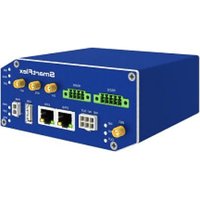
BB-SR30918320-SWH - Router Advantech - Free user manual and instructions
Find the device manual for free BB-SR30918320-SWH Advantech in PDF.


Pick your language and provide your email: we'll send you a specifically translated version.
| Product Type | Industrial Managed Ethernet Switch |
| Model | BB-SR30918320-SWH |
| Brand | Advantech |
| Number of Ports | 8 x 10/100/1000BASE-T + 2 x SFP |
| PoE Support | PoE+ (IEEE 802.3at) on all ports, total power budget 240W |
| Switching Capacity | 20 Gbps |
| MAC Address Table | 8K |
| Operating Temperature | -40°C to 75°C |
| Dimensions (W x D x H) | 440 x 250 x 44 mm (1U rackmount) |
| Weight | 3.5 kg |
| Power Input | 48-57 VDC (PoE) or 100-240 VAC with external adapter |
| Power Consumption | Max 260W (including PoE) |
| Mounting | 19-inch rackmount or DIN-rail |
| Management | Web GUI, SNMP v1/v2c/v3, CLI, Telnet, SSH |
| VLAN Support | IEEE 802.1Q VLAN, up to 4094 VLANs |
| Redundancy | STP/RSTP/MSTP, ERPS, Link Aggregation |
| Security | 802.1X, ACL, Port Security, SSH/SSL |
| Certifications | CE, FCC, UL 60950-1, EN 50121-4 |
| Cleaning Instructions | Use a dry cloth; avoid solvents and compressed air |
| Warranty | 5 years limited |
Frequently Asked Questions - BB-SR30918320-SWH Advantech
How do I reset the BB-SR30918320-SWH to factory defaults?
Locate the reset button on the front panel. Press and hold it for 10 seconds using a paperclip until the system LED blinks rapidly. Release to reboot with factory settings.
What is the maximum PoE power per port?
Each port supports PoE+ (IEEE 802.3at) with a maximum of 30W per port. The total PoE budget is 240W.
Can this switch be mounted on a DIN rail?
Yes, the package includes a DIN-rail mounting kit. Refer to the user manual for installation instructions.
How to configure VLANs on the switch?
Access the web GUI via the default IP (192.168.1.1). Go to VLAN configuration, create a new VLAN (1-4094), assign ports with untagged/tagged mode, and apply changes.
Does the switch support fiber optic connections?
Yes, it has 2 SFP slots that accept 1000BASE-SX/LX modules for fiber optic cabling.
What is the operating temperature range?
The switch is rated for industrial environments with an operating temperature of -40°C to 75°C.
How can I update the firmware?
Download the latest firmware from the Advantech support website. Log into the web GUI, go to Maintenance > Firmware Upgrade, upload the file, and confirm the update.
What type of power supply is required?
It requires 48-57 VDC for PoE operation, or 100-240 VAC using the included external power adapter. Ensure the power source is within specifications.
Can I use this switch in a daisy-chain topology?
Yes, supporting ERPS (Ethernet Ring Protection Switching) allows ring topology with fast recovery (<50ms).
Is the switch compatible with SNMP monitoring?
Absolutely. It supports SNMP v1/v2c/v3. Configure the community strings or users in the web GUI under SNMP settings.
User questions about BB-SR30918320-SWH Advantech
0 question about this device. Answer the ones you know or ask your own.
Ask a new question about this device
No questions yet. Be the first to ask one.
Download the instructions for your Router in PDF format for free! Find your manual BB-SR30918320-SWH - Advantech and take your electronic device back in hand. On this page are published all the documents necessary for the use of your device. BB-SR30918320-SWH by Advantech.
USER MANUAL BB-SR30918320-SWH Advantech
Manual assistant
Powered by Anthropic
Waiting for your message
Product information
Brand : Advantech
Model : BB-SR30918320-SWH
Category : Router