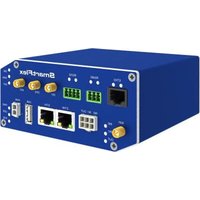
BB-SR30400010 - Router Advantech - Free user manual and instructions
Find the device manual for free BB-SR30400010 Advantech in PDF.


Pick your language and provide your email: we'll send you a specifically translated version.
| Product Type | Industrial Cellular Router |
| Model Number | BB-SR30400010 |
| Brand | Advantech |
| Dimensions (W x D x H) | 40 x 100 x 120 mm (approx.) |
| Weight | 0.3 kg (approx.) |
| Power Input | 9-36 VDC |
| Power Consumption | 5 W (typical) |
| Wireless Technology | 4G LTE Cat 4 |
| Wi-Fi Standard | 802.11 b/g/n |
| Ethernet Ports | 2 x RJ45 10/100 Mbps |
| Serial Interface | 1 x RS-232/422/485 |
| SIM Card Slot | 1 x Nano SIM |
| Antenna Connectors | 2 x SMA for cellular, 1 x RP-SMA for Wi-Fi |
| Operating Temperature | -40°C to 75°C |
| Ingress Protection | IP40 |
| Mounting | DIN rail |
| VPN Support | OpenVPN, IPsec, PPTP |
| Firewall | Stateful packet inspection |
| Management | Web GUI, CLI, SNMP |
| Maintenance | Firmware upgrade via web or cloud |
| Spare Parts Availability | Power adapters, antennas, DIN rail clips |
| Reparability | User-serviceable SIM and antenna; other repairs by qualified personnel |
| Environmental Compliance | RoHS, CE, FCC |
Frequently Asked Questions - BB-SR30400010 Advantech
How do I connect the BB-SR30400010 to the internet?
Insert a Nano SIM card with an active data plan, connect the cellular antennas, and power on. The router will automatically connect to the cellular network. You can also connect via Ethernet for wired backup.
How do I access the router's web interface?
By default, the router's IP is 192.168.1.1. Connect a computer to one of the Ethernet ports and set your computer's IP to 192.168.1.x. Open a browser and go to http://192.168.1.1. Default credentials are on the device label.
What VPN protocols are supported?
The router supports OpenVPN, IPsec, and PPTP. You can configure them via the web interface under VPN settings.
Can I use this router with a 5G SIM card?
No, this model supports only 4G LTE Cat 4. A 5G SIM would work but only at 4G speeds.
How do I reset the router to factory defaults?
Press and hold the reset button (located on the front panel) for at least 10 seconds using a paperclip. The LEDs will flash, indicating a reset.
What is the operating temperature range?
The router is designed for harsh environments and operates from -40°C to 75°C.
How do I update the firmware?
Download the latest firmware from Advantech's website. Log into the web interface, go to System > Firmware Upgrade, and select the file. Do not power off during upgrade.
Can I mount the router on a DIN rail?
Yes, the BB-SR30400010 comes with a DIN rail mounting kit included.
What type of serial interface does it have?
It has one RS-232/422/485 serial port with software-selectable mode, configurable via web interface.
Is the router secure from unauthorized access?
Yes, it includes a stateful firewall, VPN encryption, and support for secure management (HTTPS, SSH). Change default credentials immediately.
User questions about BB-SR30400010 Advantech
0 question about this device. Answer the ones you know or ask your own.
Ask a new question about this device
No questions yet. Be the first to ask one.
Download the instructions for your Router in PDF format for free! Find your manual BB-SR30400010 - Advantech and take your electronic device back in hand. On this page are published all the documents necessary for the use of your device. BB-SR30400010 by Advantech.
USER MANUAL BB-SR30400010 Advantech
Manual assistant
Powered by Anthropic
Waiting for your message
Product information
Brand : Advantech
Model : BB-SR30400010
Category : Router