
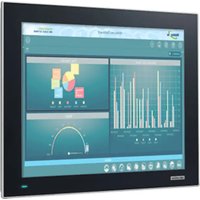
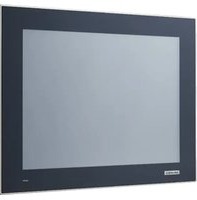
TPC-651T - Ordinateur industriel tactile Advantech - Free user manual and instructions
Find the device manual for free TPC-651T Advantech in PDF.


Pick your language and provide your email: we'll send you a specifically translated version.
| Product Type | Industrial Touch Panel Computer |
| Display Size | 6.5 inches |
| Display Resolution | 640 x 480 (VGA) |
| Touch Screen Type | Resistive |
| Processor | Intel Atom N270 (1.6 GHz) |
| System Memory | 1 GB DDR2 |
| Storage | CompactFlash slot, 2 GB CF card |
| Operating System | Windows Embedded Standard 7 or Linux |
| Power Supply | 12-24 V DC, typical 20 W |
| Dimensions (W x H x D) | 230 x 176 x 48 mm |
| Weight | 2.8 kg |
| Operating Temperature | 0 to 50 °C |
| Protection Rating | IP65 front panel |
| Mounting | Panel mount with gasket |
| Interfaces | 2 x RS-232, 1 x RS-422/485, 2 x USB 2.0, 1 x VGA, 1 x Ethernet |
| Cleaning | Use a soft cloth with mild detergent; avoid abrasive cleaners |
| Safety | Use only specified power supply; ensure proper grounding |
| Maintenance | Periodic check of gaskets and connections; clean air vents |
| Spare Parts | Power supply, touch panel, CF card; contact Advantech support |
| Reparability | Modular design; user-replaceable CF card and fan; advanced repairs require service center |
Frequently Asked Questions - TPC-651T Advantech
What is the default operating system of the Advantech TPC-651T?
The default operating system is Windows Embedded Standard 7 or optionally Linux.
How do I mount the TPC-651T to a panel?
The TPC-651T uses a panel mount design with a gasket. Insert the unit into a cutout of the specified dimensions and secure it using the provided mounting clips.
What is the power consumption of the TPC-651T?
Typical power consumption is 20 W, with a supply voltage range of 12 to 24 V DC.
Can I upgrade the memory in the TPC-651T?
Yes, the memory is a DDR2 SO-DIMM module. Refer to the manual for access and maximum supported capacity.
Is the TPC-651T compatible with resistive touch?
Yes, it features a resistive touch screen that can be operated with fingers or a stylus.
How do I calibrate the touch screen?
Calibration is done via the Touch Calibration Utility in the operating system. Follow the on-screen instructions.
What IP rating does the front panel have?
The front panel is rated IP65, meaning it is dust-tight and protected against water jets.
Can I replace the CompactFlash card myself?
Yes, the CompactFlash card is user-replaceable. Access it by opening the back cover.
What should I do if the display is flickering?
Check the power supply voltage and connections. If the issue persists, try adjusting the brightness or update the display driver.
Where can I find the latest drivers for the TPC-651T?
Drivers and updates are available on the Advantech Support website. Search for model TPC-651T.
User questions about TPC-651T Advantech
0 question about this device. Answer the ones you know or ask your own.
Ask a new question about this device
No questions yet. Be the first to ask one.
Download the instructions for your Ordinateur industriel tactile in PDF format for free! Find your manual TPC-651T - Advantech and take your electronic device back in hand. On this page are published all the documents necessary for the use of your device. TPC-651T by Advantech.
USER MANUAL TPC-651T Advantech
Manual assistant
Powered by Anthropic
Waiting for your message
Product information
Brand : Advantech
Model : TPC-651T
Category : Ordinateur industriel tactile