
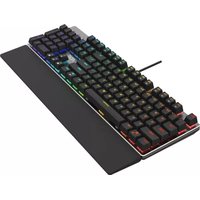
AGON AGK600 - Keyboard AOC - Free user manual and instructions
Find the device manual for free AGON AGK600 AOC in PDF.


Pick your language and provide your email: we'll send you a specifically translated version.
| Brand | AOC |
| Model | AGON AGK600 |
| Product type | Mechanical gaming keyboard |
| Layout | Full-size (104 keys) |
| Switch type | Cherry MX Red (linear) |
| Backlighting | Per-key RGB with customizable effects |
| Connectivity | Detachable braided USB-C cable (1.8m) |
| Polling rate | 1000 Hz |
| Key rollover | Full N-key rollover |
| Dimensions (W x D x H) | 440 x 130 x 35 mm |
| Weight | 800 g |
| Material | Aluminum top plate, ABS keycaps |
| Software | G-Menu software for macro and lighting customization |
| Onboard memory | 4 MB for profiles |
| Power source | USB bus power |
| Operating system | Windows 10/11, macOS 10.12+ |
| Wrist rest | Magnetic, detachable (leatherette) |
| Water resistance | IPX3 splash-proof |
| Cleaning instructions | Wipe with a soft damp cloth; do not submerge in water |
| Safety certifications | CE, FCC, RoHS |
| Spare parts availability | Contact AOC support for keycaps and cable |
Frequently Asked Questions - AGON AGK600 AOC
How do I connect the AOC AGON AGK600 keyboard to my computer?
Connect the detachable USB-C cable to the keyboard and plug the USB-A end into a USB port on your computer. The keyboard will be recognized automatically.
What type of switches does the AGK600 use?
The AGK600 uses Cherry MX Red switches, which are linear and require roughly 45g of actuation force, ideal for gaming.
Can I customize the RGB lighting?
Yes, you can customize per-key RGB lighting using the AOC G-Menu software. Presets and dynamic effects are also available.
How do I clean the keyboard?
Disconnect the keyboard and wipe the surface with a soft, slightly damp cloth. Do not use abrasive cleaners or submerge the keyboard. For deep cleaning, keycaps can be removed.
Is the keyboard compatible with macOS?
The AGK600 works on macOS 10.12 and newer, but some G-Menu software features may be limited on macOS.
What is the warranty period?
AOC offers a 2-year limited warranty covering manufacturing defects. Please retain your proof of purchase.
Does the keyboard have onboard memory for profiles?
Yes, the AGK600 has 4 MB of onboard memory to store up to 3 custom profiles, including lighting and macros.
Can I replace the keycaps?
Yes, the keyboard uses standard Cherry MX cross-shaped stems, compatible with most aftermarket keycap sets.
How do I reset the keyboard to factory settings?
Hold the Esc and Windows keys together for 5 seconds until the backlight blinks. The keyboard will reset to default settings.
Is the AGK600 spill-resistant?
Yes, the keyboard has an IPX3 splash-proof rating, meaning it can withstand accidental splashes but should not be immersed.
User questions about AGON AGK600 AOC
0 question about this device. Answer the ones you know or ask your own.
Ask a new question about this device
No questions yet. Be the first to ask one.
Download the instructions for your Keyboard in PDF format for free! Find your manual AGON AGK600 - AOC and take your electronic device back in hand. On this page are published all the documents necessary for the use of your device. AGON AGK600 by AOC.
USER MANUAL AGON AGK600 AOC
Manual assistant
Powered by Anthropic
Waiting for your message
Product information
Brand : AOC
Model : AGON AGK600
Category : Keyboard