VT-6043-4 - Fan V-TAC - Free user manual and instructions
Find the device manual for free VT-6043-4 V-TAC in PDF.


Pick your language and provide your email: we'll send you a specifically translated version.
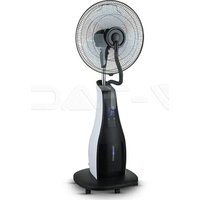
| Product Type | Pedestal Fan |
| Model | VT-6043-4 |
| Brand | V-TAC |
| Blade Diameter | 16 inches (40 cm) |
| Height | Adjustable, up to 140 cm |
| Weight | Approx. 3.5 kg |
| Power Supply | AC 220-240V, 50/60 Hz |
| Power Consumption | 50-60 W |
| Number of Speed Settings | 3 |
| Oscillation | Yes, wide-angle oscillation |
| Control Type | Mechanical buttons or remote control |
| Safety Features | Overheat protection, stable base |
| Blade Material | ABS plastic |
| Grill Material | Metal with corrosion-resistant coating |
| Noise Level | Approx. 45-55 dB |
| Cleaning | Wipe with damp cloth; unplug before cleaning |
| Spare Parts Availability | Blades, motor, control board available |
| Warranty | 2 years |
Frequently Asked Questions - VT-6043-4 V-TAC
How do I assemble the fan?
Refer to the user manual for assembly steps. Typically, attach the base to the pole, then connect the motor unit and fan blades, and secure the front grill.
Can I use the fan in a damp environment like a bathroom?
No, this fan is not rated for damp locations. Use only in dry indoor areas to avoid electrical hazards.
How do I clean the fan blades?
Unplug the fan. Remove the front grill by unscrewing the retaining ring. Wipe blades with a damp cloth. Dry before reassembling.
Why is the fan making noise?
Check for loose screws, unbalanced blades, or debris. Tighten connections and clean the blades. If noise persists, contact support.
Does the fan have a remote control?
Yes, the V-TAC VT-6043-4 includes a remote control for adjusting speed, oscillation, and timer functions.
Can I adjust the height?
Yes, the pedestal fan height is adjustable. Loosen the height adjustment collar, set the desired height, and tighten securely.
What is the power consumption?
The fan consumes approximately 50-60 watts, making it energy-efficient.
How do I use the oscillation feature?
Press the oscillation button on the control panel or remote. The fan will automatically oscillate side to side to distribute air.
Is there a timer function?
Yes, the fan includes a timer that can be set for up to 7 hours for automatic shut-off.
What should I do if the fan stops working?
First check if it is plugged in and the outlet is working. Then check for overheating protection - let it cool down. If still not working, consult the manual or contact customer service.
User questions about VT-6043-4 V-TAC
0 question about this device. Answer the ones you know or ask your own.
Ask a new question about this device
No questions yet. Be the first to ask one.
Download the instructions for your Fan in PDF format for free! Find your manual VT-6043-4 - V-TAC and take your electronic device back in hand. On this page are published all the documents necessary for the use of your device. VT-6043-4 by V-TAC.
USER MANUAL VT-6043-4 V-TAC

Manual assistant
Powered by Anthropic
Waiting for your message
Product information
Brand : V-TAC
Model : VT-6043-4
Category : Fan