SP-HDA-501 - Audio/video converter Speaka - Free user manual and instructions
Find the device manual for free SP-HDA-501 Speaka in PDF.


Pick your language and provide your email: we'll send you a specifically translated version.
| Brand | Speaka |
| Model | SP-HDA-501 |
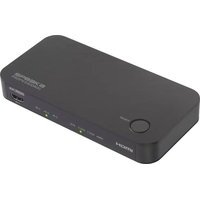
| Product type | Audio/video converter |
| Dimensions (approx.) | 7 × 5 × 2 cm |
| Weight (approx.) | 50 g |
| Power supply | USB 5 V (cable included) |
| Power consumption | ~0.5 W |
| Video input | HDMI (female) |
| Video output | Composite CVBS (yellow RCA) |
| Audio input | Integrated into HDMI |
| Audio output | Stereo RCA (white/red) |
| Maximum resolution | 1080p (input) / 480i (composite output) |
| Supported audio formats | PCM 2.0 |
| Cable length | ~30 cm (integrated HDMI/RCA cable) |
| Housing material | ABS plastic |
| Color | Black |
| Operating temperature | 0 °C to 45 °C |
| Care and cleaning | Wipe with a soft, dry cloth. Do not use solvents. |
| Safety | Do not expose to moisture or extreme temperatures. |
| Spare parts / repairability | Not applicable (non-user-serviceable device). |
Frequently Asked Questions - SP-HDA-501 Speaka
How to connect the Speaka SP-HDA-501 converter?
Connect the HDMI source (e.g., a computer or console) to the HDMI input of the converter. Then plug the RCA outputs into the corresponding inputs of the TV or projector (yellow for video, white/red for audio). Finally, power the converter via the USB port (5 V).
Does the converter support digital audio signal?
The SP-HDA-501 converts digital audio from the HDMI source to analog stereo signal (PCM 2.0) on the RCA outputs. It does not support multi-channel or compressed audio formats (Dolby, DTS).
What video resolution can I get on output?
The converter accepts HDMI input up to 1080p and converts it to composite video (CVBS) with a resolution of 480i (NTSC) or 576i (PAL) depending on your region's standard.
Can I use this converter without external power?
No, the converter requires 5 V power via USB. It is recommended to use a USB power adapter (not included) rather than a computer USB port if the current is insufficient.
Does the converter work with retro gaming consoles?
Yes, it is compatible with HDMI consoles (e.g., PS3, PS4, Xbox 360, Xbox One) and allows connecting them to an older TV equipped with composite inputs.
What to do if no image appears on the screen?
Check that the converter is properly powered (LED indicator on). Make sure the RCA cables are plugged into the correct inputs (yellow=video). Try another HDMI source to rule out a source problem.
Does the converter support HDCP?
Yes, the SP-HDA-501 is HDCP (High-bandwidth Digital Content Protection) compliant for protected sources such as Blu-ray players or TV boxes.
Can I plug the converter in both directions (AV to HDMI)?
No, this model only works from HDMI to composite. It is not bidirectional.
How to clean the converter?
Unplug the device before cleaning. Use a soft, dry cloth to wipe the casing. Do not use alcohol, solvents, or abrasive products.
Is the product guaranteed?
The legal warranty of conformity applies. Keep the proof of purchase. For any repairs, contact the Speaka after-sales service.
User questions about SP-HDA-501 Speaka
0 question about this device. Answer the ones you know or ask your own.
Ask a new question about this device
No questions yet. Be the first to ask one.
Download the instructions for your Audio/video converter in PDF format for free! Find your manual SP-HDA-501 - Speaka and take your electronic device back in hand. On this page are published all the documents necessary for the use of your device. SP-HDA-501 by Speaka.
USER MANUAL SP-HDA-501 Speaka

Manual assistant
Powered by Anthropic
Waiting for your message
Product information
Brand : Speaka
Model : SP-HDA-501
Category : Audio/video converter