
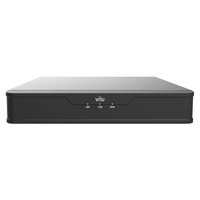
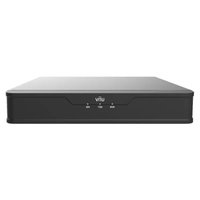
NVR302-09S2 - VCR UniView - Free user manual and instructions
Find the device manual for free NVR302-09S2 UniView in PDF.


Pick your language and provide your email: we'll send you a specifically translated version.
| Product Type | Network Video Recorder (NVR) |
| Model | NVR302-09S2 |
| Channels | 9-channel |
| Hard Drive Bays | 2 SATA bays (supports up to 2 HDDs) |
| Recording Resolution | Up to 8MP per channel |
| Compression Format | H.265+/H.265/H.264+/H.264 |
| Network Interface | 2 x Gigabit Ethernet |
| Audio | 1 audio input, 1 audio output |
| Alarm Ports | 4 alarm inputs, 1 alarm output |
| USB Ports | 2 USB 2.0, 1 USB 3.0 |
| Power Supply | DC 12V/5A (included) |
| PoE Support | No (requires external PoE switch) |
| Dimensions (W x D x H) | 440 mm x 300 mm x 45 mm |
| Weight | 2.5 kg (without HDDs) |
| Operating Temperature | -10°C to 55°C |
| Maintenance | Keep clean and dry; avoid dust accumulation |
| Safety | Use supplied power adapter; do not expose to liquids |
| Spare Parts | Power adapter, HDMI cable, mouse |
Frequently Asked Questions - NVR302-09S2 UniView
How do I connect cameras to the NVR302-09S2?
Connect IP cameras to the same network as the NVR. Use the NVR's network interfaces or a PoE switch. Then add cameras via the menu under Camera Management.
What is the maximum hard drive capacity supported?
Each of the two SATA bays supports up to 10TB, for a total capacity of 20TB.
Can I access the NVR remotely?
Yes, enable Remote Access in network settings. You can use the UniView app or web browser after configuring port forwarding or P2P.
How do I set up motion detection?
Go to Event Management > Motion Detection. Enable it for each camera, set sensitivity, and configure recording or email alerts.
What video compression formats are supported?
The NVR supports H.265+, H.265, H.264+, and H.264. Choose the appropriate format in camera settings for bandwidth and storage efficiency.
How do I perform a factory reset?
Press and hold the reset button on the rear panel for 10 seconds while the device is powered on. All settings will be restored to default.
What is the default IP address?
The default IP is 192.168.1.100 with subnet mask 255.255.255.0. Connect a monitor and mouse to change it in network settings.
Can I record audio with video?
Yes, if your cameras support audio input. Connect the camera's audio output to the NVR's audio input (or use built-in mic). Enable audio recording in the camera settings.
How do I back up recorded footage?
Insert a USB drive into a USB port. Go to Playback, select time and camera, then click Export to save video to the USB drive.
What do the LEDs on the front panel indicate?
Power: solid green when on. HDD: blinks during read/write. Network: blinks for activity. Alarm: lights when an alarm is triggered.
User questions about NVR302-09S2 UniView
0 question about this device. Answer the ones you know or ask your own.
Ask a new question about this device
No questions yet. Be the first to ask one.
Download the instructions for your VCR in PDF format for free! Find your manual NVR302-09S2 - UniView and take your electronic device back in hand. On this page are published all the documents necessary for the use of your device. NVR302-09S2 by UniView.
USER MANUAL NVR302-09S2 UniView
Manual assistant
Powered by Anthropic
Waiting for your message
Product information
Brand : UniView
Model : NVR302-09S2
Category : VCR