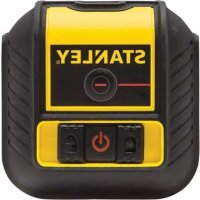
STHT77503-1 - Laser level STANLEY - Free user manual and instructions
Find the device manual for free STHT77503-1 STANLEY in PDF.


Pick your language and provide your email: we'll send you a specifically translated version.
| Product Type | Cross Line Laser Level |
| Brand | Stanley |
| Model | STHT77503-1 |
| Laser Class | Class 2 (≤ 1 mW, 635 nm) |
| Working Range | Up to 30 m (with detector) |
| Accuracy | ± 3 mm at 10 m |
| Leveling | Self-leveling (leveling range ± 4°) |
| Power Supply | 2 AA batteries (1.5 V) |
| Battery Life | Approximately 20 hours (continuous use) |
| Dimensions (L × W × H) | 120 × 80 × 100 mm |
| Weight (with batteries) | 0.5 kg |
| Housing Material | Reinforced ABS plastic |
| Mounting | 1/4" thread for tripod |
| Main Functions | Horizontal and vertical line projection, manual mode |
| Maintenance and Cleaning | Clean with a soft, dry cloth; avoid solvents |
| Safety | Do not look directly into the beam; turn off when not in use |
| Spare Parts | Batteries, tripod adapter, detection target (optional) |
| Repairability | Repair by Stanley authorized center; no user-serviceable parts |
| General Information | Indoor and outdoor use (with detector) |
| Warranty | Manufacturer's warranty 2 years |
Frequently Asked Questions - STHT77503-1 STANLEY
How to turn on the Stanley STHT77503-1 laser level?
Press the power button on the side of the device. A green indicator lights up to indicate power on. The laser self-levels automatically.
The laser does not turn on, what should I do?
Check the batteries: insert two new AA batteries respecting polarity. If the problem persists, contact Stanley customer service.
How to use the manual lock mode?
To disable self-leveling, hold down the power button for 3 seconds until the indicator flashes. Use this mode to project sloped lines.
What is the maximum range of the laser?
Indoors, the range is about 15 m. With a laser detector (optional), it can reach 30 m outdoors.
How to mount the laser on a tripod?
Screw the 1/4" thread under the device onto the tripod. Make sure it is tight to prevent falling.
The laser is flashing, is this normal?
Rapid flashing indicates the device is out of its self-leveling range (more than 4° tilt). Place it on a leveler surface or use manual mode.
How to clean the laser output windows?
Use a soft, dry cloth to gently wipe the windows. Do not use solvents or abrasive products that could scratch the surface.
Can I use this laser outdoors?
Yes, but beam visibility is reduced in bright sunlight. Use a laser detector to improve range and visibility.
How to know if the batteries are low?
The power indicator flashes red and the beam becomes less bright. Replace the batteries as soon as possible.
What to do if the laser shows an error?
Turn off the device, remove the batteries, wait 10 seconds, then reinsert the batteries and turn on. If the error persists, contact technical support.
User questions about STHT77503-1 STANLEY
0 question about this device. Answer the ones you know or ask your own.
Ask a new question about this device
No questions yet. Be the first to ask one.
Download the instructions for your Laser level in PDF format for free! Find your manual STHT77503-1 - STANLEY and take your electronic device back in hand. On this page are published all the documents necessary for the use of your device. STHT77503-1 by STANLEY.
USER MANUAL STHT77503-1 STANLEY
Manual assistant
Powered by Anthropic
Waiting for your message
Product information
Brand : STANLEY
Model : STHT77503-1
Category : Laser level