
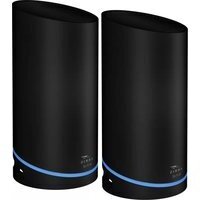
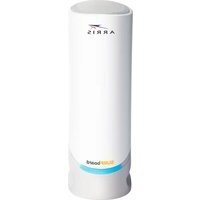
SURFboard G18 - Router Arris - Free user manual and instructions
Find the device manual for free SURFboard G18 Arris in PDF.


Pick your language and provide your email: we'll send you a specifically translated version.
| Product Type | Cable Modem Router Combo |
| Model | SURFboard G18 |
| Brand | Arris |
| Wi-Fi Standard | IEEE 802.11ax (Wi-Fi 6) |
| Maximum Wi-Fi Speed | Up to 4.8 Gbps |
| Ports | 1 Gigabit WAN, 4 Gigabit LAN, 1 USB 3.0 |
| DOCSIS Standard | DOCSIS 3.1 |
| Dimensions (W x D x H) | 8.7 x 6.5 x 2.2 inches (approx.) |
| Weight | 1.5 lbs (approx.) |
| Power Supply | AC 100-240V, 50-60Hz, 12V DC 2.5A |
| Power Consumption | 15W typical |
| Wireless Security | WPA2/WPA3, WPS |
| Guest Network | Yes |
| Parental Controls | Yes |
| MU-MIMO | Yes |
| Beamforming | Yes |
| LED Indicators | Power, Downstream, Upstream, Internet, Wi-Fi, Ethernet |
| Operating Temperature | 32°F to 104°F (0°C to 40°C) |
| Storage Temperature | -4°F to 140°F (-20°C to 60°C) |
| Humidity | 10% to 90% non-condensing |
| Certifications | FCC, IC, CE |
| Compatible Cable Providers | Comcast, Spectrum, Cox, others |
| Setup | Via web browser or mobile app |
| Warranty | 1 year limited |
Frequently Asked Questions - SURFboard G18 Arris
How do I set up my Arris SURFboard G18 router?
Connect the coax cable from your wall to the router's cable port, then power on. Use the Arris SURFboard Manager app or navigate to 192.168.0.1 to complete setup.
What is the default Wi-Fi name and password for the SURFboard G18?
The default SSID and password are printed on a sticker on the router, typically starting with 'ARRIS-' for the SSID and a random alphanumeric password.
How can I reset my SURFboard G18 to factory settings?
Press and hold the Reset button on the back of the device for 10 seconds using a paperclip. Release when the lights blink.
Does the SURFboard G18 support Wi-Fi 6?
Yes, the SURFboard G18 is a Wi-Fi 6 (802.11ax) router, offering faster speeds and better performance for multiple devices.
What internet speeds can the SURFboard G18 handle?
As a DOCSIS 3.1 modem, it supports cable internet plans up to 1 Gbps downstream. Combined with Wi-Fi 6, it can deliver high-speed wireless performance.
How do I update the firmware on my SURFboard G18?
Log into the router interface at 192.168.0.1, go to Administration > Firmware Update, and click 'Check for Updates'. The router will download and install if available.
Can I use the SURFboard G18 with any cable provider?
The SURFboard G18 is approved for major US cable providers like Comcast Xfinity, Spectrum, Cox, and Charter. Check with your provider for compatibility.
How do I change my Wi-Fi password?
Access the router settings at 192.168.0.1, log in with admin credentials, navigate to Wireless > Security, and update the passphrase.
What do the LED lights on my SURFboard G18 mean?
Solid green indicates a good connection. Flashing means activity. Off means no link. Refer to the user manual for specific LED patterns.
Is the SURFboard G18 compatible with mesh systems?
Yes, it can be used as a modem only by enabling Bridge Mode in the settings, allowing you to connect a separate mesh system.
User questions about SURFboard G18 Arris
0 question about this device. Answer the ones you know or ask your own.
Ask a new question about this device
No questions yet. Be the first to ask one.
Download the instructions for your Router in PDF format for free! Find your manual SURFboard G18 - Arris and take your electronic device back in hand. On this page are published all the documents necessary for the use of your device. SURFboard G18 by Arris.
USER MANUAL SURFboard G18 Arris

Manual assistant
Powered by Anthropic
Waiting for your message
Product information
Brand : Arris
Model : SURFboard G18
Category : Router