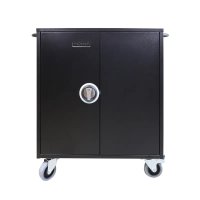
Notebox 5 - NAS Leba - Free user manual and instructions
Find the device manual for free Notebox 5 Leba in PDF.


Pick your language and provide your email: we'll send you a specifically translated version.
| Product Type | NAS (Network Attached Storage) |
| Brand | Leba |
| Model | Notebox 5 |
| Number of bays | 5 bays |
| Processor | Quad-core 1.5 GHz |
| RAM Memory | 2 GB DDR3 |
| Power Supply | External AC adapter 12V |
| Dimensions (W x D x H) | 200 x 200 x 300 mm |
| Weight | 3 kg |
| Supported file systems | ext4, Btrfs, NTFS, FAT32 |
| Network protocols | SMB, NFS, FTP, AFP |
| RAID functions | RAID 0, 1, 5, 6, 10 |
| Backup functions | Scheduled backup, cloud synchronization |
| Security | AES 256-bit encryption, built-in firewall |
| Maintenance and cleaning | Dust regularly with a dry cloth |
| Spare parts and repairability | Hard drives, AC adapter, fan |
| General information | Centralized network storage for multimedia and professional data |
Frequently Asked Questions - Notebox 5 Leba
How to install my Leba Notebox 5?
Connect the AC adapter and connect the NAS to your router via Ethernet cable. Insert the hard drives into the bays, then turn on the device. Access the management interface via the IP address assigned by DHCP.
Which hard drives are compatible?
The Notebox 5 accepts 3.5-inch and 2.5-inch SATA III hard drives, with a maximum capacity of 16 TB per bay. We recommend NAS drives (Western Digital Red, Seagate IronWolf).
How to configure RAID?
In the management interface, go to 'Volume Management' and select 'Create RAID Volume'. Choose the RAID type (e.g., RAID 5 for a good balance of performance and security). Follow the instructions and apply the changes.
How to access my files from outside?
Enable remote access in the management interface (network settings). Configure port forwarding on your router (default port 5000). Use a dynamic DNS if your IP address is dynamic. Then access via 'your-ip:5000' or via the Leba mobile app.
What to do if the device does not start?
Check the power (AC adapter and outlet). Make sure the hard drives are properly inserted. Reset the NAS by holding the Reset button for 10 seconds. If the problem persists, contact customer service.
How to update the firmware?
In the management interface, go to 'System Settings' > 'Firmware Update'. Click 'Check for updates'. If a new version is available, download and install it. Do not turn off the power during the update.
How to back up my data?
Use the built-in backup function: create a backup task to an external disk (USB) or a cloud service. You can also configure RAID backup to protect against disk failure.
Can I hot-swap disks?
Yes, the Notebox 5 supports hot swapping for the bays. Carefully remove the faulty disk and insert the new one without turning off the device. The NAS will automatically rebuild the RAID volume if configured.
How to reset the administrator password?
Hold the Reset button on the back of the NAS for 10 seconds until the LED flashes. The password will be reset to default (admin/admin). Log in and immediately change the password.
What are the LEDs and their meaning?
Power LED: solid blue (on), blinking (booting). Drive LEDs: green (active), orange (fault). Network LED: blinking green (activity). Refer to the manual for full details.
User questions about Notebox 5 Leba
0 question about this device. Answer the ones you know or ask your own.
Ask a new question about this device
No questions yet. Be the first to ask one.
Download the instructions for your NAS in PDF format for free! Find your manual Notebox 5 - Leba and take your electronic device back in hand. On this page are published all the documents necessary for the use of your device. Notebox 5 by Leba.
USER MANUAL Notebox 5 Leba
Manual assistant
Powered by Anthropic
Waiting for your message
Product information
Brand : Leba
Model : Notebox 5
Category : NAS