
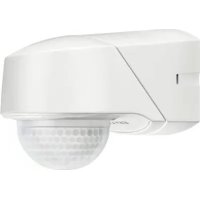
PD 360/8 Basic - Motion detector Esylux - Free user manual and instructions
Find the device manual for free PD 360/8 Basic Esylux in PDF.


Pick your language and provide your email: we'll send you a specifically translated version.
| Product Type | Motion Detector |
| Brand | Esylux |
| Model | PD 360/8 Basic |
| Detection Angle | 360° |
| Detection Range | Up to 8 meters |
| Power Supply | 230 V AC, 50 Hz |
| Power Consumption | Approx. 0.5 W standby |
| Mounting Height | 2.5 m (recommended) |
| Dimensions (H x W x D) | 100 x 80 x 80 mm |
| Weight | Approx. 120 g |
| IP Rating | IP44 |
| Operating Temperature | -20°C to +40°C |
| Time Setting | 10 sec to 15 min |
| Light Sensitivity | Adjustable, 2-2000 Lux |
| Maximum Load | 1200 W (incandescent), 300 W (LED) |
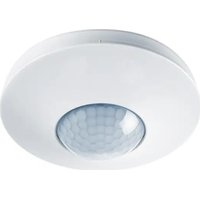
| Ceiling Mount | Yes |
| Indicator LED | Red for detection |
| Certifications | CE, RoHS |
| Maintenance | Clean with dry cloth; avoid solvents |
| Spare Parts | Not available separately; unit replacement |
| Safety | Install by qualified electrician; disconnect power before maintenance |
| General Information | Basic model for indoor use; 360° ceiling detection |
Frequently Asked Questions - PD 360/8 Basic Esylux
How do I install the PD 360/8 Basic motion detector?
Installation must be done by a qualified electrician. Connect the detector to 230 V AC following the wiring diagram in the manual. Mount at a height of 2.5 m for optimal coverage.
What is the detection range of this detector?
The detection range is up to 8 meters in a 360° pattern. Actual range may vary depending on mounting height and environment.
How do I adjust the time delay?
Use the time setting potentiometer on the device. Turn it to set the delay from 10 seconds up to 15 minutes. See the manual for exact location.
Can I use this detector with LED lights?
Yes, but the maximum load for LEDs is 300 W. Ensure the total connected load does not exceed this value.
Why does the detector not turn off the light?
Check the time setting; it may be set too high. Also ensure the light sensor (Lux setting) is not set to 'daytime only' if you want it to work at night. Verify no continuous movement is detected.
How do I clean the motion detector?
Use a soft, dry cloth. Do not use water, solvents, or abrasive cleaners. Keep the sensor lens clean for proper detection.
Is the detector suitable for outdoor use?
No, the PD 360/8 Basic has IP44 rating which is splash-proof but not waterproof. It is designed for indoor use or under a covered area.
What does the red LED indicate?
The red LED lights up when motion is detected. It is useful for testing and commissioning.
Can I replace the sensor lens?
No, the sensor is not user-serviceable. If damaged, the entire unit should be replaced.
Where can I find the full user manual?
The user manual is available for free download on notice-facile.com in PDF format.
User questions about PD 360/8 Basic Esylux
0 question about this device. Answer the ones you know or ask your own.
Ask a new question about this device
No questions yet. Be the first to ask one.
Download the instructions for your Motion detector in PDF format for free! Find your manual PD 360/8 Basic - Esylux and take your electronic device back in hand. On this page are published all the documents necessary for the use of your device. PD 360/8 Basic by Esylux.
USER MANUAL PD 360/8 Basic Esylux
Manual assistant
Powered by Anthropic
Waiting for your message
Product information
Brand : Esylux
Model : PD 360/8 Basic
Category : Motion detector