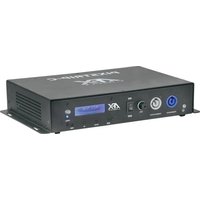
PIXSTRIP-C - Lamp AFX - Free user manual and instructions
Find the device manual for free PIXSTRIP-C AFX in PDF.


Pick your language and provide your email: we'll send you a specifically translated version.
| Product Type | LED Strip Light |
| Brand | AFX |
| Model | PIXSTRIP-C |
| Length | 5 meters (16.4 feet) |
| Width | 10 mm |
| Weight | 150 grams |
| Power Supply | DC 12V, 2A adapter (included) |
| Power Consumption | 24W |
| Light Source | RGB LEDs (300 LEDs per strip) |
| Color Modes | 16 million colors via RGB mixing |
| Control Method | Infrared remote control (included) |
| Brightness | Adjustable, up to 600 lumens |
| Water Resistance | IP20 (indoor use only) |
| Installation | Self-adhesive backing, plug and play |
| Operating Temperature | -10°C to 45°C |
| Lifespan | 50,000 hours |
| Warranty | 2 years |
Frequently Asked Questions - PIXSTRIP-C AFX
How do I cut the strip to a shorter length?
The strip has cut marks every 3 LEDs. Use scissors to cut along the marked line. The cut end must be sealed with the provided end cap to prevent short circuits.
Can I use this strip outdoors?
No, the PIXSTRIP-C has an IP20 rating, which is not waterproof. It is designed for indoor use only. If you need outdoor use, consider a waterproof version with IP65 or higher.
How do I connect multiple strips together?
You can use the included connector clips to join strips end-to-end. Ensure the total length does not exceed the power adapter's capacity (max 5 meters per adapter). For longer runs, use a separate power supply.
What color temperatures are available?
This is an RGB strip, so it can produce any color in the visible spectrum, including white by mixing red, green, and blue. However, the white may have a slight tint; for pure white, consider a dedicated white strip.
How do I clean the strip?
Unplug the strip and wipe it gently with a dry or slightly damp cloth. Do not use harsh chemicals or submerge it in water. Allow to dry completely before reconnecting.
Why is my remote not working?
First, check that the batteries in the remote are fresh and installed correctly. Ensure the receiver on the controller is not blocked. If problems persist, re-pair the remote by pressing the pairing button on the controller.
Can I control it with a smartphone app?
The standard PIXSTRIP-C comes with an IR remote only. For app control, you would need the Wi-Fi version or an external smart controller. Check your model number for compatibility.
What is the maximum current draw?
The strip draws up to 2 amps at 12V (24W). The included adapter provides 2A, so do not exceed the total strip length of 5 meters. Overloading may cause overheating.
Do you offer replacement parts?
Yes, replacement power adapters, remote controls, and connector clips are available. Contact AFX support or check the website for part numbers. The strip itself is not replaceable per segment but can be replaced as a whole.
How to dispose of this product?
Do not dispose of electrical products with household waste. Recycle them at designated collection points for electronic waste. Follow local regulations to minimize environmental impact.
User questions about PIXSTRIP-C AFX
0 question about this device. Answer the ones you know or ask your own.
Ask a new question about this device
No questions yet. Be the first to ask one.
Download the instructions for your Lamp in PDF format for free! Find your manual PIXSTRIP-C - AFX and take your electronic device back in hand. On this page are published all the documents necessary for the use of your device. PIXSTRIP-C by AFX.
USER MANUAL PIXSTRIP-C AFX

Manual assistant
Powered by Anthropic
Waiting for your message
Product information
Brand : AFX
Model : PIXSTRIP-C
Category : Lamp