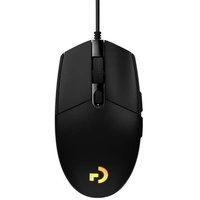
USER MANUAL G203 Lightsync LOGITECH
G102 | G203 LIGHTSYNC
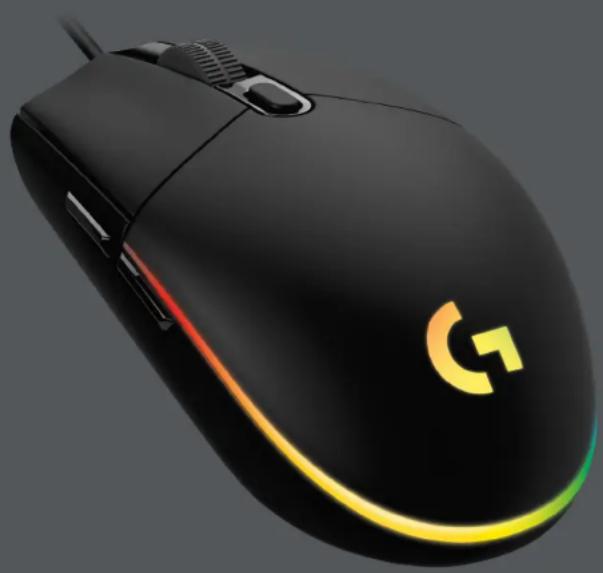
Gaming Mouse
SETUP GUIDE
logitech

logitech
important Safety, Compliance and Warranty Information
ENGLISH ..... 3 ČESKÁ VERZE ..... 48
DEUTSCH. . . . . . . . . . 6 51. . . . . . . . . . . . . . . . . . . . . . . . . . . . . . . . . . . . . . . . . . .
FRANÇAIS .....9 SLOVENČINA .....54
ITALIANO ..... 12 УКРАЇНСЬКА ..... 57
ESPAÑOL....15 EESTI....60
PORTUGUÊS ..... 18 LATVISKI ..... 63
NEDERLANDS ..... 21 LIETUVIŲ ..... 66
SVENSKA ..... 24 БЪЛГАРСКИ ..... 69
DANSK ..... 27 HRVATSKI..... 72
NORSK ..... 30 SRPSKI ..... 75
SUOMI ..... 33 SLOVENŠČINA ..... 78
ΕΛΛΗΝΙΚΑ ..... 36 ROMÂNÃ ..... 81
ПО-РУССКИ ..... 39 TÜRKÇE ..... 84
PO POLSKU ..... 42 87 ..... العربية
MAGYAR ..... 45 90 .....
SETUP INSTRUCTIONS
Please read the instructions before operating the product.
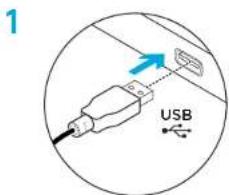
1 Plug mouse into USB port.
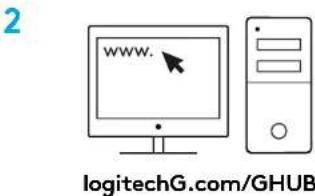
2 Download and install Logitech G HUB software from logitechG.com/GHUB.
3 ENGLISH
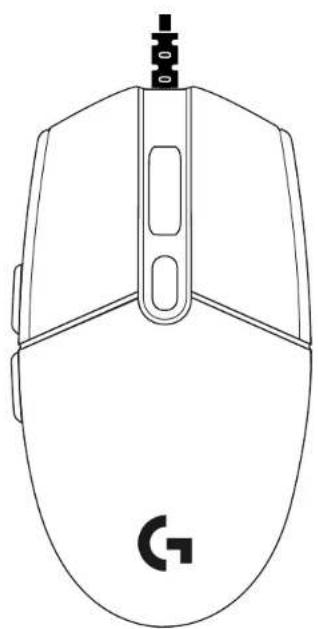
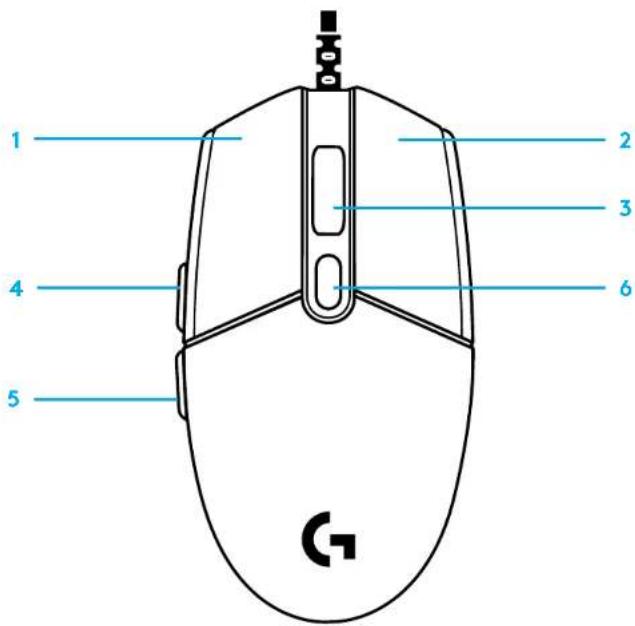
By default these buttons are programmed:
1 Primary click
2 Secondary click
3 Wheel click
4 Forward
5 Back
6 DPI Cycle
LIGHTSYNC RGB PROGRAMMABLE LIGHTING
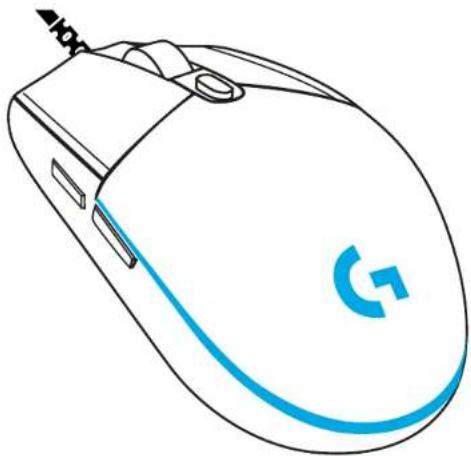
G102 / G203 LIGHTSYNC has 3 independent lighting zones that can be customized using the Logitech G HUB software to a variety of solid colors or animated effects like a color cycle or breathing/pulsing.
Lighting can be synchronized with other supported Logitech G devices using the Logitech G HUB software.
Learn more: logitechG.com/GHUB
©2020 Logitech. Logitech, Logitech G, Logi and their respective logos are trademarks or registered trademarks of Logitech Europe S.A. and/or its affiliates in the U.S. and other countries. All other trademarks are the property of their respective owners. Logitech assumes no responsibility for any errors that may appear in this manual. Information contained herein is subject to change without notice.
SETUP-ANWEISUNGEN
SEADISTAMISE JUHISED
©2020 Logitech. Logitech, Logitech G, Logi i njihovi logotipi su žigovi ili registrovani žigovi kompanije Logitech Europe S.A. /Vili njenih filjala u SAD-u i drugim zemljama. Svi ostali žigovi predstavljaju vlasništvo njihovih vlasnika. Kompanija Logitech ne prezima odgovornost za greške koje mogu da se pojava u ovom uputstvu. Informacije koje su ovde navedene mogu da se promene bez prethodne najave.
NAVODILA ZA NAMESTITEV
Pred uporabo izdelka preberite navodila.
He is a person who is a person who is an English woman who is a person who is a person who is a person who is a person who is a person who is a person who is a person who is a person who is a person who is a person who is a person who is a person who is a person who is a person who is a person who is a person who is a person who is a person who is a person who is a person who is a person who is a person who is a person who is a person who is a person who is a

©2020 Logitech. Logitech, Logitech G. Logi and their respective logos are trademarks or registered trademarks of Logitech Europe S.A. and/or its affiliates in the U.S. and other countries. All other trademarks are the property of their respective owners. Logitech assumes no responsibility for any errors that may appear in this manual. Information contained herein is subject to change without notice.
WEB-621-001682.002