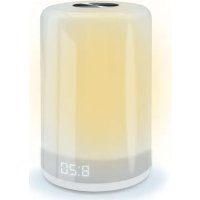
477355 - Alarm clock radio MOOOV - Free user manual and instructions
Find the device manual for free 477355 MOOOV in PDF.


Pick your language and provide your email: we'll send you a specifically translated version.
| Product type | Radio alarm clock |
| Brand | MOOOV |
| Model | 477355 |
| Dimensions (L x W x H) | 15 x 8 x 5 cm |
| Weight | 300 g |
| Power supply | Mains 230 V, backup batteries (2 x AAA) |
| Display | Digital LED with brightness adjustment |
| Alarm | Alarm with snooze function (9 minutes) |
| Radio | FM (band 87.5 – 108 MHz) with telescopic antenna |
| Additional functions | Time display, alarm setting, gradual wake-up |
| Care and cleaning | Clean with a soft, dry cloth; do not use abrasive products |
| Safety | Do not expose to moisture or extreme temperatures; unplug during storms |
| Spare parts and repairability | Mains adapter available; repair possible by a professional |
| General information | Free user manual available in PDF format at notice-facile.com |
Frequently Asked Questions - 477355 MOOOV
How to set the time on the radio alarm clock 477355 MOOOV?
Press the SET button until the time flashes. Use the + and - buttons to adjust the hours, then press SET again for the minutes. Confirm with SET.
How to set the alarm?
Press ALARM to access the setting. Use + and - to set the wake-up time, then confirm with ALARM. The alarm icon appears on the screen.
How to activate or deactivate the snooze function?
When the alarm sounds, press the SNOOZE button to postpone the alarm by 9 minutes. To completely turn off the alarm, press the ALARM OFF button.
How to adjust the display brightness?
Use the DIMMER button to cycle through brightness levels (high, medium, low). Choose the setting that suits you.
How to listen to FM radio?
Press MODE to select radio. Use the + and - buttons to search for stations in automatic or manual scan. Extend the antenna for better reception.
How to replace the backup batteries?
Open the battery compartment located under the device. Insert 2 AAA batteries respecting polarity (+/-). The batteries maintain the time in case of power outage.
What to do if the screen shows nothing?
Check that the mains adapter is properly connected. If the device runs on batteries, replace them. If the problem persists, contact customer service.
How to use the gradual wake-up function?
Some models have a GRADUAL WAKE function. Activate it in the settings so that the brightness gradually increases before the alarm.
How to clean the radio alarm clock?
Unplug the device before cleaning. Use a soft, dry cloth. Do not use chemical or abrasive products that could damage the surface.
Where to find the complete manual for the MOOOV 477355?
The complete manual is available for free in PDF format on the site notice-facile.com. Search for '477355 MOOOV' to download it.
User questions about 477355 MOOOV
0 question about this device. Answer the ones you know or ask your own.
Ask a new question about this device
No questions yet. Be the first to ask one.
Download the instructions for your Alarm clock radio in PDF format for free! Find your manual 477355 - MOOOV and take your electronic device back in hand. On this page are published all the documents necessary for the use of your device. 477355 by MOOOV.
USER MANUAL 477355 MOOOV
Manual assistant
Powered by Anthropic
Waiting for your message
Product information
Brand : MOOOV
Model : 477355
Category : Alarm clock radio