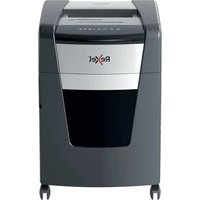
Optimum AutoFeed+ 600X - Shredder REXEL - Free user manual and instructions
Find the device manual for free Optimum AutoFeed+ 600X REXEL in PDF.


Pick your language and provide your email: we'll send you a specifically translated version.
| Product Type | Paper Shredder |
| Model | Optimum AutoFeed+ 600X |
| Brand | Rexel |
| Shred Size | 4 x 38 mm (cross-cut) |
| Sheets Per Pass (Manual) | Up to 12 sheets (80 gsm) |
| Auto-Feed Capacity | Up to 600 sheets (80 gsm) |
| Bin Capacity | 70 liters |
| Run Time | Continuous |
| Shreds | Paper, credit cards, staples, small paper clips |
| Security Level | P-4 (DIN 66399) |
| Auto-Start/Stop | Yes, via infrared sensor |
| Dimensions (W x D x H) | 450 x 400 x 650 mm |
| Weight | 18 kg |
| Power Supply | 220-240V, 50/60 Hz, 600W |
| Noise Level | 55 dB (A) |
| Maintenance | Oil blades every 30 minutes of use |
| Safety Features | Auto-reverse when jammed; SafeSense stops if hands too close; thermal overload protection |
| Warranty | 2 years limited |
| Spare Parts | Cutting heads, gears, rollers available; user-replaceable |
Frequently Asked Questions - Optimum AutoFeed+ 600X REXEL
What is the AutoFeed+ feature?
The AutoFeed+ automatically feeds up to 600 sheets of paper at once, eliminating the need to manually insert each sheet. Simply load the hopper and the shredder pulls the paper in.
How do I clear a paper jam?
If a jam occurs, the shredder will automatically reverse. If it doesn't clear, unplug the unit, use the reverse button on the control panel, and gently pull out the jammed paper. You can also use the Auto-Jam Clear system if available.
Do I need to oil the shredder?
Yes, regular oiling is essential. Use Rexel Shredder Oil every 30 minutes of continuous use or when the shredder sounds strained. Apply a few drops across the paper entry and let the machine run in reverse briefly.
What materials can I shred?
This shredder can handle paper, credit cards, and small staples. Do not shred CDs, DVDs, plastic, or thick materials beyond the rated capacity.
What is the bin capacity and how do I empty it?
The bin holds 70 liters. A bin full window indicates when to empty. Open the front door and lift out the bin. The shredder automatically stops when the bin is full for safety.
Can I shred continuously without overheating?
Yes, this model has a continuous run time designed for heavy use. However, if overloaded, the thermal overload protection will cut power. Wait 30-40 minutes to cool down before resuming.
How do I change the cutting blades?
Replacement of cutting blades should be done by a qualified technician. However, the shredder is designed with user-replaceable cutter blocks that can be ordered as spare parts. Follow the manual instructions carefully.
Is the shredder noisy?
Noise level is approximately 55 dB(A), which is relatively quiet for a high-capacity shredder. It uses insulated panels to reduce sound.
What security level does this shredder provide?
It provides P-4 security (DIN 66399), suitable for confidential documents. The cross-cut size of 4x38 mm reduces paper to small pieces.
Does it have a warranty?
Yes, Rexel offers a 2-year limited warranty. Register your product online within 30 days to extend coverage. The warranty excludes blades and consumables.
User questions about Optimum AutoFeed+ 600X REXEL
0 question about this device. Answer the ones you know or ask your own.
Ask a new question about this device
No questions yet. Be the first to ask one.
Download the instructions for your Shredder in PDF format for free! Find your manual Optimum AutoFeed+ 600X - REXEL and take your electronic device back in hand. On this page are published all the documents necessary for the use of your device. Optimum AutoFeed+ 600X by REXEL.
USER MANUAL Optimum AutoFeed+ 600X REXEL

Manual assistant
Powered by Anthropic
Waiting for your message
Product information
Brand : REXEL
Model : Optimum AutoFeed+ 600X
Category : Shredder