
NVR301-16-P8 - VCR UniView - Free user manual and instructions
Find the device manual for free NVR301-16-P8 UniView in PDF.


Pick your language and provide your email: we'll send you a specifically translated version.
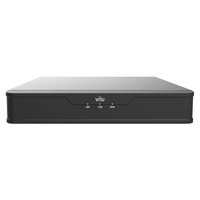
| Product Type | Network Video Recorder (NVR) with 16 PoE ports |
| Model | NVR301-16-P8 |
| Brand | UniView |
| Dimensions (W x D x H) | 440 x 300 x 44 mm (1U rackmount) |
| Weight | 4 kg (without hard drives) |
| Power Supply | 100-240V AC, 50/60Hz, max 200W (including PoE budget) |
| PoE Budget | 120W total (15.4W per port max) |
| Recording Channels | 16 channels at up to 1080p resolution |
| Video Compression | H.265, H.264, MJPEG |
| Storage | 2 SATA HDD bays (up to 10TB each) |
| Network Interface | 1x Gigabit Ethernet RJ-45 port |
| USB Ports | 2x USB 2.0, 1x USB 3.0 |
| Audio I/O | 1x audio input, 1x audio output (RCA) |
| Alarm I/O | 4x alarm inputs, 1x alarm output |
| Remote Access | Web browser, mobile app (UniView NVR), CMS software |
| Intelligent Features | Motion detection, tripwire, intrusion detection, line crossing |
| Operating Temperature | -10°C to 55°C |
| Integrated UPS | Supports UPS shutdown via serial port |
| Maintenance | Keep in ventilated area; clean with dry cloth; avoid liquids |
| Safety Certifications | CE, FCC, RoHS |
| Warranty | 2 years limited warranty |
Frequently Asked Questions - NVR301-16-P8 UniView
How do I set up the NVR for the first time?
Connect the NVR to a monitor via HDMI/VGA, attach a mouse, and power on. Follow the on-screen wizard to configure basic network settings, create an admin password, and scan for cameras.
What hard drives are compatible with the NVR301-16-P8?
It supports 3.5" SATA III hard drives up to 10TB each, preferably surveillance-grade (e.g., WD Purple, Seagate SkyHawk) for 24/7 operation.
Can I use PoE cameras with this NVR?
Yes, the NVR has 16 built-in PoE ports (802.3af/at) that can power and connect IP cameras directly. Each port provides up to 15.4W, total PoE budget 120W.
How to access the NVR remotely?
Enable UPnP or manually forward ports (default 80 for Web, 37777 for mobile) on your router. Use the UniView NVR app or web browser with the public IP or DDNS address.
What is the maximum recording resolution and frame rate?
It records up to 1080p@30fps per channel for all 16 channels simultaneously when using H.265 compression. Higher resolutions like 4MP or 5MP are supported at lower frame rates.
How to reset the admin password if forgotten?
Press and hold the Reset button on the back panel for 10 seconds while powered on. This clears all settings including the password. Then reconfigure via the setup wizard.
Can I add cameras from other brands?
Yes, the NVR supports ONVIF-compliant cameras (Profile S/G/T). You can add third-party IP cameras manually by entering their IP address, port, and credentials.
What backup options are available for recordings?
Recordings can be backed up via USB drives (insert into front USB port), network storage (NAS), or using the UniView CMS software for scheduled export.
How to clean and maintain the NVR?
Power off and unplug. Clean the casing with a soft dry cloth. Do not use liquids or sprays. Ensure vents are not blocked. Periodically check fan operation and replace if noisy.
What do the LEDs on the front panel indicate?
Power (green): unit on; HDD (red/green): hard drive activity/error; PoE (green): PoE ports active; Alarm (red): alarm trigger. Refer to manual for full status definitions.
User questions about NVR301-16-P8 UniView
0 question about this device. Answer the ones you know or ask your own.
Ask a new question about this device
No questions yet. Be the first to ask one.
Download the instructions for your VCR in PDF format for free! Find your manual NVR301-16-P8 - UniView and take your electronic device back in hand. On this page are published all the documents necessary for the use of your device. NVR301-16-P8 by UniView.
USER MANUAL NVR301-16-P8 UniView

Manual assistant
Powered by Anthropic
Waiting for your message
Product information
Brand : UniView
Model : NVR301-16-P8
Category : VCR