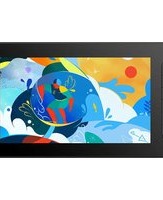
Artist 10 (2nd Generation) - Graphic tablet XP-Pen - Free user manual and instructions
Find the device manual for free Artist 10 (2nd Generation) XP-Pen in PDF.


Pick your language and provide your email: we'll send you a specifically translated version.
| Product Type | Graphics Drawing Tablet with Display |
| Brand | XP-Pen |
| Model | Artist 10 (2nd Generation) |
| Screen Size | 10.1 inches |
| Resolution | 1920 x 1080 Full HD |
| Pressure Sensitivity Levels | 8192 |
| Pen Technology | Battery-free passive electromagnetic resonance |
| Tilt Support | 60 degrees |
| Connectivity | USB-C |
| Compatible Operating Systems | Windows 7/8/10/11, macOS 10.12 and above, Android 6.0 and above |
| Dimensions (L x W x H) | 322 x 210 x 10 mm |
| Weight | 660 g |
| Power Supply | USB powered (5V, 1A) |
| Primary Functions | Digital drawing, painting, design, photo editing, note-taking, remote teaching |
| Shortcut Buttons | 6 customizable press keys |
| Maintenance | Wipe the screen with a soft, dry cloth. Avoid using solvents or corrosive cleaners. |
| Safety Precautions | Do not expose to water or extreme temperatures. Use the provided cable only. |
| Spare Parts and Repairability | Replacement pens, nibs, cables, and screen protectors available from XP-Pen official store. Repairs should be done by authorized service centers. |
| General Information | The Artist 10 (2nd Generation) offers a compact, portable drawing display with laminated screen for reduced parallax and enhanced drawing experience. |
Frequently Asked Questions - Artist 10 (2nd Generation) XP-Pen
How do I install the driver for my Artist 10 (2nd Generation)?
Download the latest driver from the official XP-Pen website. Run the installation file and follow the on-screen instructions. Restart your computer after installation. The tablet should then be recognized automatically.
Is the XP-Pen Artist 10 compatible with Mac computers?
Yes, the Artist 10 (2nd Generation) is compatible with macOS 10.12 and above. Ensure you download the correct Mac driver from the XP-Pen website.
How do I calibrate the pen pressure sensitivity?
Open the XP-Pen driver software. Go to the 'Work Area' or 'Pen Settings' tab. Adjust the pressure curve as desired. You can test the pressure by drawing in a supported application.
Can I use the tablet without installing a driver?
The tablet will function as a basic monitor without drivers, but pen pressure and tilt functions will not work. To enable full features, install the official driver.
What is the warranty period for the Artist 10?
The standard warranty is 1 year for the tablet and 6 months for accessories such as the pen and cables. Keep your proof of purchase for warranty claims.
How should I clean the screen?
Turn off the tablet and unplug it. Use a soft, lint-free cloth slightly dampened with water (do not use alcohol or cleaners). Gently wipe the screen in a circular motion.
Does the Artist 10 have shortcut buttons?
Yes, it features 6 customizable express keys on the left side. You can assign keyboard shortcuts, modifiers, or application-specific functions in the driver software.
Can I use the tablet as a secondary monitor?
Yes, by connecting via USB-C or HDMI (if using a compatible adapter), the tablet can act as an extended or mirrored display. It works with both Windows and macOS.
Does the tablet support gesture controls?
The Artist 10 supports common gestures like pinch-to-zoom and rotation when used with compatible software. Custom gestures can be set in the driver.
What is the report rate of the tablet?
The tablet has a report rate of 200 PPS (points per second), providing smooth and responsive cursor movement with minimal lag.
User questions about Artist 10 (2nd Generation) XP-Pen
0 question about this device. Answer the ones you know or ask your own.
Ask a new question about this device
No questions yet. Be the first to ask one.
Download the instructions for your Graphic tablet in PDF format for free! Find your manual Artist 10 (2nd Generation) - XP-Pen and take your electronic device back in hand. On this page are published all the documents necessary for the use of your device. Artist 10 (2nd Generation) by XP-Pen.
USER MANUAL Artist 10 (2nd Generation) XP-Pen
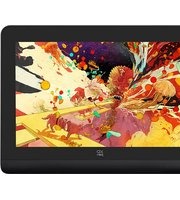
Manual assistant
Powered by Anthropic
Waiting for your message
Product information
Brand : XP-Pen
Model : Artist 10 (2nd Generation)
Category : Graphic tablet