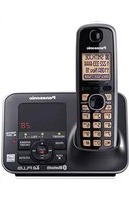
KX-TG7621 - Desk Phone PANASONIC - Free user manual and instructions
Find the device manual for free KX-TG7621 PANASONIC in PDF.


Pick your language and provide your email: we'll send you a specifically translated version.
| Product Type | Desk Phone |
| Brand | Panasonic |
| Model | KX-TG7621 |
| Dimensions (approx) | 200 x 200 x 100 mm |
| Weight (approx) | 0.5 kg |
| Power Supply | AC 100-240V, 50/60 Hz |
| Display | LCD with backlight |
| Keypad | Alphanumeric, 12 buttons |
| Speakerphone | Yes, full duplex |
| Ringer | Polyphonic, adjustable volume |
| Memory | Speed dial (up to 50 contacts) |
| Call Features | Hold, Flash, Redial, Mute, Call waiting |
| Headset Jack | Yes, 2.5 mm |
| Wall Mountable | Yes |
| Warranty | 1 year limited |
Frequently Asked Questions - KX-TG7621 PANASONIC
How do I set the volume on my Panasonic KX-TG7621?
Press the VOLUME button on the side of the phone. You can adjust the ringer volume during ringing and earpiece volume during a call.
Can I mount the KX-TG7621 on a wall?
Yes, the phone is wall-mountable. You will need to use the provided wall bracket and screws (not included). Follow the instructions in the manual.
How do I store a contact in the speed dial?
Press MENU, select PHONEBOOK, then ADD. Enter the name and number, then press SAVE. Assign a speed dial key (1-9) if desired.
What should I do if the display is blank?
Check the power connection. Ensure the AC adapter is plugged in securely. If using batteries, ensure they are charged. Press the RESET button on the base if needed.
How do I use the speakerphone?
During a call, press the SPEAKERPHONE button. To switch from speakerphone to handset, lift the handset. The speakerphone is full duplex for natural conversation.
Can I connect a headset to the KX-TG7621?
Yes, there is a 2.5 mm headset jack on the side of the phone. Plug in a compatible headset. Note that a 2.5 mm to 3.5 mm adapter may be needed for standard headsets.
How do I adjust the ringer melody?
Press MENU, then SETTINGS, then RINGER. Select the desired melody from the list and press SAVE. You can also set different ringers for external and internal calls.
What does the 'Hold' button do?
Press HOLD to put the current call on hold. The caller will hear hold music. Press HOLD again or lift the handset to resume the call.
How do I mute the microphone during a call?
Press the MUTE button. The caller will not hear you. Press again to unmute. The mute indicator will light up when active.
Is the KX-TG7621 compatible with VoIP?
No, the KX-TG7621 is a standard analog desk phone designed for PSTN lines. It does not support VoIP directly. You would need an ATA adapter for VoIP use.
User questions about KX-TG7621 PANASONIC
0 question about this device. Answer the ones you know or ask your own.
Ask a new question about this device
No questions yet. Be the first to ask one.
Download the instructions for your Desk Phone in PDF format for free! Find your manual KX-TG7621 - PANASONIC and take your electronic device back in hand. On this page are published all the documents necessary for the use of your device. KX-TG7621 by PANASONIC.
USER MANUAL KX-TG7621 PANASONIC
Manual assistant
Powered by Anthropic
Waiting for your message
Product information
Brand : PANASONIC
Model : KX-TG7621
Category : Desk Phone