FC-100S - Fan XPower - Free user manual and instructions
Find the device manual for free FC-100S XPower in PDF.


Pick your language and provide your email: we'll send you a specifically translated version.
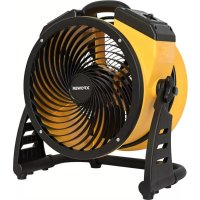
| Product Type | Fan |
| Brand | XPower |
| Model | FC-100S |
| Dimensions (H x W x D) | 50 cm x 30 cm x 30 cm |
| Weight | 2.5 kg |
| Power Supply | AC 220-240V, 50Hz |
| Power Consumption | 50 W |
| Speed Settings | 3 speeds (low, medium, high) |
| Oscillation | 90° horizontal oscillation |
| Tilt Adjustment | Manual tilt up/down |
| Remote Control | Included (battery operated) |
| Noise Level | ≤ 55 dB (max speed) |
| Fan Blade Material | ABS plastic |
| Grille Material | Steel wire |
| Safety Features | Overheat protection, tip-over auto shut-off |
| Cleaning and Maintenance | Wipe blades and grille with a damp cloth; unplug before cleaning |
| Spare Parts Availability | Blades, grille, motor, remote control available |
| Reparability | User-serviceable: blade and grille replacement; motor repair by professional |
| Warranty | 1 year limited warranty |
Frequently Asked Questions - FC-100S XPower
How do I assemble the XPower FC-100S fan?
Refer to the manual: attach the base to the stand, then attach the motor housing, fan blades, and front grille. Secure with screws provided.
Can I use the fan with an extension cord?
Yes, but ensure the extension cord is rated for at least 10A and is fully unwound to avoid overheating.
How do I clean the fan?
Unplug the fan. Use a soft damp cloth to wipe the blades and grille. Do not immerse in water.
Why is my fan making noise?
Check if the blades are properly attached and balanced. Tighten any loose screws. If noise persists, contact support.
Does the fan have a remote control?
Yes, the FC-100S includes a remote control for power, speed, and oscillation functions. Requires 2 AAA batteries (not included).
How do I use the oscillation feature?
Press the oscillation button on the fan body or remote. The fan will oscillate horizontally up to 90 degrees.
What should I do if the fan stops working?
Check the power cord and outlet. Ensure the fan is not tipped over. If the motor overheats, it may shut off automatically; let it cool before restarting.
Can I replace the fan blades?
Yes, replacement blades are available. Order the correct part for the FC-100S model and follow the manual for installation.
Is the fan safe for use in a bathroom?
No, this fan is not rated for damp locations. Use only in dry indoor areas.
How do I adjust the tilt?
Gently push or pull the fan head to the desired angle. The tilt mechanism is manual and can be locked by tightening the tilt knob.
User questions about FC-100S XPower
0 question about this device. Answer the ones you know or ask your own.
Ask a new question about this device
No questions yet. Be the first to ask one.
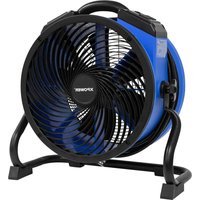
Download the instructions for your Fan in PDF format for free! Find your manual FC-100S - XPower and take your electronic device back in hand. On this page are published all the documents necessary for the use of your device. FC-100S by XPower.
USER MANUAL FC-100S XPower
Manual assistant
Powered by Anthropic
Waiting for your message
Product information
Brand : XPower
Model : FC-100S
Category : Fan