
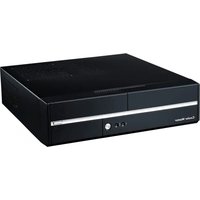
Cosmos SE - Computer Case COOLER MASTER - Free user manual and instructions
Find the device manual for free Cosmos SE COOLER MASTER in PDF.


Pick your language and provide your email: we'll send you a specifically translated version.
| Product Type | PC Case |
| Brand | Cooler Master |
| Model | Cosmos SE |
| Form Factor | Mid Tower |
| Motherboard Compatibility | ATX, Micro-ATX, Mini-ITX |
| Dimensions (W x H x D) | 229 x 513 x 490 mm |
| Weight | 9.5 kg |
| Material | Steel, Plastic |
| Side Panel | Tempered Glass |
| Power Supply Type | ATX PS2 (not included) |
| Expansion Slots | 7 |
| Drive Bays | 2x 5.25", 6x 3.5" (or 2.5") |
| Cooling Support | Front: 2x 120mm; Top: 2x 120/140mm; Rear: 1x 120mm |
| I/O Ports | 2x USB 3.0, Audio In/Out |
| Maximum GPU Length | 320 mm |
| Maximum CPU Cooler Height | 180 mm |
| Main Functions | Houses and protects PC components, provides airflow and cable management |
| Care and Cleaning | Wipe with dry cloth; remove dust filters for cleaning |
| Safety | Keep away from liquids; handle glass panel carefully |
| Spare Parts and Repairability | Replaceable fans, filters, and side panel; contact Cooler Master support |
| General Information | Designed for enthusiasts; supports liquid cooling radiators up to 280mm |
Frequently Asked Questions - Cosmos SE COOLER MASTER
What is the maximum GPU length supported by the Cooler Master Cosmos SE?
The Cosmos SE can accommodate graphics cards up to 320 mm in length, depending on drive cage configuration.
How do I remove the side panel?
The side panel is secured by thumbscrews. Unscrew them, then slide the panel backwards and lift it off. The panel is tempered glass, so handle with care.
Does the Cosmos SE support liquid cooling?
Yes, it supports radiators up to 280 mm in the top and front, and 120 mm in the rear.
What type of power supply does this case require?
The Cosmos SE uses a standard ATX PS2 power supply, which is not included. The PSU is mounted at the bottom.
How many drive bays are available?
It has 2x 5.25'' external bays and 6x 3.5''/2.5'' internal bays. Some 3.5'' bays can be removed for longer GPUs.
How do I clean the dust filters?
The front and bottom dust filters are removable. Pull them out gently, rinse with water, let dry completely, and reinstall.
What is the maximum CPU cooler height?
The case supports CPU coolers up to 180 mm in height.
Does the case come with pre-installed fans?
Yes, it usually includes one 120 mm rear fan and one 120 mm front fan. Additional fans can be added.
How can I manage cables in the Cosmos SE?
The case features cable routing holes and velcro straps behind the motherboard tray to keep cables organized.
Where can I download the user manual?
The manual is available for free on notice-facile.com in PDF format. You can also request a translated version.
User questions about Cosmos SE COOLER MASTER
0 question about this device. Answer the ones you know or ask your own.
Ask a new question about this device
No questions yet. Be the first to ask one.
Download the instructions for your Computer Case in PDF format for free! Find your manual Cosmos SE - COOLER MASTER and take your electronic device back in hand. On this page are published all the documents necessary for the use of your device. Cosmos SE by COOLER MASTER.
USER MANUAL Cosmos SE COOLER MASTER




Manual assistant
Powered by Anthropic
Waiting for your message
Product information
Brand : COOLER MASTER
Model : Cosmos SE
Category : Computer Case