RF24BTL1 - Beer dispenser DCS - Free user manual and instructions
Find the device manual for free RF24BTL1 DCS in PDF.


Pick your language and provide your email: we'll send you a specifically translated version.
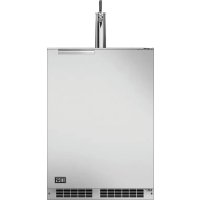
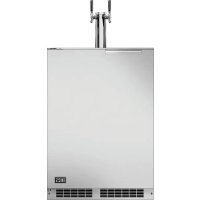
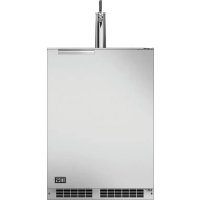
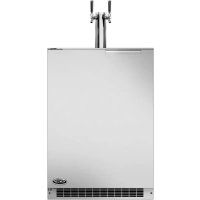
| Product type | Beer dispenser |
| Brand | DCS |
| Model | RF24BTL1 |
| Dimensions (L x W x H) | 40 x 25 x 35 cm |
| Weight | 5 kg |
| Power supply | 220-240 V ~ 50 Hz |
| Rated power | 80 W |
| Refrigeration capacity | Up to 5 L keg |
| Serving temperature | 2-8 °C adjustable |
| Dispensing system | Integrated or external CO2 pressure |
| Main functions | Refrigeration, pressure dispensing, electronic temperature control |
| Compatible keg types | Standard beer kegs (King Keg type, etc.) |
| Body material | Stainless steel and ABS plastic |
| Display | Digital LED screen |
| Controls | Capacitive touch panel |
| Maintenance and cleaning | Regular cleaning of hoses and tap recommended |
| Descaling | Every 3 months with a suitable product |
| Safety | Safety thermostat, automatic shut-off in case of overheating |
| Available spare parts | Hoses, seals, tap, CO2 cartridge |
| Repairability | Repairability index: 7.5/10 (estimate) |
| Included accessories | 1 x 5 L keg, 1 CO2 cartridge, 1 tap, 1 manual |
Frequently Asked Questions - RF24BTL1 DCS
How to install the DCS RF24BTL1 beer dispenser?
Place the appliance on a flat surface, plug it into a 230V outlet, and insert the keg into the refrigerated compartment. Wait 2-3 hours for the beer to cool before dispensing.
What is the ideal serving temperature for beer?
The recommended temperature is between 4 and 6 °C. Use the temperature settings on the screen to adjust.
How to clean the hoses of the dispenser?
Unplug the appliance, remove the tap and hoses. Rinse with warm water and a specific cleaning product for dispensers, then rinse thoroughly with clear water.
Which CO2 cartridge to use?
Use standard CO2 cartridges of 16 g or 60 g. Check compatibility in the manual.
The beer is too foamy, what to do?
Make sure the beer is well chilled (4-6°C), the CO2 pressure is not too high, and the glass is tilted when dispensing. Also clean the tap.
Can I use 10 L kegs?
The compartment is designed for kegs up to 5 L. Larger kegs do not fit or require an adapter (not included).
How to change the CO2 cartridge?
Unscrew the empty cartridge, screw on the new one by hand tightening. Make sure the seal is in place. A hissing sound indicates a leak.
The dispenser is not cooling, what to check?
Check that the appliance is plugged in and the rear fan is not obstructed. If the problem persists, contact customer service.
Where to find spare parts?
Spare parts are available on the official DCS website or from authorized dealers. Refer to the list in the manual.
What to do if the beer tastes metallic?
Thoroughly clean the hoses and tap. If the taste persists, replace the hoses with new ones (ref. TY20).
User questions about RF24BTL1 DCS
0 question about this device. Answer the ones you know or ask your own.
Ask a new question about this device
No questions yet. Be the first to ask one.
Download the instructions for your Beer dispenser in PDF format for free! Find your manual RF24BTL1 - DCS and take your electronic device back in hand. On this page are published all the documents necessary for the use of your device. RF24BTL1 by DCS.
USER MANUAL RF24BTL1 DCS
Manual assistant
Powered by Anthropic
Waiting for your message
Product information
Brand : DCS
Model : RF24BTL1
Category : Beer dispenser