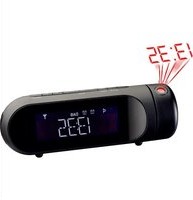
RS 119P DAB - Alarm Clock MAJESTIC - Free user manual and instructions
Find the device manual for free RS 119P DAB MAJESTIC in PDF.


Pick your language and provide your email: we'll send you a specifically translated version.
| Product Type | Alarm Clock Radio |
| Brand | Majestic |
| Model | RS 119P DAB |
| Radio Bands | DAB/DAB+ (Band III) and FM (87.5-108 MHz) |
| Alarm Settings | Dual alarms with weekday/weekend and wake-to-radio, buzzer, or DAB/FM options |
| Snooze Function | 9-minute snooze with repeated activation |
| Sleep Timer | Adjustable from 15 to 120 minutes, auto-off after set time |
| Display | Large LED/LCD display with adjustable brightness levels |
| Clock Backup | Maintains time and settings with 2 x AAA batteries (not included) |
| Power Supply | AC adaptor (5V DC, 1A, included) |
| Dimensions (W x H x D) | Approx. 150 x 100 x 60 mm |
| Weight | Approx. 400 g |
| Audio Output | 1 x 3.5 mm headphone jack |
| Additional Features | USB charging port (5V, 1A) for mobile devices |
| Antenna | Built-in DAB/FM antenna |
| Controls | Rotary volume dial, tactile buttons for menu, preset, scan, and alarm |
| Maintenance | Clean with soft, dry cloth. Do not use liquid or abrasive cleaners. |
| Safety | Keep away from moisture and heat sources. Use only the supplied AC adaptor. |
| Spare Parts & Repair | Contact Majestic support for replacement parts and service. |
| Package Contents | RS 119P DAB unit, AC adaptor, user manual |
Frequently Asked Questions - RS 119P DAB MAJESTIC
How do I set the alarm?
Press the Alarm 1 or Alarm 2 button. Use the Up/Down buttons to set the hour and minute, then press Select. Choose the alarm source (DAB, FM, or buzzer) and set the frequency (Once, Daily, Weekdays, or Weekends).
How do I switch between DAB and FM radio?
Press the Source/Standby button repeatedly to cycle through DAB, FM, and Standby modes. Alternatively, press Menu and select 'Source' to choose.
How do I manually set the clock?
In standby mode, press and hold the Menu button. Use Up/Down to select 'Time/Date' and press Select. Adjust the year, month, day, hour, and minute using the Up/Down buttons and press Select to confirm each.
How do I use the sleep timer?
Press the Sleep button repeatedly to cycle through options: 15, 30, 45, 60, 90, or 120 minutes. The radio will play and turn off automatically after the set time. To cancel, press Sleep until 'Off' appears.
How do I adjust the display brightness?
Press the Menu button, select 'System Settings', choose 'Brightness', and then select Low, Medium, or High. Some models allow dimming by pressing the Snooze button when the radio is off.
How do I perform a factory reset?
Press and hold the Menu button for 5 seconds. Navigate to 'System Settings' then 'Factory Reset' and confirm with Select. All settings and presets will be erased.
Why is there no sound from the radio?
First, ensure the volume is turned up. Check if headphones are plugged in (they mute the speaker). Verify that the radio is tuned to a station with strong signal. For DAB, try a Full Scan from the menu.
How do I change the backup batteries?
Open the battery compartment on the bottom of the unit. Replace with two new AAA batteries (alkaline recommended). Ensure correct polarity (+/-). The batteries maintain clock and alarm settings during power outages.
How do I scan for DAB stations?
Press the Menu button, select 'Scan' or 'Full Scan'. The radio will automatically search for all available DAB stations and store them. Scanning may take a few minutes.
What should I do if the alarm does not sound?
Check that the alarm is turned on (indicator ? symbol on display). Ensure the volume is set high enough for buzzer or radio. Verify the alarm time and source (DAB, FM, buzzer) are correctly set. Replace backup batteries if clock resets.
User questions about RS 119P DAB MAJESTIC
0 question about this device. Answer the ones you know or ask your own.
Ask a new question about this device
No questions yet. Be the first to ask one.
Download the instructions for your Alarm Clock in PDF format for free! Find your manual RS 119P DAB - MAJESTIC and take your electronic device back in hand. On this page are published all the documents necessary for the use of your device. RS 119P DAB by MAJESTIC.
USER MANUAL RS 119P DAB MAJESTIC


Manual assistant
Powered by Anthropic
Waiting for your message
Product information
Brand : MAJESTIC
Model : RS 119P DAB
Category : Alarm Clock