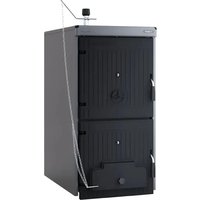
Solida 8 PL - Camera SIME - Free user manual and instructions
Find the device manual for free Solida 8 PL SIME in PDF.


Pick your language and provide your email: we'll send you a specifically translated version.
| Product Type | 35mm Film Camera |
| Brand | SIME |
| Model | Solida 8 PL |
| Dimensions (approx) | 135 x 85 x 60 mm |
| Weight (approx) | 400 g |
| Film Format | 35mm (135 film) |
| Lens | Fixed 50mm f/2.8 lens |
| Shutter | Manual shutter speeds: 1/15 to 1/500 sec |
| Aperture | f/2.8 to f/16 |
| Focus | Manual focus, rangefinder coupled |
| Viewfinder | Bright frame viewfinder with parallax marks |
| Exposure Meter | Built-in selenium cell meter (uncoupled) |
| Flash | Hot shoe for external flash |
| Power Source | No battery required (manual operation) |
| Film Advance | Manual lever advance |
| Film Rewind | Manual rewind knob |
| Self-Timer | Built-in mechanical self-timer |
| Tripod Mount | 1/4 inch thread |
| Maintenance | Clean lens with soft brush or lint-free cloth; store in dry, cool place |
| Safety | Avoid exposing to extreme temperatures or moisture |
| Spare Parts & Repairability | Contact authorized SIME service center; parts may be scarce |
Frequently Asked Questions - Solida 8 PL SIME
How do I load film into the Solida 8 PL?
Open the back cover by sliding the latch. Insert the 35mm film cassette into the left chamber, pull the leader across to the take-up spool, ensuring the sprockets engage. Close the back cover and advance the film using the lever until frame 1 is ready.
What type of film does the Solida 8 PL use?
It uses standard 35mm film (135 format), in color or black and white.
How do I set the correct exposure?
The Solida 8 PL has a built-in selenium light meter. Adjust the aperture and shutter speed rings until the meter needle aligns with the desired exposure index. Refer to the manual for specific metering instructions.
How do I focus the camera?
Use the focus ring on the lens and align the rangefinder image in the viewfinder until it is sharp. The distance scale on the lens can also be used.
Can I use an external flash?
Yes, the camera has a hot shoe for mounting an external flash. Use a flash with a standard sync cord or dedicated contact. Set the shutter speed to 1/30 sec or slower for flash synchronization.
How do I rewind the film after shooting?
Press the rewind release button on the bottom of the camera. Turn the rewind knob clockwise until you feel tension release. Open the back cover and remove the cassette.
What should I do if the shutter is stuck?
Do not force it. Try firing the self-timer or advance the film and try again. If still stuck, the camera may need professional servicing; contact a repair center.
How do I clean the lens?
Use a soft brush to remove dust, then gently wipe with a clean microfiber cloth. Avoid solvents. If necessary, use lens cleaning solution applied to the cloth, not directly on the lens.
Why is my film not advancing?
Check that the film is loaded correctly and the sprockets are engaged. The advance lever may be stuck if the shutter hasn't been fired. Ensure the rewind knob is not turned accidentally.
Where can I find a user manual?
You can download the PDF manual from notice-facile.com or other online resources. The original manual is often available in English, Spanish, Italian, and Portuguese.
User questions about Solida 8 PL SIME
0 question about this device. Answer the ones you know or ask your own.
Ask a new question about this device
No questions yet. Be the first to ask one.
Download the instructions for your Camera in PDF format for free! Find your manual Solida 8 PL - SIME and take your electronic device back in hand. On this page are published all the documents necessary for the use of your device. Solida 8 PL by SIME.
USER MANUAL Solida 8 PL SIME

Manual assistant
Powered by Anthropic
Waiting for your message
Product information
Brand : SIME
Model : Solida 8 PL
Category : Camera