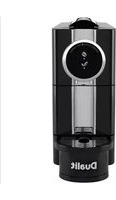
Pod Machine 85190 - Coffee machine DUALIT - Free user manual and instructions
Find the device manual for free Pod Machine 85190 DUALIT in PDF.


Pick your language and provide your email: we'll send you a specifically translated version.
| Product type | Pod coffee machine |
| Brand | Dualit |
| Model | Pod Machine 85190 |
| Dimensions (L x W x H) | 30 x 15 x 28 cm |
| Weight | 3.5 kg |
| Water tank capacity | 1 liter |
| Pressure | 19 bar |
| Power | 1300 W |
| Power supply voltage | 220-240 V / 50-60 Hz |
| Compatible pod type | Nespresso Original pods |
| Heating system | Thermoblock |
| Main functions | Espresso, lungo, hot water |
| Drink programs | Presets for espresso and lungo |
| Steam wand | Not integrated (optional via accessory) |
| Display or screen | Indicator lights |
| Housing material | Stainless steel and ABS plastic |
| Maintenance and cleaning | Cleaning of tank and drip tray; regular descaling recommended |
| Automatic shut-off function | Yes, after 9 minutes of inactivity |
| Descaling indicator | Yes, indicator light |
| Removable drip tray | Yes, capacity 0.5 liter |
| Noise level | Approximately 55 dB |
| Color | Black and silver |
| Warranty | 2 years |
| Made in | China |
Frequently Asked Questions - Pod Machine 85190 DUALIT
How to descale my Dualit Pod Machine 85190?
Use a descaling solution compatible with Nespresso machines. Fill the tank with the product and water, then run a cycle without a pod. Then rinse several times with clear water. The descaling indicator lights up when necessary.
What types of pods are compatible with this model?
The machine is compatible with Nespresso Original pods (standard format). Do not use pods compatible with other systems, as this could damage the appliance.
How to clean the water tank?
Remove the tank, wash it with warm water and a little dish soap, rinse thoroughly and dry. Do not use abrasive products.
Why is my machine no longer heating?
Check that the appliance is properly plugged in and the tank is filled. If the light flashes, a descaling cycle may be needed. Consult the manual for the reset cycle.
How to get hotter coffee?
Preheat your cup with hot water. Check that the ambient temperature is not too low. You can also adjust the water amount via the programming buttons.
What does a flashing red light mean?
A red light usually indicates a need for descaling or an empty tank. Consult the error code table in the manual.
How to reprogram water volumes?
Press and hold the corresponding button (espresso or lungo) for 3 seconds until it flashes, then release when the desired dose is reached. The machine memorizes the amount.
Can I use reusable pods?
Yes, provided they are designed for the Nespresso Original system. Be careful not to overfill and close properly. Using unsuitable pods may affect the taste.
How to empty and clean the drip tray?
The drip tray is removable. Remove it, empty it and wash it with soapy water. A red level indicator appears when it is full.
The machine turns off by itself, is this normal?
Yes, the automatic shut-off function is activated after 9 minutes of inactivity. You can disable it by holding the off button for 5 seconds (see manual).
User questions about Pod Machine 85190 DUALIT
0 question about this device. Answer the ones you know or ask your own.
Ask a new question about this device
No questions yet. Be the first to ask one.
Download the instructions for your Coffee machine in PDF format for free! Find your manual Pod Machine 85190 - DUALIT and take your electronic device back in hand. On this page are published all the documents necessary for the use of your device. Pod Machine 85190 by DUALIT.
USER MANUAL Pod Machine 85190 DUALIT

Manual assistant
Powered by Anthropic
Waiting for your message
Product information
Brand : DUALIT
Model : Pod Machine 85190
Category : Coffee machine