H9 Flow - Desktop Computer NZXT - Free user manual and instructions
Find the device manual for free H9 Flow NZXT in PDF.


Pick your language and provide your email: we'll send you a specifically translated version.
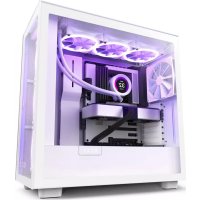
| Product Type | Mid-Tower Computer Case |
| Brand | NZXT |
| Model | H9 Flow |
| Dimensions (W x H x D) | 235 mm x 512 mm x 502 mm |
| Weight | 12.5 kg |
| Material | Steel, Tempered Glass, ABS Plastic |
| Motherboard Support | ATX, Micro-ATX, Mini-ITX |
| Expansion Slots | 7 |
| Drive Bays | 2 x 3.5"/2.5" (internal), 2 x 2.5" (internal) |
| Cooling Support (Fans) | Front: 3x120mm or 2x140mm; Top: 3x120mm or 2x140mm; Rear: 1x120mm; Bottom: 3x120mm |
| Radiator Support | Front: up to 360mm; Top: up to 360mm; Rear: up to 120mm; Bottom: up to 360mm |
| PSU Support | ATX (up to 200mm with drive cage removed) |
| GPU Clearance | Up to 435 mm |
| CPU Cooler Clearance | Up to 165 mm |
| I/O Ports | 1x USB 3.2 Gen 2 Type-C, 1x USB 3.2 Gen 1 Type-A, 1x Audio/Mic Combo |
| Pre-installed Fans | 3 x 120mm F120Q fans (2 front intake, 1 rear exhaust) |
| Dust Filters | Top, Bottom, Side |
| Cleaning | Use a soft cloth and mild detergent; avoid liquids inside the case |
| Safety | Tempered glass panels are fragile; handle with care and avoid impacts |
| Spare Parts & Repairability | Spare parts available from NZXT website; modular design for easy disassembly |
| General Information | Dual chamber design for cable management; high airflow mesh front and side panels |
Frequently Asked Questions - H9 Flow NZXT
What type of motherboard does the NZXT H9 Flow support?
The NZXT H9 Flow supports ATX, Micro-ATX, and Mini-ITX motherboards.
What are the dimensions of the NZXT H9 Flow?
The dimensions are 235 mm (width) x 512 mm (height) x 502 mm (depth).
How many fans are included with the H9 Flow?
It includes three 120mm F120Q fans: two as front intake and one as rear exhaust.
Can I install a 360mm radiator in the top of the H9 Flow?
Yes, the top supports radiators up to 360mm in length.
What is the maximum GPU length supported?
The maximum GPU length is 435 mm, accommodating most high-end graphics cards.
How should I clean the NZXT H9 Flow?
Use a soft cloth and mild detergent for the exterior. Avoid liquids entering the case. Dust filters can be removed and rinsed.
Are spare parts available for the H9 Flow?
Yes, spare parts such as fans, panels, and screws can be purchased directly from the NZXT website.
Does the H9 Flow have a PSU shroud?
Yes, it has a PSU shroud with a cutout for cable routing and two 2.5" drive mounts.
What is the maximum CPU cooler height?
The maximum CPU cooler height is 165 mm, compatible with most air coolers.
Does the H9 Flow come with a USB Type-C port?
Yes, it includes one USB 3.2 Gen 2 Type-C port on the front I/O panel.
User questions about H9 Flow NZXT
0 question about this device. Answer the ones you know or ask your own.
Ask a new question about this device
No questions yet. Be the first to ask one.
Download the instructions for your Desktop Computer in PDF format for free! Find your manual H9 Flow - NZXT and take your electronic device back in hand. On this page are published all the documents necessary for the use of your device. H9 Flow by NZXT.
USER MANUAL H9 Flow NZXT

Manual assistant
Powered by Anthropic
Waiting for your message
Product information
Brand : NZXT
Model : H9 Flow
Category : Desktop Computer