
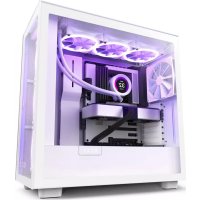
H7 Flow RGB - Desktop Computer NZXT - Free user manual and instructions
Find the device manual for free H7 Flow RGB NZXT in PDF.


Pick your language and provide your email: we'll send you a specifically translated version.
| Product Type | Mid-Tower Desktop Computer Case |
| Motherboard Support | ATX, Micro-ATX, Mini-ITX |
| Dimensions (L x W x H) | 465 x 230 x 480 mm (18.3 x 9.1 x 18.9 in) |
| Weight | 10.2 kg (22.5 lbs) |
| Material | Steel, Tempered Glass, Plastic |
| Power Supply Support | ATX (up to 200 mm) |
| Front I/O Ports | 2x USB 3.2 Gen1 Type-A, 1x USB 3.2 Gen2 Type-C, 1x Audio/Mic Combo |
| Fan Support | Front: 3x 120mm / 2x 140mm, Top: 2x 120/140mm, Rear: 1x 120mm |
| Radiator Support | Front: up to 360mm, Top: up to 280mm, Rear: 120mm |
| GPU Clearance | Up to 400 mm |
| CPU Cooler Clearance | Up to 185 mm |
| Drive Bays | 2x 3.5", 2x 2.5" (additional via bracket) |
| Pre-installed Fans | 3x F120 RGB Core fans (front) |
| RGB Control | Built-in RGB controller with NZXT CAM software support |
| Front Panel | High-performance mesh for optimal airflow |
| Side Panel | Tempered glass (left side) |
| Cleaning & Maintenance | Use a soft, lint-free cloth for exterior; clean dust filters regularly |
| Safety | Use with compatible components; ensure proper grounding; keep away from liquids |
| Spare Parts & Repairability | Spare parts available via NZXT support; design allows easy disassembly |
| Warranty | 2-year limited warranty |
| General Information | Designed for high airflow and RGB aesthetics; compatible with most standard components |
Frequently Asked Questions - H7 Flow RGB NZXT
How do I control the RGB lighting on the H7 Flow RGB?
The case includes an integrated RGB controller that can be managed via the NZXT CAM software. Connect the controller to your motherboard's USB 2.0 header and install CAM to customize lighting effects and colors.
Can I install a liquid cooler in the H7 Flow RGB?
Yes, the case supports multiple radiator sizes: up to 360mm in the front, 280mm on top, and 120mm at the rear. Ensure your radiator fits within the available space and check clearance for GPU and other components.
What is the maximum GPU length supported?
The maximum GPU length is 400mm. Make sure to measure your graphics card before installing.
How many fans does the case come with?
The case comes pre-installed with three F120 RGB Core fans in the front. Additional fans can be added to the top and rear positions.
Does the case have dust filters?
Yes, the H7 Flow RGB includes removable dust filters at the front, top, and bottom to keep internal components clean. These can be easily removed for cleaning.
What is the CPU cooler height clearance?
The maximum CPU cooler height is 185mm. Most high-end air coolers will fit, but always verify dimensions.
How do I clean the tempered glass panel?
Use a soft, lint-free cloth slightly dampened with water or a mild glass cleaner. Avoid abrasive materials that could scratch the glass.
Can I replace the front fans with larger ones?
Yes, the front supports 3x 120mm or 2x 140mm fans. The included fans are 120mm; you can swap them for 140mm if you prefer.
Does the case support vertical GPU mounting?
Yes, the H7 Flow RGB has two vertical PCIe slots. A vertical GPU bracket (not included) can be purchased separately to mount the GPU vertically.
Where can I find spare parts or accessories?
Spare parts such as fan brackets, screws, and filters are available through the NZXT support website or authorized retailers. Contact NZXT customer support for assistance.
User questions about H7 Flow RGB NZXT
0 question about this device. Answer the ones you know or ask your own.
Ask a new question about this device
No questions yet. Be the first to ask one.
Download the instructions for your Desktop Computer in PDF format for free! Find your manual H7 Flow RGB - NZXT and take your electronic device back in hand. On this page are published all the documents necessary for the use of your device. H7 Flow RGB by NZXT.
USER MANUAL H7 Flow RGB NZXT
Manual assistant
Powered by Anthropic
Waiting for your message
Product information
Brand : NZXT
Model : H7 Flow RGB
Category : Desktop Computer