RAK149P2 - Thermostat GE - Free user manual and instructions
Find the device manual for free RAK149P2 GE in PDF.


Pick your language and provide your email: we'll send you a specifically translated version.
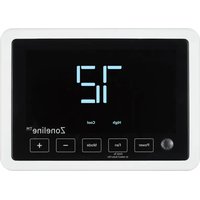
| Type de produit | Programmable thermostat |
| Dimensions | 4.5 x 3.5 x 1.0 inches |
| Poids | 0.5 lb |
| Alimentation | 24 VAC or 2 AA batteries |
| Fonctions principales | Programmable 7-day schedule, heat/cool/auto, fan control, digital display |
| Entretien et nettoyage | Wipe with damp cloth; do not use solvents |
| Securite | Low voltage, safe for DIY installation |
| Pieces detachees et reparabilite | Replaceable batteries, standard thermostat wiring |
| Informations generales | Compatible with most 24V gas/oil/electric systems |
Frequently Asked Questions - RAK149P2 GE
How do I install the GE RAK149P2 thermostat?
Turn off power to your HVAC system. Remove old thermostat, label wires, connect to corresponding terminals on the RAK149P2, mount to wall, and restore power.
What type of batteries does the RAK149P2 use?
It uses two AA alkaline batteries (not included) as backup power.
How do I program the thermostat schedule?
Press the Menu button, use arrows to set time and day, then set desired temperatures for each period (Wake, Leave, Return, Sleep).
Why is my thermostat not turning on?
Check that the circuit breaker is on, the furnace door is closed, and the AA batteries are installed correctly (if using battery backup).
Can I use this thermostat with a heat pump?
Yes, the GE RAK149P2 supports most conventional and heat pump systems. Ensure the O/B terminal is configured correctly.
How do I reset the thermostat to factory settings?
Press and hold the Menu and Up buttons simultaneously for 5 seconds until the screen resets.
What is the temperature range of the RAK149P2?
The thermostat controls temperature between 45°F and 99°F (7°C to 37°C).
Does the thermostat have a filter reminder?
Yes, you can set a filter change reminder in the settings menu.
How do I lock the thermostat to prevent tampering?
Go to Settings > Keypad Lock and create a 4-digit code to lock the screen.
What should I do if the display shows 'Low Battery'?
Replace the AA batteries immediately. The thermostat will continue to function but may lose power if not replaced.
User questions about RAK149P2 GE
0 question about this device. Answer the ones you know or ask your own.
Ask a new question about this device
No questions yet. Be the first to ask one.
Download the instructions for your Thermostat in PDF format for free! Find your manual RAK149P2 - GE and take your electronic device back in hand. On this page are published all the documents necessary for the use of your device. RAK149P2 by GE.
USER MANUAL RAK149P2 GE

Manual assistant
Powered by Anthropic
Waiting for your message
Product information
Brand : GE
Model : RAK149P2
Category : Thermostat