
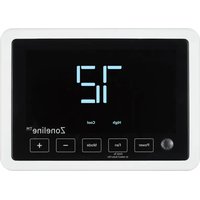
Zoneline RAK164P2 - Thermostat GE - Free user manual and instructions
Find the device manual for free Zoneline RAK164P2 GE in PDF.


Pick your language and provide your email: we'll send you a specifically translated version.
| Product Type | Thermostat for PTAC units |
| Brand | GE |
| Model | Zoneline RAK164P2 |
| Dimensions (approx.) | 4.7 x 4.7 x 1.2 inches |
| Weight | 0.5 lb |
| Power Supply | 24 VAC, 50/60 Hz |
| Compatible Systems | Single-stage heat/cool, heat pump |
| Control Type | Electronic, programmable |
| Display | LCD with temperature and mode indicators |
| Temperature Range | 45°F to 90°F (7°C to 32°C) heat; 50°F to 99°F (10°C to 37°C) cool |
| Functions | Fan on/auto, heat/cool/off, programmable schedule, filter reminder |
| Installation | Wall mount, requires 2-wire connection |
| Maintenance | Clean with soft dry cloth; do not use solvents |
| Safety Features | Overheat protection, child lock (if equipped) |
| Spare Parts / Repairability | Batteries (if any), replaceable faceplate; contact GE service |
| General Information | Designed for GE Zoneline PTAC units; user manual available online |
Frequently Asked Questions - Zoneline RAK164P2 GE
How do I install the GE Zoneline RAK164P2 thermostat?
Turn off power to the unit, remove old thermostat, connect wires to terminals R, W, Y, G, and C as per manual. Mount base to wall, attach faceplate, restore power.
What does the filter reminder indicator mean?
The filter reminder light indicates it's time to clean or replace the air filter. After cleaning, reset by pressing the Filter Reset button.
How do I program a schedule?
Press the Program button, set the time and temperature for each period (Wake, Leave, Return, Sleep). Use arrow keys to adjust.
Why is my thermostat not responding?
Check if power is on at the breaker, verify batteries (if used) are fresh, or replace. Also ensure wires are connected securely.
Can I use this thermostat with a heat pump?
Yes, the RAK164P2 supports heat pump systems. Set the system switch to Heat Pump mode after installation.
How do I change the temperature display from Celsius to Fahrenheit?
Press and hold the Up and Down arrows simultaneously for 3 seconds until the display switches.
What is the 'Fan On' versus 'Auto' setting?
Fan On runs the fan continuously. Auto runs the fan only when heating or cooling is active.
How do I lock the thermostat to prevent changes?
Press and hold the Mode and Fan buttons together for 5 seconds. An icon will appear. Repeat to unlock.
My thermostat shows 'E1' error code. What does it mean?
Error code E1 indicates a sensor failure. Try resetting the thermostat or contact GE support for replacement.
Where can I find the user manual?
The manual is available for free download at notice-facile.com or from GE's official website.
User questions about Zoneline RAK164P2 GE
0 question about this device. Answer the ones you know or ask your own.
Ask a new question about this device
No questions yet. Be the first to ask one.
Download the instructions for your Thermostat in PDF format for free! Find your manual Zoneline RAK164P2 - GE and take your electronic device back in hand. On this page are published all the documents necessary for the use of your device. Zoneline RAK164P2 by GE.
USER MANUAL Zoneline RAK164P2 GE
Manual assistant
Powered by Anthropic
Waiting for your message
Product information
Brand : GE
Model : Zoneline RAK164P2
Category : Thermostat