CODE50 - Receiver MARSHALL - Free user manual and instructions
Find the device manual for free CODE50 MARSHALL in PDF.


Pick your language and provide your email: we'll send you a specifically translated version.
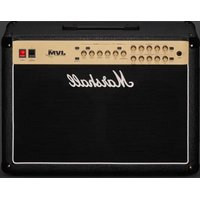
| Product Type | Electric Guitar Amplifier |
| Brand | Marshall |
| Model | CODE50 |
| Output Power | 50 W |
| Speaker | 1 x 12 inches |
| Number of Channels | 2 (Clean and Overdrive) |
| Amp Presets | 14 amp models |
| Built-in Effects | 24 effects (reverb, delay, modulation, etc.) |
| Connectivity | 6.35 mm jack input, headphone output, USB, Bluetooth |
| Footswitch Included | Yes, with 4 programmable switches |
| Dimensions (W x H x D) | 530 mm x 250 mm x 250 mm |
| Weight | 12 kg |
| Power Supply | Mains, 230 V ~ 50 Hz |
| Power Consumption | 60 W |
| Maintenance and Cleaning | Unplug before cleaning. Use a soft, dry cloth. Do not use solvents. |
| Safety | Do not open the device. Risk of electric shock. Keep away from water. |
| Spare Parts and Repairability | Contact an authorized Marshall service center. |
| General Information | User manual provided. Manufacturer's warranty 2 years. |
Frequently Asked Questions - CODE50 MARSHALL
How do I connect my CODE50 to a computer?
Use a USB cable to connect the amp to your computer. You can then use the Marshall Gateway software to edit presets and record.
How do I switch between Clean and Overdrive channels?
Use the channel switch on the front panel or the included footswitch. Channel 1 is Clean, Channel 2 is Overdrive.
Can I use external effect pedals?
Yes, you can plug pedals into the front jack input of the amp. Use the effect loop for modulation/delay pedals.
How do I adjust the overall volume of the amp?
Use the Master Volume knob for overall volume. The Gain and Volume controls on each channel adjust the input level.
Does the CODE50 have a headphone output?
Yes, a 3.5 mm headphone jack output is present. Plug in your headphones for silent practice. The speaker is then muted.
How do I save a custom preset?
Use the Marshall Gateway app via USB or Bluetooth to save and organize your presets. You can store up to 100 presets.
What should I do if the amp does not turn on?
Check that the power cord is properly plugged in and that the outlet is powered. If the problem persists, contact Marshall customer service.
How do I clean the amp?
Unplug the device. Use a soft, dry cloth to wipe the surfaces. Never use chemical or abrasive products.
Can I use the CODE50 as a Bluetooth speaker?
Yes, enable Bluetooth on the amp and pair it with your smartphone or tablet. You can stream music through the amp.
How do I reset the amp to factory settings?
Hold down the Settings button for 5 seconds until the LEDs flash. Follow the on-screen instructions (if applicable) or via the Marshall Gateway app.
User questions about CODE50 MARSHALL
0 question about this device. Answer the ones you know or ask your own.
Ask a new question about this device
No questions yet. Be the first to ask one.
Download the instructions for your Receiver in PDF format for free! Find your manual CODE50 - MARSHALL and take your electronic device back in hand. On this page are published all the documents necessary for the use of your device. CODE50 by MARSHALL.
USER MANUAL CODE50 MARSHALL
Manual assistant
Powered by Anthropic
Waiting for your message
Product information
Brand : MARSHALL
Model : CODE50
Category : Receiver