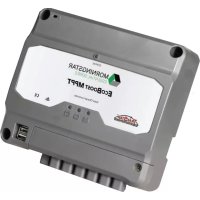
TriStar MPPT TS-MPPT-60 - Controller Morningstar - Free user manual and instructions
Find the device manual for free TriStar MPPT TS-MPPT-60 Morningstar in PDF.


Pick your language and provide your email: we'll send you a specifically translated version.
| Product Type | Solar Charge Controller |
| Brand | Morningstar |
| Model | TriStar MPPT TS-MPPT-60 |
| Maximum PV Input Voltage | 150 VDC |
| Maximum Battery Current | 60 A |
| Maximum PV Power | 800 W (12V), 1600 W (24V), 3200 W (48V) |
| Battery Voltage (Auto-Detect) | 12, 24, 48 VDC |
| Dimensions (W x H x D) | 13.3 x 7.6 x 3.5 inches (338 x 193 x 89 mm) |
| Weight | 5.5 lbs (2.5 kg) |
| Operating Temperature Range | -40°C to +45°C |
| Maximum Efficiency | 99% |
| Enclosure Rating | IP20 |
| Communication | RS-232, optional Ethernet and remote meter |
| MPPT Tracking | Yes, advanced algorithm |
| Data Logging | Internal, up to 256 days |
| Programmable Setpoints | Yes, via DIP switches or software |
| Temperature Compensation | Yes, remote or internal sensor |
| Maintenance | Periodic inspection of connections and cleaning of vents |
| Safety Protections | Overvoltage, overcurrent, reverse polarity, high temperature, ground fault |
| Spare Parts | Replaceable fan, terminal blocks available |
| Repairability | Field serviceable by qualified personnel; internal fuses and fan replaceable |
| Warranty | 5 years (limited) |
Frequently Asked Questions - TriStar MPPT TS-MPPT-60 Morningstar
What battery voltages does the TS-MPPT-60 support?
The TS-MPPT-60 automatically detects and supports 12V, 24V, and 48V battery systems. You can also manually set the voltage via DIP switches.
What is the maximum PV input voltage?
The maximum PV input voltage is 150 VDC. Ensure your solar array's open-circuit voltage does not exceed this limit.
How do I set the battery type?
Battery type is set using the four DIP switches on the controller. Refer to the manual for correct switch positions for flooded, sealed, gel, and lithium batteries.
Can I monitor the controller remotely?
Yes, the TS-MPPT-60 supports RS-232 communication and optional Ethernet connectivity. You can use Morningstar's MSView software or connect a remote meter.
What is the maximum solar array power?
The maximum solar array power depends on battery voltage: 800W at 12V, 1600W at 24V, and 3200W at 48V. Exceeding these may damage the controller.
Does the controller have temperature compensation?
Yes, it includes automatic temperature compensation using an internal sensor. For more accurate compensation, you can connect an optional remote temperature sensor.
What maintenance is required?
Periodically inspect all connections for tightness and corrosion. Clean the enclosure vents with a soft brush or compressed air to ensure proper cooling. No other routine maintenance is needed.
Can I use the TS-MPPT-60 with lithium batteries?
Yes, it can be configured for lithium batteries by setting the DIP switches to custom or using the software to adjust voltage setpoints. Ensure your battery BMS communicates if required.
What is the operating temperature range?
The controller operates from -40°C to +45°C. For high-temperature environments, derating may occur. Ensure adequate ventilation.
How do I reset the controller to factory defaults?
To reset, power down the controller, set all DIP switches to OFF, then power up. Alternatively, use the MSView software to perform a factory reset.
User questions about TriStar MPPT TS-MPPT-60 Morningstar
0 question about this device. Answer the ones you know or ask your own.
Ask a new question about this device
No questions yet. Be the first to ask one.
Download the instructions for your Controller in PDF format for free! Find your manual TriStar MPPT TS-MPPT-60 - Morningstar and take your electronic device back in hand. On this page are published all the documents necessary for the use of your device. TriStar MPPT TS-MPPT-60 by Morningstar.
USER MANUAL TriStar MPPT TS-MPPT-60 Morningstar

Manual assistant
Powered by Anthropic
Waiting for your message
Product information
Brand : Morningstar
Model : TriStar MPPT TS-MPPT-60
Category : Controller