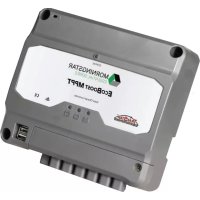
ProStar PS-30M - Controller Morningstar - Free user manual and instructions
Find the device manual for free ProStar PS-30M Morningstar in PDF.


Pick your language and provide your email: we'll send you a specifically translated version.
| Product Type | PWM Solar Charge Controller |
| Model | ProStar PS-30M |
| Rated Current | 30A |
| System Voltage | 12V / 24V Auto-Detect |
| Max PV Input Voltage | 50V |
| Battery Types Supported | Flooded, Sealed, Gel, AGM |
| Charge Regulation Mode | PWM (Pulse Width Modulation) |
| Load Control | LVD (Low Voltage Disconnect) with LED indicators |
| Dimensions (L x W x H) | Approx 159 x 101 x 53 mm |
| Weight | Approx 0.3 kg |
| Power Consumption | < 10 mA (standby) |
| Operating Temperature | -40°C to +60°C |
| Protections | Overcharge, Reverse Polarity, Overcurrent, Over-temperature |
| Display | LED Indicators (Charge, Battery, Load) |
| Compliance | CE, RoHS |
| Warranty | 5 Years (Manufacturer) |
| Mounting | Wall mount (screws included) |
| Terminal Size | Up to 10 mm² (AWG 8) |
| Battery Voltage Sense | Auto (internal) |
| Maintenance | Clean with dry cloth; check connections periodically |
| Safety | Reverse polarity protection, overcharge protection |
| Spare Parts / Repairability | User-replaceable fuses; professional repair recommended |
Frequently Asked Questions - ProStar PS-30M Morningstar
What is the maximum PV input voltage for the ProStar PS-30M?
The maximum PV input voltage is 50V. This is typical for a 30A PWM charge controller.
Can the ProStar PS-30M handle 24V systems?
Yes, it automatically detects 12V or 24V battery systems. No manual setting required.
What battery types are compatible with this controller?
It supports Flooded, Sealed, Gel, and AGM batteries. Select via dip switches or programming.
How do I connect the solar panel to the controller?
Connect the panel to the PV terminals, battery to battery terminals, and load to load terminals. Observe polarity carefully.
Does the ProStar PS-30M have a load output?
Yes, it has a load output with LVD (Low Voltage Disconnect) to protect the battery from deep discharge.
What do the LED indicators mean?
There are three LEDs: Charge (flashing = charging, solid = float), Battery (green = OK, red = fault), and Load (on = load on, off = load off).
Is reverse polarity protection included?
Yes, the controller has built-in reverse polarity protection on the PV and battery terminals. However, double-check connections.
What is the standby power consumption?
The standby power consumption is less than 10 mA, making it very efficient.
How do I clean and maintain the controller?
Clean the exterior with a dry cloth. Check all connections for tightness and corrosion periodically. No internal cleaning required.
Can I use the ProStar PS-30M with lithium batteries?
This model is designed for lead-acid batteries (flooded, sealed, gel, AGM). For lithium, you may need a separate BMS or a different controller.
User questions about ProStar PS-30M Morningstar
0 question about this device. Answer the ones you know or ask your own.
Ask a new question about this device
No questions yet. Be the first to ask one.
Download the instructions for your Controller in PDF format for free! Find your manual ProStar PS-30M - Morningstar and take your electronic device back in hand. On this page are published all the documents necessary for the use of your device. ProStar PS-30M by Morningstar.
USER MANUAL ProStar PS-30M Morningstar

Manual assistant
Powered by Anthropic
Waiting for your message
Product information
Brand : Morningstar
Model : ProStar PS-30M
Category : Controller