DTL302 - Multimeter Klein Tools - Free user manual and instructions
Find the device manual for free DTL302 Klein Tools in PDF.


Pick your language and provide your email: we'll send you a specifically translated version.
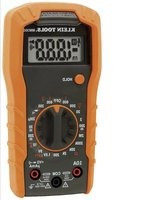
| Product Type | Digital Multimeter |
| Model | DTL302 |
| Brand | Klein Tools |
| Measurement Functions | AC/DC Voltage, Resistance, Continuity, Diode |
| AC Voltage Range | 0 to 600 V |
| DC Voltage Range | 0 to 600 V |
| Resistance Range | 0 to 40 MΩ |
| Basic Accuracy | ±1.0% + 5 digits |
| Auto-Range | Yes |
| Display | Backlit LCD Screen |
| Continuity Buzzer | Yes |
| Diode Test | Yes |
| Safety Category | CAT III 600 V |
| Power Supply | 2 AAA 1.5V batteries |
| Battery Life | Approximately 200 hours |
| Dimensions | 150 x 28 x 18 mm |
| Weight | 90 g |
| Hold Function | Yes |
| Auto Power Off | Yes, after 15 minutes |
| Maintenance | Clean with a dry cloth; avoid moisture |
| Safety | Do not exceed measurement limits; use appropriate probes |
| Repairability | Repair by authorized center; no spare parts available |
Frequently Asked Questions - DTL302 Klein Tools
How to measure AC voltage with the DTL302?
Turn the selector to the AC voltage range (V~). Insert the black probe into the COM terminal and the red probe into the V terminal. Place the test leads on the measurement points. Read the value on the display. If the value exceeds the range, the meter displays OL.
How to use the continuity test?
Turn the selector to the speaker symbol (which looks like a wave). Insert the probes as for a resistance measurement. If the resistance is below about 30 Ω, a buzzer sounds and the light turns on. Ideal for checking fuses or connections.
What does the display 'OL' mean?
OL stands for Over Load. This indicates that the measured value exceeds the selected measurement range or the measurement is out of limits. Switch to a higher range or check your connections.
How to replace the batteries of the DTL302?
Turn off the meter and remove the probes. Open the battery compartment at the back by sliding the cover. Replace both AAA batteries, respecting polarity. Close the compartment. Do not mix new and old batteries.
What to do if the meter does not turn on?
First check the batteries: replace them if necessary. Make sure the batteries are inserted correctly with the proper polarity. If the meter still does not turn on, check the internal fuse (if accessible) or contact Klein Tools technical support.
Does this multimeter measure current?
No, the DTL302 model does not have a current measurement function. It is designed to measure voltage AC/DC, resistance, continuity, and diodes. To measure current, use a suitable multimeter with an ammeter function.
How to use the Hold function?
Press the HOLD button once to freeze the displayed value. A 'HOLD' indicator appears on the screen. Press again to release the measurement and return to normal mode. Useful for capturing a value in a hard-to-reach place.
What is the safety category of the DTL302?
The DTL302 is rated CAT III 600V. This means it can be used safely on fixed power distribution circuits (wall outlets, electrical panels) up to 600 V relative to ground. Do not use on CAT IV circuits.
How to test a diode with this multimeter?
Turn the selector to the diode symbol (triangle with a bar). Insert the red probe into the V terminal and the black probe into COM. Place the red tip on the anode and the black tip on the cathode. A good diode shows a threshold voltage (0.5-0.8 V for silicon). If the diode is reversed, the display shows OL.
How to clean the DTL302 multimeter?
Use a soft, dry cloth to wipe the casing. Never use solvents, abrasives, or liquids. If dirt persists, you can slightly dampen the cloth with water, but remove the batteries first. Do not immerse the meter in water.
User questions about DTL302 Klein Tools
0 question about this device. Answer the ones you know or ask your own.
Ask a new question about this device
No questions yet. Be the first to ask one.
Download the instructions for your Multimeter in PDF format for free! Find your manual DTL302 - Klein Tools and take your electronic device back in hand. On this page are published all the documents necessary for the use of your device. DTL302 by Klein Tools.
USER MANUAL DTL302 Klein Tools

Manual assistant
Powered by Anthropic
Waiting for your message
Product information
Brand : Klein Tools
Model : DTL302
Category : Multimeter