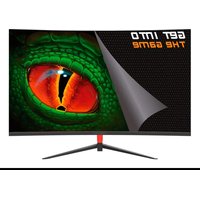
XGM27V6 - Monitor KeepOut - Free user manual and instructions
Find the device manual for free XGM27V6 KeepOut in PDF.


Pick your language and provide your email: we'll send you a specifically translated version.
| Product Type | 27-inch LED Monitor |
| Screen Size | 27 inches (68.58 cm) |
| Native Resolution | 1920 x 1080 (Full HD) |
| Refresh Rate | 60 Hz |
| Dimensions (with stand) | Approx. 615 x 450 x 180 mm |
| Net Weight | Approx. 5.2 kg |
| Power Supply | 100-240 V, 50/60 Hz, external power adapter |
| Power Consumption (typical) | 25 W |
| Connectors | HDMI, VGA, audio jack |
| Main Features | Brightness adjustment, contrast, preset image modes, built-in speakers |
| Maintenance and Cleaning | Use a soft, dry cloth. Do not use chemical products. |
| Safety | Do not expose to humidity, do not open the casing, unplug before cleaning |
| Spare Parts and Repairability | Spare parts available from the manufacturer. Professional repair recommended. |
| General Information | 2-year warranty, VESA 100x100 wall mount compatible |
Frequently Asked Questions - XGM27V6 KeepOut
How to turn the monitor on and off?
Press the power button located at the bottom right of the monitor. An indicator light shows the operating status.
What cables are included with the monitor?
The monitor comes with an HDMI cable and a power cable. Some models may include a VGA cable.
How to adjust brightness and contrast?
Use the OSD (On-Screen Display) menu by pressing the function keys located under the bezel. Navigate to adjust brightness and contrast.
What is the maximum supported resolution?
The native resolution is 1920 x 1080 pixels. The monitor can also display lower resolutions.
Does the monitor have speakers?
Yes, the monitor is equipped with built-in speakers of 2 x 2W. You can adjust the volume via the OSD menu.
How to clean the monitor screen?
Turn off the monitor and unplug it. Use a soft, dry cloth to gently wipe the surface. Avoid any chemical products.
Is the monitor compatible with wall mounting?
Yes, it is compatible with the VESA 100x100 mm standard. Use a suitable wall mount kit.
What to do if the screen stays black?
Check that the power cable is plugged in and the monitor is on. Also check the video cable connection to the computer. Try another source.
How to change the OSD menu language?
Access the OSD menu, go to 'Settings' or 'Configuration', then select 'Language' and choose your language from the available options.
Can I connect a gaming console?
Yes, you can connect a console via the HDMI port. Make sure the console is set to a supported resolution (1080p recommended).
User questions about XGM27V6 KeepOut
0 question about this device. Answer the ones you know or ask your own.
Ask a new question about this device
No questions yet. Be the first to ask one.
Download the instructions for your Monitor in PDF format for free! Find your manual XGM27V6 - KeepOut and take your electronic device back in hand. On this page are published all the documents necessary for the use of your device. XGM27V6 by KeepOut.
USER MANUAL XGM27V6 KeepOut
Manual assistant
Powered by Anthropic
Waiting for your message
Product information
Brand : KeepOut
Model : XGM27V6
Category : Monitor