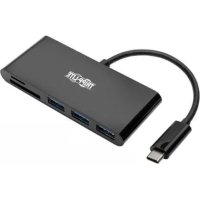
U444-06N-HD8K6W - Interface Tripp Lite - Free user manual and instructions
Find the device manual for free U444-06N-HD8K6W Tripp Lite in PDF.


Pick your language and provide your email: we'll send you a specifically translated version.
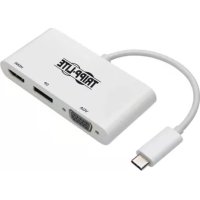
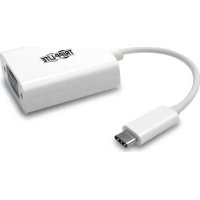
| Product Type | USB-C to HDMI Adapter |
| Brand | Tripp Lite |
| Model | U444-06N-HD8K6W |
| Input Connector | USB-C Male |
| Output Connector | HDMI Female |
| Maximum Supported Resolution | 8K at 30 Hz (7680×4320) |
| HDCP Compatibility | HDCP 2.2 and 1.4 |
| Bandwidth | Up to 48 Gbps (HDMI 2.1) |
| Power | Powered by USB-C port (bus-powered) |
| Power Consumption | Less than 2.5 W |
| Cable Length | 15 cm (6 inches) |
| Color | White |
| Housing Material | ABS Plastic |
| Dimensions (L × W × H) | 6.4 × 2.0 × 1.3 cm |
| Weight | 15 g |
| Operating Temperature | 0 °C to 45 °C |
| Storage Temperature | -10 °C to 70 °C |
| Relative Humidity | 5 % to 90 % (non-condensing) |
| Supported Operating Systems | Chrome OS, macOS, Windows, Linux, iOS, Android |
| Plug and Play | Yes, no driver required |
| Main Features | Screen extension or mirroring, supports HDR10, Dolby Vision |
| Care and Cleaning | Wipe with a soft, dry cloth, do not use abrasive products |
| Safety Instructions | Do not expose to moisture, avoid shocks, unplug during storms |
| Spare Parts and Repairability | Not user-serviceable, contact Tripp Lite support |
Frequently Asked Questions - U444-06N-HD8K6W Tripp Lite
Which devices are compatible with this adapter?
The adapter is compatible with any device with a USB-C port that supports DisplayPort Alt mode (DP Alt). This includes recent laptops, smartphones, and tablets running Chrome OS, macOS, Windows, Linux, iOS, and Android.
Can I use this adapter to connect an 8K monitor?
Yes, the adapter supports a maximum resolution of 8K at 30 Hz (7680×4320). Make sure your source and monitor also support this resolution.
Does the adapter require external power?
No, the adapter is powered by the USB-C port of your device (bus-powered). No external power source is needed.
Is audio transmitted via HDMI?
Yes, the adapter supports audio transmission over HDMI, including Dolby TrueHD, DTS-HD Master Audio, and multi-channel PCM audio.
Can I use this adapter with a standard HDMI cable?
Yes, simply plug a standard HDMI cable (sold separately) into the adapter's female port. For optimal 8K performance, use a high-quality HDMI 2.1 cable.
Does the adapter support HDR?
Yes, it supports HDR10 and Dolby Vision for brighter images and improved contrast.
What is the difference between mirror and extended mode?
Mirror mode duplicates your device's screen on the external display, while extended mode uses it as a second screen to increase your workspace. You can switch between these modes in your system's display settings.
Is the adapter compatible with gaming?
Yes, thanks to its low latency and support for high resolutions, it is suitable for gaming. For competitive gaming, ensure your source and monitor support a high refresh rate.
How to clean the adapter?
Unplug the adapter and wipe it with a soft, dry cloth. Do not use liquid or abrasive cleaners that could damage the housing or connectors.
What to do if the adapter is not detected?
Check that your device's USB-C port supports DisplayPort Alt mode. Try reconnecting the adapter and restarting your device. If the problem persists, test with another monitor or device to isolate the cause.
User questions about U444-06N-HD8K6W Tripp Lite
0 question about this device. Answer the ones you know or ask your own.
Ask a new question about this device
No questions yet. Be the first to ask one.
Download the instructions for your Interface in PDF format for free! Find your manual U444-06N-HD8K6W - Tripp Lite and take your electronic device back in hand. On this page are published all the documents necessary for the use of your device. U444-06N-HD8K6W by Tripp Lite.
USER MANUAL U444-06N-HD8K6W Tripp Lite
Manual assistant
Powered by Anthropic
Waiting for your message
Product information
Brand : Tripp Lite
Model : U444-06N-HD8K6W
Category : Interface