
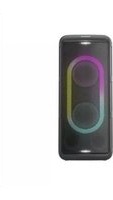
SC-TMAX15 - Speakers PANASONIC - Free user manual and instructions
Find the device manual for free SC-TMAX15 PANASONIC in PDF.
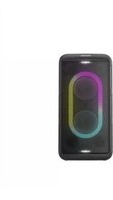


| Product Type | Portable Bluetooth Speaker |
| Brand | Panasonic |
| Model | SC-TMAX15 |
| Dimensions (W x H x D) | 400 mm x 200 mm x 250 mm (approx.) |
| Weight | 3.5 kg (approx.) |
| Power Supply | AC 100-240 V, 50/60 Hz |
| Speaker Configuration | Full-range stereo |
| Amplifier Power | 20 W RMS (estimated) |
| Bluetooth Version | Bluetooth 5.0 (typical) |
| Bluetooth Range | Up to 10 m |
| Audio Inputs | Bluetooth, AUX (3.5 mm), USB |
| Supported Audio Formats | MP3, WMA, AAC (via USB) |
| FM Tuner | Yes (built-in) |
| Controls | Buttons on unit, remote control |
| Display | LED indicators |
| Cleaning and Care | Wipe with a soft, dry cloth. Do not use solvents. |
| Safety Warnings | Do not expose to water or moisture. Keep away from heat sources. |
| Spare Parts and Repairability | Contact an authorized Panasonic service center. |
| Manual Languages | English, Spanish, and others (downloadable) |
Frequently Asked Questions - SC-TMAX15 PANASONIC
User questions about SC-TMAX15 PANASONIC
0 question about this device. Answer the ones you know or ask your own.
Ask a new question about this device
Download the instructions for your Speakers in PDF format for free! Find your manual SC-TMAX15 - PANASONIC and take your electronic device back in hand. On this page are published all the documents necessary for the use of your device. SC-TMAX15 by PANASONIC.
USER MANUAL SC-TMAX15 PANASONIC
Operating Instructions
Wireless Speaker System
Speaker System
Model No. SC-TMAX45
SC-TMAX15

Thank you for purchasing this product.
For optimum performance and safety, please read these instructions carefully.
Please keep this manual for future reference.
These operating instructions are applicable for models SC-TMAX45 and SC-TMAX15.
Your system and the illustrations can look differently.
The symbols on this product (including the accessories) represent the following:

AC

DC

Class II equipment (The construction of the product is double-insulated.)

ON

Standby
For Australia and New Zealand

Disposal of Old Equipment and Batteries Only for European Union and countries with recycle systems
These symbols are only valid in the European Union and countries with recycling systems. If you wish to discard this product, please contact your local authorities or dealer and ask for the correct method of disposal.
For Thailand
This telecommunication equipment conforms to NTC/NBTC technical requirement.
For Paraguay
Importer information of Paraguay
Name: Laser Import S.A. Paraguay
Address: Via Ferrea 24 40 C AVDA Brasilia, Asunción C.P. 9999, Paraguay
Phone number: +595 982840354
Table of contents
Safety precautions 2
Note on AC mains lead 3
Supplied accessories 3
Transporting the unit 4
Making the connections 4
Overview of unit 5
Bluetooth® operation 6
Using a USB device 6
External equipment 7
Using a microphone or guitar 8
Illumination effects 8
Others 9
Troubleshooting 9
Specifications 10
Maintenance 10
References 11
Safety precautions
WARNING!
Unit
- To reduce the risk of fire, electric shock or product damage,
- Do not expose this unit to rain, moisture, dripping or splashing.
- Do not place objects filled with liquids, such as vases, on this unit.
- Use the recommended accessories.
- Do not remove covers.
- Do not repair this unit by yourself. Refer servicing to qualified service personnel.
- Do not let metal objects fall inside this unit.
CAUTION!
Unit
- To reduce the risk of fire, electric shock or product damage,
- Do not install or place this unit in a bookcase, built-in cabinet or in another confined space. Ensure this unit is well ventilated.
- Do not obstruct this unit's ventilation openings with newspapers, tablecloths, curtains, and similar items.
- Do not place sources of naked flames, such as lighted candles, on this unit.
- This unit is intended for use in moderate and tropical climates.
- This unit may receive radio interference caused by mobile telephones during use. If such interference occurs, please increase separation between this unit and the mobile telephone.
- Set the unit up on an even surface away from direct sunlight, high temperatures, high humidity, and excessive vibration.
- This system might get warm after prolonged usage. This is normal. Do not be alarmed.
AC mains lead
- The mains plug is the disconnecting device. Install this unit so that the mains plug can be unplugged from the socket outlet immediately.
THE FOLLOWING APPLIES ONLY IN THE U.S.A.
Caution: The user is cautioned that changes or modifications not expressly approved by the party responsible for compliance could void the user's authority to operate the equipment.
This device complies with Part 15 of the FCC Rules. Operation is subject to the following two conditions:
(1) This device may not cause harmful interference, and (2) this device must accept any interference received, including interference that may cause undesired operation.
FCC ID: ESX-TMAX45 (for SC-TMAX45)
ESX-TMAX15 (for SC-TMAX15)
NOTE: This equipment has been tested and found to comply with the limits for a Class B digital device, pursuant to Part 15 of the FCC Rules.
These limits are designed to provide reasonable protection against harmful interference in a residential installation. This equipment generates, uses, and can radiate radio frequency energy and, if not installed and used in accordance with the instructions, may cause harmful interference to radio communications. However, there is no guarantee that interference will not occur in a particular installation. If this equipment does cause harmful interference to radio or television reception, which can be determined by turning the equipment off and on, the user is encouraged to try to correct the interference by one or more of the following measures:
- Reorient or relocate the receiving antenna.
- Increase the separation between the equipment and receiver.
- Connect the equipment into an outlet on a circuit different from that to which the receiver is connected.
- Consult the dealer or an experienced radio/TV technician for help.
FCC Radiation Exposure Statement
This equipment complies with FCC radiation exposure limits set forth for an uncontrolled environment.
This transmitter must not be co-located or operating in conjunction with any other antenna or transmitter.
Note on AC mains lead
(For the AC mains plug of three pins)
Before use
Remove the connector cover.
How to replace the fuse
The location of the fuse differs according to the type of AC mains plug (figures A and B). Confirm the AC mains plug fitted and follow the instructions below.
Illustrations may differ from actual AC mains plug.
- Open the fuse cover with a screwdriver.
Figure A Figure B

- Replace the fuse and close or attach the fuse cover.
Figure A Figure B Fuse (5 ampere)
Fuse (5 ampere)
Supplied accessories
Check and identify the supplied accessories.
☐ 1 Optical cable (TSXF231) For Latin America
1 AC plug adapter
(TSXX212)
For Latin America
1 AC mains lead
(TSXA226)
For India
1 AC mains lead (TSXA231) For others
4 AC mains lead
For Hong Kong
(TSXA227)
For Thailand
(TSXA229)
For Australia and New Zealand
(TSXA228)
Except for Hong Kong, Thailand, Australia and New Zealand
(TSXA226)
Note:
Use the AC mains lead that is suitable for your household mains socket.
Transporting the unit
Preparation
Disconnect all connected devices and cables from the unit.
1. Hold the handle of the unit firmly when transporting the unit.
2. Place the unit on a flat, stable surface with the rubber feet facing down.
Placement
You can place this system vertically or horizontally.
Vertical placement Horizontal placement
(Place the side with the rubber feet facing down.)

Note:
- Keep your speakers more than 10 mm from other objects for proper ventilation. • These speakers do not have magnetic shielding. Do not put them near TVs, PCs or other equipment easily influenced by magnetism.
- When you play at high levels for a long period, it can cause damage to the speakers and decrease the life of the speakers.
- Decrease the volume in these conditions to prevent damage:
- When the sound is distorted.
- When you adjust the sound quality.
CAUTION!
- Improper handling or transportation manner may cause the unit to fall, etc., resulting in damage and/or personal injury.
- Do not place the unit on a sloping or unstable surface.
- Do not place your feet under the unit.
- Do not touch the speaker cone's reverberating surfaces:
- This may damage the speaker cone.
- The speaker cone may be hot.
- Do not put the unit on a table or any elevated surface.
- Do not allow children to climb on the unit.
- Be careful when babies or children are near.

Making the connections
Connect the AC mains lead only after all the other connections have been made.
Connect the AC mains lead.
Do not use any other AC mains lead except the supplied one.
Rear view
For Latin America
If the power plug does not fit your socket, use the supplied AC plug adapter.

Conserving power
The system consumes a small amount of power when it is in standby mode. Disconnect the power supply if you do not use the system.
Some settings will be lost after you disconnect the system. You have to set them again.
Overview of unit

① Standby/on switch [⏻/ɪ]
Press to switch the unit from on to standby mode or vice versa. In standby mode, the unit is still consuming a small amount of power.
② Adjust the volume level ③ Basic playback control ④ Display panel ⑤ Microphone jack ⑥ Adjust the microphone volume level ⑦ Adjust the microphone echo level ⑧ Adjust the guitar volume level ⑨ Guitar jack ⑩ Select the speaker mode ⑪ Select the illumination effects and colours ⑫ Select Bluetooth® as the source
⑬ Select the sound effect
ROCK → JAZZ → SAMBA → POP → FLAT
⑭ Switch on or switch off the bass effect
ON BASS OFF BASS
Note:
When you switch on the bass effect, the sound effect will switch off, and vice versa.
⑮ Select the audio source
BLUETOOTH → USB → AUX → OPT
⑯ AUX IN jack ⑰ AUDIO OUT jack ⑱ Optical In jack ⑲ USB port (5 V ≠ 0 A)
Bluetooth® operation
You can connect and play an audio device wirelessly through Bluetooth®.
Preparation
- Switch on the unit.
- Switch on the Bluetooth® feature of the device and put the device near the system.
- Read the operating instructions of the device for details.
Pairing a device
1 Press [ ]
"PAIRING" is shown.
2 Select "SC-TMAX45" or "SC-TMAX15" from the Bluetooth® menu of the device.
If prompted for a passkey, input "0000". The device connects with this system automatically after pairing is complete.
Note:
- If a Bluetooth® device is connected, you need to disconnect the device before pairing a new device (⇒ "Disconnecting a device").
- You can pair up to 8 devices with this system. If a 9th device is paired, the device that has been paired for the longest time will be replaced.
- Depending on the searching functionality of the Bluetooth® device and the surrounding environment, if the product name is not shown on the Bluetooth® menu of the device, switch off and then switch on the Bluetooth® feature of the device repeatedly during the pairing process.
Connecting a device
1 Press [ ]
2 Select "SC-TMAX45" or "SC-TMAX15" from the Bluetooth® menu of the device.
3 Start playback on the device.
Note:
- A device must be paired to connect.
- When "BLUETOOTH" is selected as the source, this system will automatically try to connect to the last connected device.
Bluetooth® playback
| Play Press [▶/III]. | |
| Pause Press [▶/III].Press again to continue playback. | |
| Skip | Press [I◀◀/◀◀] or [▶▶/▶▶I] to skip track. |
| Search | Press and hold [I◀◀/◀◀] or [▶▶/▶▶I]. |
Note:
Depending on the Bluetooth® device, some operations may not work.
Multi Connect
This system supports Multi Connect, which can connect up to 2 devices simultaneously.
To switch between the connected devices
When one of the connected devices is playing, you can easily switch control to another connected device simply by starting a playback on that device. The previous playback will be paused automatically.
Note:
This function may not work for some apps or devices (depending on app or device specifications).
Disconnecting a device
While a Bluetooth® device is connected, press and hold [▶/Ⅲ].
"PAIRING" is shown.
Note:
- This function disconnects all connected devices. A device is disconnected when you:
- Select a different source.
- Move the device out of the maximum range.
- Disable the Bluetooth® transmission of the device.
- Switch off the unit or the device.
Bluetooth® standby
This function automatically switches on the system when you establish a Bluetooth® connection from a paired device.
Press and hold [ ] to switch on this function.
"ON BLUETOOTH STANDBY" is shown.
To cancel, press and hold the button again until "OFF BLUETOOTH STANDBY" is shown.
Note:
- Some devices may take longer to respond. If you are connected to a Bluetooth® device before switching off the system, wait for a minimum of 5 seconds before connecting to this system from your Bluetooth® device again.
- When you disconnect and connect the AC mains lead, the Bluetooth® standby function may not work even though the setting is on. In this case, switch on the unit and check the Bluetooth® standby setting.
Using a USB device
Preparation
Before you connect a USB device to the system, make sure you do a backup of the data.
Decrease the volume and connect the USB device to the USB port.

Hold the unit when connecting or disconnecting the USB device.
Note:
Do not use a USB extension cable. The system cannot recognize USB device connected through a cable.
USB playback
You can playback MP3 files in the USB device.
Press [INPUT SELECTOR] repeatedly to select "USB".
| Play Press [▶/■]. | |
| Pause Press [▶/■].Press again to continue playback. | |
| Skip | Press [◀◀/◀◀] or [▶▶/▶▶I] to skip track.During pause, press and hold [▶/■] to skip album. |
| Search | Press and hold [◀◀/◀◀] or [▶▶/▶▶I]. |
| Repeat | During playback, press and hold [▶/■] repeatedly to select a repeat mode.ONE REPEAT: Repeat a single track.ALL REPEAT: Repeat all tracks.OFF REPEAT: Cancel repeat. |
Note:
- Files are defined as tracks and folders are defined as albums.
- Tracks must have the extension ".mp3" or ".MP3".
- Tracks will not necessarily be played in the order you recorded them.
- Some files can fail to work because of the sector size.
Charging a device
Charging starts when a device (rated value: 5 V/1 A) is connected to the USB port of this unit.
Preparation
Switch on the unit.
Connect a device.

Confirm from the screen of the connected device, etc. to make sure charging has started.
Note:
- A cable compatible with your device is required. Use the cable that comes with your device.
- Even if you connect a cable compatible with the USB port of this unit, your device may not be charged. In that case, use the charger that comes with the device.
- Do not connect a device with a rated value higher than 5 V/1 A to this unit.
- To check if charging is complete, look at the screen of the connected device, etc.
- Once fully charged, remove the USB cable from the USB port.
- Charging stops if auto off function is activated.
External equipment
Preparation
- Disconnect the AC mains lead.
- Switch off all equipment and read the appropriate operating instructions.
Note:
- Do not bend cables at sharp angles.
- Components and cables are sold separately.
- Switch off the equalizer or reduce the volume of the external device. High level of input signal can distort the sound.
Using the optical input
You can connect a TV, VCR, DVD player etc., and listen to the audio through this unit.

1 Connect an external device. 2 Switch on the unit. 4 Play the external device.
3 Press [INPUT SELECTOR] repeatedly to select "OPT".
Note:
• This system supports linear PCM signal. - Supported Sampling frequency: 32 kHz, 44.1 kHz, 48 kHz, 88.2 kHz, up to 96 kHz - The sound is muted or noise could occur if the signal format or frequency is not supported. - If there are sounds coming from the TV's speakers, decrease the volume of the TV to its minimum.
Using the auxiliary input

1 Connect an external device. Plug type: ∅ 3.5 mm stereo 2 Switch on the unit. 3 Press [INPUT SELECTOR] repeatedly to select "AUX". 4 Play the external device.
Connecting additional units
You can connect to additional units to enjoy sound output from these units.
It is recommended to place all units vertically.
Preparation
Switch off all the units and turn [VOLUME] of each unit to reduce the volume level.

1 Connect main unit and all the additional units (SC-TMAX45 or SC-TMAX15) with audio cables (not supplied).
Plug type: ∅ 3.5 mm stereo
2 Switch on all the units.
3 On the additional units: Press [INPUT SELECTOR] repeatedly to select "AUX".
4 Press [SPEAKER MODE] repeatedly to select the desired speaker channels.
L+R: left and right channels
L: left channel
R: right channel
5 On main unit: Start your desired playback.
Note:
- You can connect this unit and up to two additional units.
- The sound effect will be controlled separately by each unit. Make the same sound settings on the additional units if necessary.
- The illumination and strobe lights effects on the additional units may differ from the main unit even when same illumination pattern is selected.
Using a microphone or guitar
Preparation
Turn [MIC LEVEL] and [GUITAR LEVEL] to their minimum before you connect or disconnect a microphone/guitar.

1 Connect a microphone or guitar.
Plug type: ∅ 6.3 mm monaural
2 Adjust the volume of microphone or guitar.
For microphone: Turn [MIC LEVEL].
For guitar: Turn [GUITAR LEVEL].
3 If you want to sing with the background music, play the music source and adjust the volume of the system.
Adjust echo level
Turn [ECHO] to adjust the echo level of the microphone.
Note:
- If a strange noise (howling) is emitted, move the microphone/guitar away from the speakers, or decrease the volume of the microphone/guitar.
- When you do not use the microphone/guitar, disconnect it from the microphone/guitar jack, and decrease the volume of the microphone/guitar to its minimum.
Illumination effects
You can change the illumination effect on the unit.

Turn [ILLUMINATION] to select the effect.
M-1 to M-9: Selection of 9 illumination patterns in multiple colours.
S-1 to S-3: Selection of 3 illumination patterns in single colour. Press [ILLUMINATION] repeatedly to select a colour.
OFF: Switch off illumination and strobe lights, also decrease the brightness of the display panel.
Using strobe lights
Press and hold [ILLUMINATION] to switch on or switch off the strobe lights.
Others
Auto off
This function will automatically switch the system to standby mode if there is no sound and it is not being used for approximately 20 minutes.
Note:
This function may not work when a microphone/guitar is connected.
Software update
Occasionally, Panasonic may release updated software for this unit that may add or improve the way a feature operates. These updates are available free of charge. For more details, refer to the following website.
https://panasonic.jp/support/global/cs/audio/ (This site is in English only.)
Troubleshooting
Before requesting service, make the following checks. If you are in doubt about some of the check points, or if the solutions indicated do not solve the problem, consult your dealer for instructions.
Common problems
The unit does not work.
- The safety device has been activated. Do the following:
- Press [∅/l] on the main unit to switch the unit to standby mode. If the unit does not switch to standby mode, disconnect the AC mains lead and then connect it again.
- Press [∅/I] again to switch on the unit. If the problem persists, consult your dealer.
Sound is distorted or no sound.
- Adjust the volume of the system.
- Switch off the system, determine and correct the cause, and then switch on again. It can be caused by straining of the speakers through excessive volume or power, and when using the system in a hot environment.
A humming sound can be heard during playback.
- An AC mains lead or fluorescent light is near the cables. Keep other appliances and cords away from the cables of this system.
The sound level reduces.
- The protection circuit has been activated due to the continuous use at high volume output. This is to protect the system and maintain the sound quality.
USB
The USB device or the contents in it cannot be read.
- The format of the USB device or the contents in it are not compatible with the system.
- USB devices with storage capacity of more than 32 GB cannot work.
- USB devices may not be recognised when connected to this system with a USB extension cable or USB hub.
Slow operation of the USB device.
- Large content size or large memory USB device takes longer time to read.
Bluetooth®
Pairing cannot be done.
- Check the Bluetooth® device condition.
- The device is out of the 10 m communication range. Move the device nearer to the system.
The device cannot be connected.
- The pairing of the device was unsuccessful. Do pairing again. (⇒ 6)
- The pairing of the device has been replaced. Do pairing again. (⇒ 6)
- This system might be connected to a different device. Disconnect the other device and try connecting the device again.
- The system may have a problem. Switch off the system and then switch on again.
The device is connected but audio cannot be heard through the system.
- For some built-in Bluetooth® devices, you have to set the audio output to "SC-TMAX45" or "SC-TMAX15" manually. Read the operating instructions of the device for details.
Playback during Multi Connect is not working or no sound.
- Restart the app of the device.
- The control of the device was not switched successfully. Disconnect the existing connected devices and try again.
Sound from the device is interrupted.
- The device is out of the 10 m communication range. Move the device nearer to the system.
- Remove any obstacle between the system and the device.
- Other devices that use the 2.4 GHz frequency band (wireless router, microwaves, cordless phones, etc.) are interfering. Move the device nearer to the system and distance it from the other devices.
Factory reset
Reset the memory when the following situations occur:
- There is no response when buttons are pressed.
- You want to clear and reset the memory contents.
1 Turn [VOLUME] to set the volume to "0".
2 Press and hold [INPUT SELECTOR] and [BASS].
Continue to press and hold the buttons until "RESET" is shown.
All the settings are set back to the factory preset.
Note:
You cannot perform factory reset when Bluetooth® standby function is switched on.
Specifications
General
Power supply AC 110 V to 240 V, 50/60 Hz
Power consumption
TMAX45 200 W
TMAX15 150 W
Power consumption in standby mode (approximate)
With "OFF BLUETOOTH STANDBY" setting 0.5 W
With "ON BLUETOOTH STANDBY" setting 2.0 W
Dimensions (W x H x D)
TMAX45 280 mm × 650 mm × 315 mm
TMAX15 280 mm × 550 mm × 310 mm
Mass
TMAX45 12.0 kg
TMAX15 9.0 kg
Operating temperature range 0°C to +40°C
Operating humidity range
35% to 80% RH (no condensation)
Amplifier section
RMS output power stereo mode
TMAX45
Mid bass 250 W per channel (6 Ω), 1 kHz, 30% THD
Tweeter 250 W per channel (6 Ω), 30% THD
Total RMS stereo mode power 1000 W
TMAX15
Mid bass and tweeter
150 W per channel (4 Ω), 1 kHz, 30% THD
Total RMS stereo mode power 300 W
Bluetooth® section
Version Bluetooth® Ver. 5.0
Class Class 1
Supported profiles A2DP, AVRCP
Frequency band 2.4 GHz band FH-SS
Operating frequency 2402 MHz to 2480 MHz
Maximum power (EIRP) 8 dBm
Operation distance 10 m line of sight
Supported codec SBC
Terminals section
USB port
USB standard USB 2.0 full-speed
Media file format support MP3 (*.mp3)
Maximum number of folders (albums) 99
Maximum number of files (songs) 999
Supported USB capacity 32 GB
USB device file system FAT16, FAT32, exFAT
USB port power DC OUT 5 V, 1.0 A (Max)
OPT IN
Optical digital input Optical terminal
Sampling frequency 32 kHz, 44.1 kHz, 48 kHz, 88.2 kHz, 96 kHz
Supported bit depth 16 bits, 24 bits
Audio format PCM (2 ch)
Microphone
Terminal Mono, 6.3 mm jack (1 system)
Guitar
Terminal Mono, 6.3 mm jack (1 system)
AUX IN
Terminal Stereo, 3.5 mm jack (1 system)
AUDIO OUT
Terminal Stereo, 3.5 mm jack (1 system)
Speaker section
Speaker unit(s)
TMAX45
Woofer 16 cm x 2
Tweeter 6.3 cm x 2
TMAX15
Woofer 14 cm x 2
Tweeter 5.7 cm x 2
Note:
- Specifications are subject to change without notice. Mass and dimensions are approximate.
Total harmonic distortion is measured by the digital spectrum analyser.
Maintenance
Disconnect the AC mains lead before maintenance. Clean this system with a soft, dry cloth.
- Never use alcohol, paint thinner or benzine to clean this system.
- Before using chemically treated cloth, read the instructions that came with the cloth carefully.
References
About Bluetooth®
Panasonic bears no responsibility for data and/or information that is compromised during a wireless transmission.
Frequency band
This system uses the 2.4 GHz frequency band.
Certification
- This system conforms to the frequency restrictions and has received certification based on frequency laws. Thus, a wireless permit is not necessary.
- The actions below are punishable by law in some countries:
Taking apart or modifying the unit.
– Removing specification indications.
Restrictions of use
- Wireless transmission and/or usage with all Bluetooth® equipped devices is not guaranteed.
- All devices must conform to standards set by the Bluetooth SIG, Inc.
- Depending on the specifications and settings of a device, it can fail to connect or some operations can be different.
- This system supports Bluetooth® security features. But depending on the operating environment and/or
settings, this security is possibly not sufficient. Transmit data wirelessly to this system with caution.
- This system cannot transmit data to a Bluetooth® device.
Range of use
- Use this device at a maximum range of 10 m.
- The range can decrease depending on the environment, obstacles or interference.
Interference from other devices
- This system may not function properly and troubles such as noise and sound jumps may arise due to radio wave interference if this unit is located too close to other Bluetooth® devices or the devices that use the 2.4 GHz band.
- This system may not function properly if radio waves from a nearby broadcasting station, etc. is too strong.
Intended usage
- This system is for normal, general use only.
- Do not use this system near equipment or in an environment that is sensitive to radio frequency interference (e.g., airports, hospitals, laboratories, etc.).
Licenses
The Bluetooth® word mark and logos are registered trademarks owned by Bluetooth SIG, Inc. and any use of such marks by Panasonic Holdings Corporation is under license. Other trademarks and trade names are those of their respective owners.
Customer Service
(Only for Latin American countries)
Customer Service Directory
Obtain product information and operational assistance; locate the nearest distributor or Service Center; buy spare parts and accessories through our Web Site for Latin America or by calling our Contact Center:
COUNTRY WEB SITE CONTACT CENTER
| Panama www.panasonic.com/pa/soporte/ 800-7262 | ||
| Colombia www.panasonic.com/co/soporte/ 01-8000-947262 | ||
| Ecuador www.panasonic.com/pa/soporte/ 1-800-726276 | ||
| Costa Rica www.panasonic.com/pa/soporte/ 800-7262737 | ||
| El Salvador www.panasonic.com/pa/soporte/ 800-7262 | ||
| Guatemala www.panasonic.com/pa/soporte/ 1-801-811-7262 | ||
| Uruguay www.panasonic.com/pa/soporte/ 0-800-7262 | ||
| Paraguay www.panasonic.com/pa/soporte/ Web Site | ||
| Peru | www.panasonic.com/pe/soporte/ 0800-00726 | |
| Venezuela | www.panasonic.com/pa/soporte/ | Web Site |
| Mexico www.panasonic.com/mx/soporte/ | 800-847-7262 | 55-5000-1200 |
| Argentina | 0800-333-72620810-321-7262 | |
| Dominican Rep. | www.panasonic.com/pa/soporte/ 829-607-2152 | |
For Caribbean countries that speak English, please visit this web site to find information about our products and operational assistance:
www.panasonic.com/caribbean
For India
Information on hazardous constituents as specified in sub-rule 1 of rule 16 in electrical and electronic equipment. Declaration of Conformity with the requirements of the E-Waste (Management) Amendment Rules, 2023, with the sub-rule 1 of rule 16 limits with respect to Lead, Mercury, Cadmium, Hexavalent chromium, Polybrominated biphenyls, Polybrominated diphenyl ethers.
The content of hazardous substances, with the exemption of the applications listed in SCHEDULE II of the E-Waste (Management) Amendment Rules, 2023:
- Lead (Pb) – not over 0.1% by weight.
- Cadmium (Cd) – not over 0.01% by weight.
- Mercury (Hg) – not over 0.1% by weight.
- Hexavalent chromium (Cr6+) – not over 0.1% by weight.
- Polybrominated biphenyls (PBBs) – not over 0.1% by weight.
- Polybrominated diphenyl ethers (PBDEs) – not over 0.1% by weight.

For the purpose of recycling to facilitate effective utilization of resources, please return this product to a nearby authorized collection center, registered dismantler of recycler, or Panasonic service center when disposing of this product.
Customer care number (Toll free): 1800 103 1333, 1800 108 1333
Please see the Panasonic website for further information on collection centers, etc. or call the customer care toll-free number
https://www.panasonic.com/in/corporate/e-waste-management.html
| Do's & Don'ts | ||
| No | Do's | Don'ts |
| 1 | All electrical and electronic products are required to be handed over only to the Authorized recycler. | The product should not be opened by the user himself /herself, but only by authorized service personnel. |
| 2 | The product should be handed over only to authorized recycler for disposal. | The product is not meant for re-sale to any unauthorized agencies / scrap dealers / kabariwalas. |
| 3 | Keep the product in an isolated area, after it becomes non-functional / unreparable so as to prevent its accidental breakage. | The product is not meant for mixing into household waste stream. |
| 4 | Refer to Operating Instructions for handling of end of life products. | Do not keep any replaced spare part(s) from the product in an exposed area. |
| 5 | Always dispose of products that have reached end of life at Panasonic Life Solutions India Authorized Service Centre. | Do not donate old electronic items to anybody. Do not dispose of your product in garbage bins along with municipal waste that ultimately reaches landfill. |
| 6 | Wherever possible or as instructed, separate the packaging material according to responsible waste disposal options and sorting for recycling. | Do not give e-waste to informal and unorganized sectors like Local Scrap Dealers / Rag Pickers. |
Panasonic Warranty
- Subject to the conditions of this warranty Panasonic or its Authorised Service Centre will perform necessary service on the product, without charge for parts or labour, if in the opinion of Panasonic the product is found to have a manufacturing defect within one (1) year or (12 months) (the "warranty period") from the date of purchase appearing on your purchase receipt.
- This warranty only applies to Panasonic products purchased in Australia and sold by Panasonic Australia, it's Authorised Distributors, or Dealers, and only where the products are used and serviced within Australia or its territories. Warranty cover only applies to the services that are carried out by a Panasonic Authorised Service Centre and only if valid proof of purchase is presented when the warranty service is requested.
- This warranty only applies if the product has been installed and/or used in accordance with the manufacturer's recommendations (as noted in the operating instructions) under normal use and reasonable care (in the opinion of Panasonic). The warranty does not cover damage, malfunction or failure resulting from use of incorrect voltages, incorrect installation, accident, misuse, neglect, build-up of dirt or dust, abuse, maladjustment of customer controls, mains supply problems, thunderstorm activity, infestation by insects or vermin, tampering or repair by unauthorised persons (including unauthorised alterations), exposure to abnormally corrosive conditions, or any foreign object or matter having entered the product.
- This warranty does not cover the following items unless the fault or defect existed at the time of purchase:
(a) Consumable parts (b) Cosmetic parts (c) Worn or damaged parts (d) Information stored on Hard Disk Drives, Optical Discs, USB Devices, SD Cards, Tapes (e) DTV reception issues caused by TV Aerial / Cabling / Wall socket(s)
- Some products may be supplied with Ethernet connection hardware. The warranty is limited on such products and will not cover:
(a) Internet and/or DLNA connection/setup related problems (b) Access fees and/or charges incurred for internet connection (c) Incompatible software or software not specifically stipulated in the product operations manual; and (d) Any indirect or consequential costs associated with the incorrect use or misuse of the hardware, its connection to the internet or any other device.
- To claim warranty service, when required, you should:
- Contact Panasonic's Customer Care Centre on 132 600 for Service Centre information.
- Confirm the opening and acceptance times with the Authorised Service Centre that you choose.
- Then send or take the product to a Panasonic Authorised Service Centre together with your proof of purchase receipt.
- Any freight and insurance costs associated with the transport of the product to and/or from your nearest Authorised Service Centre must be arranged and paid for by you.
- The warranties hereby conferred do not extend to, and exclude, any costs associated with the installation, de-installation or re-installation of a product, including costs related to the mounting, de-mounting or remounting of any screen, (and any other ancillary activities), delivery, handling, freighting, transportation or insurance of the product or any part thereof or replacement of and do not extend to, and exclude, any damage or loss occurring by reason of, during, associated with, or related to such installation, de-installation, re-installation or transit.
Panasonic Authorised Service Centres are located in major metropolitan areas and most regional centres of Australia, however, coverage will vary dependant on product. For advice on exact Authorised Service Centre locations for your product, please telephone our Customer Care Centre on 132 600 or visit our website and use the Service Centre Locator.
In addition to your rights under this warranty, Panasonic products come with consumer guarantees that cannot be excluded under the Australian Consumer Law. If there is a major failure with the product, you can reject the product and elect to have a refund or to have the product replaced, or if you wish, you may elect to keep the goods and be compensated for the drop in value of the goods. You are also entitled to have the product repaired or replaced if the product fails to be of acceptable quality and the failure does not amount to a major failure.
If there is a major failure in regard to the product which cannot be remedied, then you must notify us within a reasonable period by contacting the Panasonic Customer Care Centre. If the failure in the product is not a major failure, then Panasonic may choose to repair or replace the product and will do so in a reasonable period of time from receiving notice from you.
THIS WARRANTY CARD AND THE PURCHASE DOCKET (OR SIMILAR PROOF OF PURCHASE) SHOULD BE RETAINED BY THE CUSTOMER AT ALL TIMES.
If you require assistance regarding warranty conditions or any other enquiries, please visit the
Panasonic Australia website www.panasonic.com.au or contact by phone on 132 600.
If phoning in, please ensure you have your operating instructions available.
Panasonic Australia Pty. Limited
ACN 001 592 187 ABN 83 001 592 187
1 Innovation Road, Macquarie Park NSW 2113
www.panasonic.com.au
Note:
32 kHz, 44.1 kHz, 48 kHz, 88.2 kHz, 96 kHz
Vertical mode

Note:
Table of contents

- OPERATING INSTRUCTIONS
- WIRELESS SPEAKER SYSTEM
- SPEAKER SYSTEM
- FOR AUSTRALIA AND NEW ZEALAND
- DISPOSAL OF OLD EQUIPMENT AND BATTERIES ONLY FOR EUROPEAN UNION AND COUNTRIES WITH RECYCLE SYSTEMS
- FOR THAILAND
- FOR PARAGUAY
- IMPORTER INFORMATION OF PARAGUAY
- TABLE OF CONTENTS
- SAFETY PRECAUTIONS
- WARNING
- UNIT
- CAUTION
- AC MAINS LEAD
- THE FOLLOWING APPLIES ONLY IN THE U.S.A
- FCC RADIATION EXPOSURE STATEMENT
- NOTE ON AC MAINS LEAD
- (FOR THE AC MAINS PLUG OF THREE PINS)
- BEFORE USE
- HOW TO REPLACE THE FUSE
- SUPPLIED ACCESSORIES
- TRANSPORTING THE UNIT
- PREPARATION
- PLACEMENT
- NOTE
- MAKING THE CONNECTIONS
- CONNECT THE AC MAINS LEAD
- FOR LATIN AMERICA
- CONSERVING POWER
- OVERVIEW OF UNIT
- BLUETOOTH® OPERATION
- PAIRING A DEVICE
- PRESS [ ]
- SELECT "SC-TMAX45" OR "SC-TMAX15" FROM THE BLUETOOTH® MENU OF THE DEVICE
- CONNECTING A DEVICE
- START PLAYBACK ON THE DEVICE
- BLUETOOTH® PLAYBACK
- MULTI CONNECT
- TO SWITCH BETWEEN THE CONNECTED DEVICES
- DISCONNECTING A DEVICE
- WHILE A BLUETOOTH® DEVICE IS CONNECTED, PRESS AND HOLD [▶/Ⅲ]
- BLUETOOTH® STANDBY
- PRESS AND HOLD [ ] TO SWITCH ON THIS FUNCTION
- USING A USB DEVICE
- DECREASE THE VOLUME AND CONNECT THE USB DEVICE TO THE USB PORT
- USB PLAYBACK
- CHARGING A DEVICE
- EXTERNAL EQUIPMENT
- USING THE OPTICAL INPUT
- USING THE AUXILIARY INPUT
- CONNECTING ADDITIONAL UNITS
- USING A MICROPHONE OR GUITAR
- ADJUST ECHO LEVEL
- ILLUMINATION EFFECTS
- USING STROBE LIGHTS
- OTHERS
- AUTO OFF
- SOFTWARE UPDATE
- TROUBLESHOOTING
- COMMON PROBLEMS
- THE UNIT DOES NOT WORK
- SOUND IS DISTORTED OR NO SOUND
- A HUMMING SOUND CAN BE HEARD DURING PLAYBACK
- THE SOUND LEVEL REDUCES
- USB
- THE USB DEVICE OR THE CONTENTS IN IT CANNOT BE READ
- SLOW OPERATION OF THE USB DEVICE
- BLUETOOTH®
- PAIRING CANNOT BE DONE
- THE DEVICE CANNOT BE CONNECTED
- THE DEVICE IS CONNECTED BUT AUDIO CANNOT BE HEARD THROUGH THE SYSTEM
- PLAYBACK DURING MULTI CONNECT IS NOT WORKING OR NO SOUND
- SOUND FROM THE DEVICE IS INTERRUPTED
- FACTORY RESET
- PRESS AND HOLD [INPUT SELECTOR] AND [BASS]
- SPECIFICATIONS
- GENERAL
- AMPLIFIER SECTION
- BLUETOOTH® SECTION
- TERMINALS SECTION
- SPEAKER SECTION
- MAINTENANCE
- REFERENCES
- ABOUT BLUETOOTH®
- FREQUENCY BAND
- CERTIFICATION
- RESTRICTIONS OF USE
- RANGE OF USE
- INTERFERENCE FROM OTHER DEVICES
- INTENDED USAGE
- LICENSES
- CUSTOMER SERVICE
- (ONLY FOR LATIN AMERICAN COUNTRIES)
- CUSTOMER SERVICE DIRECTORY
- FOR INDIA
- PANASONIC WARRANTY
- THIS WARRANTY CARD AND THE PURCHASE DOCKET (OR SIMILAR PROOF OF PURCHASE) SHOULD BE RETAINED BY THE CUSTOMER AT ALL TIMES
- PANASONIC AUSTRALIA PTY. LIMITED
Brand : PANASONIC
Model : SC-TMAX15
Category : Speakers