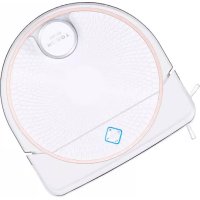
LEGEE-688 - Robot vacuum Hobot - Free user manual and instructions
Find the device manual for free LEGEE-688 Hobot in PDF.


Pick your language and provide your email: we'll send you a specifically translated version.
| Product Type | Robot Vacuum Cleaner |
| Dimensions | 35 x 35 x 8 cm |
| Weight | 3.2 kg |
| Power Supply | 14.4V Li-ion 2600 mAh |
| Charging Time | 4-5 hours |
| Runtime | 90-120 minutes |
| Dustbin Capacity | 500 ml |
| Suction Power | 2000 Pa |
| Navigation System | Smart gyroscope + infrared |
| Cleaning Modes | Auto, Edge, Spot, Scheduled |
| Mopping Function | Yes, with water tank |
| App Control | Wi-Fi, compatible with Alexa/Google |
| Filter Type | HEPA washable |
| Brush Type | Main brush + two side brushes |
| Maintenance Intervals | Clean filter weekly, replace brush every 6-12 months |
| Safety Features | Drop sensors, anti-fall, auto-docking |
| Replacement Parts | Filter, side brushes, main brush, battery, charging station |
| Warranty | 1 year |
| Certifications | CE, FCC, RoHS |
Frequently Asked Questions - LEGEE-688 Hobot
How do I connect the Hobot LEGEE-688 to the app?
Download the Hobot app from your app store, create an account, and follow the in-app instructions to pair via Wi-Fi. Make sure the robot is in pairing mode (hold the power button until the LED blinks).
What should I do if the robot gets stuck?
Check for obstacles like cords or carpets with tassels. Remove the robot and place it in a clear area, then press the start button. If the problem persists, restart the robot.
How often should I clean the filter?
Clean the filter at least once a week by tapping off dust. For deeper cleaning, wash with water and let it dry completely before reuse. Replace it every 3-6 months for optimal performance.
Can the robot vacuum both hard floors and carpets?
Yes, the LEGEE-688 can handle hard floors and low-pile carpets automatically. It adjusts suction power when moving from hard floors to carpet.
Why is the robot not returning to the charging dock?
Ensure the charging dock is placed against a wall with no obstacles within 1.5 meters on each side. Clean the charging contacts on both the dock and robot. Also check for bright sunlight interfering with infrared signals.
How do I reset the Hobot LEGEE-688?
Press and hold the reset button (usually a pin hole) for 10 seconds using a paperclip. Alternatively, turn off the power switch, wait 30 seconds, and turn it back on. Some models require holding the power button for 15 seconds.
What is the battery life and how do I replace it?
The Li-ion battery lasts about 90-120 minutes on a full charge. To replace, remove the bottom screws, disconnect the old battery, and connect a new one. Contact support for a genuine replacement part.
Does the robot have a mopping function?
Yes, the LEGEE-688 includes a mopping system with a water tank. Fill the tank with water (and optional cleaning solution), attach the mopping cloth, and select the mopping mode in the app.
How do I clean the main brush and side brushes?
Remove the main brush and side brushes by pressing the release tabs. Use the cleaning tool to cut away tangled hair and debris. Wash with warm soapy water if needed, let dry, and reinstall.
What error codes are common and what do they mean?
Common codes: E1 - wheel module error (check for obstruction), E2 - sensor error (clean sensors), E3 - battery error (replace battery), E4 - motor error (contact support). Refer to the manual for full list.
User questions about LEGEE-688 Hobot
0 question about this device. Answer the ones you know or ask your own.
Ask a new question about this device
No questions yet. Be the first to ask one.
Download the instructions for your Robot vacuum in PDF format for free! Find your manual LEGEE-688 - Hobot and take your electronic device back in hand. On this page are published all the documents necessary for the use of your device. LEGEE-688 by Hobot.
USER MANUAL LEGEE-688 Hobot

Manual assistant
Powered by Anthropic
Waiting for your message
Product information
Brand : Hobot
Model : LEGEE-688
Category : Robot vacuum