
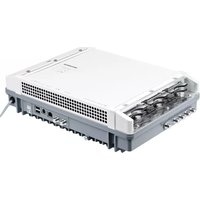
UFX 894 - Digital decoder KATHREIN - Free user manual and instructions
Find the device manual for free UFX 894 KATHREIN in PDF.


| Product Type | Digital Satellite Decoder |
| Brand | Kathrein |
| Model | UFX 894 |
| Dimensions (W x D x H) | 280 x 180 x 50 mm |
| Weight | 1.2 kg |
| Power Supply | AC 230V, 50 Hz |
| Power Consumption (operating) | 15 W |
| Power Consumption (standby) | < 1 W |
| Supported Standards | DVB-S/S2, MPEG-2/4 |
| Input | F-type connector (satellite) |
| Outputs | HDMI, SCART, Coaxial digital audio |
| USB Port | 1 x USB 2.0 |
| Remote Control | Included (infrared) |
| Channel Memory | Up to 5000 channels |
| Functions | Electronic Program Guide (EPG), Parental lock, Timer recordings, Favorites list |
| Operation Temperature | 0°C to 40°C |
| Cleaning and Maintenance | Wipe with a soft, dry cloth; do not use liquids or solvents |
| Safety Instructions | Do not expose to moisture; ensure proper ventilation; disconnect during storms |
| Spare Parts | Remote control (Part No. 205102), Power adapter (Part No. 204704) |
| Repairability | Modular design; replaceable power supply and main board |
Frequently Asked Questions - UFX 894 KATHREIN
User questions about UFX 894 KATHREIN
0 question about this device. Answer the ones you know or ask your own.
Ask a new question about this device
Download the instructions for your Digital decoder in PDF format for free! Find your manual UFX 894 - KATHREIN and take your electronic device back in hand. On this page are published all the documents necessary for the use of your device. UFX 894 by KATHREIN.
USER MANUAL UFX 894 KATHREIN
https://www.kathrein-ds.com.
This document is part of the product.
▶ Do not install or use the device until you have read and understood this document.
▶ Perform all operating steps described in this manual in the specified sequence.
▶ Keep this document for reference throughout the service life of the device. Pass this document on to any new owner or user.
For the most up-to-date version of this document, go to www.kathrein-ds.com.
Features
■ four independent HDMI inputs
■ supported video formats: SD = 576i50, HD = 720p50, 1080i50 and 1080p50; for more information, see Technical Data, Video Encoding
■ Two integrated multiplexers generate max. 2 transport streams with 1 – 4 of the encoded TV programmes
■ Transmission of the generated TV programmes to the transmodulator, IP streamer and decryption modules via backplane
■ Exceptional image quality and future-proof due to an FPGA-based encoder solution
■ High energy efficiency, power consumption: typ. 14.5 W at 12 V
Scope of Delivery
■ UFX 894
■ Instructions for use
■ License information
Unit status LED
HDMI inputs, input status LED

Functional Blocks

flowchart
graph TD
    A["Input Baseband Output"] --> B["4 x HDMI"]
    A --> C["2 x 4-to-1 multiplexer"]
    A --> D["TS Routing"]
    A --> E["Special features"]
    E --> F["Hot-Plug"]
    E --> G["Energy efficient"]
    E --> H["Thermal cut-off"]
    A --> I["2 x DVB-TS¹"]
    I --> J["Output to the system backplane for further processing in the neighbouring modules"]
Intended Use
The HDMI Encoder module UFX 894 converts up to four HD or SD video signals into MPEG-4/H.264 compressed video streams as well as the corresponding audio signals into MPEG-1 Layer 2 audio streams.
By means of the two integrated multiplexers it is possible to create max. 2 transport streams containing 1 – 4 of the encoded programmes. Via the UFOcompact plus® backplane, these transport streams are forwarded to neighbouring modules, e.g. transmodulator or IP streamer, for further processing and feed to the corresponding networks.
Technical Data
| HDMI inputs | ||
| Video format | 1920 x 1080p25 (HD), 1920 x 1080i50 (HD), 1280 x 720p50 (HD), 720 x 576i50 (SD) | |
| Audio format kHz 48 (PCM) | ||
| Status display via LED | off, no active HDMI source connected red, no valid input signal 1) green, input format, encoder output OK | |
| VideoEncoding | ||
| Encoding, ISO/IEC 14496-10 MPEG-4; | H.264/AVC | |
| H.264-Profi le High profi le | ||
| H.264 Level 3.0 x 3.2 x 4.0 | ||
| Chroma Format 4:2:0 | ||
| Video format | 1920 x 1080p25 (HD), 1920 x 1080i50 (HD), 1280 x 720p50 (HD), 720 x 576i50 (SD), 1920 x 1080p50 | |
| Video data rate, adjustable accord-ing to the encoded video | Mb 2 | -25 |
| Audio Encoding | ||
| Encoding, ISO/IEC 11172-3 MPEG 1 Layer-II | ||
| Audio data rate Kbit/s 96, 128, 192, 25 | 6, 320, 384 | |
| Audio format Mono/stereo/2-tone | ||
| MPEG-TS generation according to DVB, multiplexer | ||
| Tables PAT, PMT, SDT, AIT | ||
| Adjustable table parameters | Service and provider name, TS ID, ON ID, service ID, PMT PID, video PID, audio PID, PCR PID, AIT PID, organi-sation ID | |
| 2 x 4-to-1 multiplexer in each com-bination | 4:0 / 3:1 / 2:2 / 1:3 / 0:4 | |
1) Not DVB-conform signals or resolutions are processed without a format adjustment and could lead to an incompatibility in terminal equipment.
| Backplane | ||
| Control interface bit rate, Full-Speed USB 2.0 | Mb max. 12 | |
| Data interface bit rate, LVDS Mb max. | 1200 | |
| Power supply | ||
| Discreet interfering signals < 50 kHz | mV 20 | 2 |
| Pulse-type interferences, max. amplitude | mV 20 | |
| Total, σ | mV | 5 |
| Long-term stability, τ > 1 min | % min. -3, max. +3 | |
| Voltage, Ub V typ. 12.3 | ||
| System data | ||
| Power consumption Operation (2x720p50, 2x1080p50) | W typ. 14.5; max. 18 | |
| Temperature range Permissible ambient temperature Only with forced ventilation Surface temperature when the circuit breaker is activated | °C | 0 - 50typ. 75, max. 80 |
| Safety cut-off on off Residual power | °C | min. 50, typ. 55>70typ. 1.5 |
| Dimensions (H x W x D) mm 265 x 36 | x 220 | |
| Weight kg 1.1 | ||
Installing the Unit
-
Slide the UFX 894 into any available slot.
-
To transmit the baseband data to a transmodulator, IP streamer or decryption module via backplane, arrange the UFX 894 to its right or left. Make sure that the UFX 894 is fully inserted and that the contact is made to the backplane (the front plate of the UFX 894 is located on the front of the base unit).
-
Fix the two thumbscrews up and down (Torx screws).
⇒ The UFX 894 is automatically recognised by the UFX 800. As soon as the UFX 894 reaches the proper operating condition, the green LED is permanently on.
→ For other operating instructions, see the USW 800 instructions for use.
Safety Instructions

WARNING
Risk of injuries due to hot surfaces!
In the case of a fault it may happen that the UFO 844 heat sink reaches temperatures of over 70°C. In such a case, the unit normally switches off.
▶ Handle with the appropriate care when working with the unit under such conditions. Do not touch hot surfaces!
When using UFOcompact plus® units in publicly accessible spaces, close the front cover of the system.
Operating the Device
The operation of the UFX 894 is carried out via the graphical user interface of the management software USW 800. The integrated user guide describes the configuration of all the UFOcompact plus® modules, the UFX 894 included. For all other setting instructions, see the USW 800 integrated user guide.
Note: The current version of USW 800 and its operating instructions can be downloaded free from the Kathrein homepage www.kathrein-ds.com.
Repair and Replacement
If, after reading this manual, you have outstanding questions or cannot solve a problem, contact our Customer Service Hotline at +49 731 270 909 70.
For information about repairs, visit our website https://www.kathrein-ds.com.
Furthermore, you can contact out regional service centre:
Regional Service Centre
09241 Mühlau, Germany
Phone: +49 3722 6073-31 Email: info@kathrein-sachsen.de
Fax: +49 3722 6073-18 www.kathrein-sachsen.de
Disposal

Electronic equipment
Electronic equipment must not be disposed of in domestic waste. According to directive 2012/19/EU OF THE EUROPEAN PARLIAMENT AND COUNCIL of 4 July 2012 on waste electrical and electronic equipment, it must be disposed of professionally. At the end of its service life, take this unit to a designated public collection point for disposal.
www.kathrein-ds.com | support@kathrein-ds.com
9365261/a/A5/MK/0822/GB | Subject to change.


Brand : KATHREIN
Model : UFX 894
Category : Digital decoder