
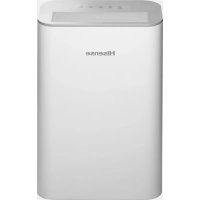
AE-15K4AF1 - Air purifier HISENSE - Free user manual and instructions
Find the device manual for free AE-15K4AF1 HISENSE in PDF.


| Product Type | Air Purifier |
| Model | AE-15K4AF1 |
| Brand | Hisense |
| Dimensions (H x W x D) | 700 x 500 x 300 mm |
| Weight | 10 kg |
| Power Supply | 220-240V, 50Hz |
| Power Consumption | 50W |
| Filtration System | Pre-filter, HEPA filter, Activated Carbon filter |
| CADR (Clean Air Delivery Rate) | 250 m³/h |
| Fan Speeds | 4 speeds (Low, Medium, High, Turbo) |
| Timer | 1-12 hours |
| Auto Mode | Yes, with air quality sensor |
| Sleep Mode | Yes |
| Air Quality Indicator | Color-coded (Blue, Green, Orange, Red) |
| Filter Replacement Indicator | Yes |
| Remote Control | Included |
| Noise Level | 25-55 dB |
| Recommended Room Size | Up to 30 m² |
| Maintenance: Pre-filter Cleaning | Every 2 weeks with vacuum or water |
| Maintenance: HEPA Filter Replacement | Every 6-12 months |
| Safety Features | Auto shut-off when front panel removed, overheat protection |
| Spare Parts Available | HEPA filter (part #CF-HEPA1), Pre-filter (part #CF-PRE1) |
| Certifications | CE, RoHS, Energy Star |
| Warranty | 2 years |
Frequently Asked Questions - AE-15K4AF1 HISENSE
User questions about AE-15K4AF1 HISENSE
0 question about this device. Answer the ones you know or ask your own.
Ask a new question about this device
Download the instructions for your Air purifier in PDF format for free! Find your manual AE-15K4AF1 - HISENSE and take your electronic device back in hand. On this page are published all the documents necessary for the use of your device. AE-15K4AF1 by HISENSE.
USER MANUAL AE-15K4AF1 HISENSE
Dear users, welcome to purchase and use Hisense air purifier, and thank you for your trust in our company! We are willing to create a comfortable and healthy living space for you with our dedicated service. We hope you can give us your valuable advice on our work.
In order to facilitate you to operate the product correctly, please read this Manual carefully before using, and please keep it carefully after reading.
Hisense (Shandong) Air Conditioning Co., Ltd.
Note: contents of this Manual are subject to change without notice, thank you for your understanding!
Contents
Contents
□ Product introduction----01 □ Operating hints----02-04 □ Name of parts----05 □ Preparations before use----06-07 □ Operation panel----08 □ How to use----09-12 □ Maintenance and care----13 □ Troubleshooting----14-15 □ Specification parameters----16 □ Packing list----17 □ How to use remote control ----18
Product introduction
Air purifier
It can effectively remove smoke and dust, and is applicable for the places where there are many particulate pollutants (e.g. cigarette, dust and pollen), such as smoking areas and museums, etc., so as to optimize your living environment and protect health of you and your family.

Purify

Refreshing
● High-density filter
It can effectively filter out large particulate matters such as hair, dander, thread residue and fiber in the air, and can be disassembled, cleaned and recycled.
HEPA
The HEPA filter can effectively filter out particulate matters such as dust and pollen, and remove bacteria from the air. Besides, it has antibacterial function and can deeply clean the air and effectively remove PM2.5.
- Composite filter (including multiple benefits of HEPA and a functional filter)
It can effectively absorb cigarette dust, pollen and dust in the air, and filter out bacteria in the air. Besides, it has antibacterial function, deeply cleans the air, effectively removes PM2.5, and effectively removes formaldehyde, TVOC, odor and other harmful gases in the air.
Anion
It generates 3 million anions per second, creating a fresh, natural and comfortable ecological environment for your home. Note: configuration of different models is different, depending on the model.
Operating hints
- Ignoring or misinterpreting the signs may result in following two results

Warning
This sign means that "It may cause serious injury or death"

Notice
This sign means that "It may cause personal injury or damage to other articles"
- The items to be observed are classified and marked as follows

This mark represents a prohibited item

This mark represents a mandatory item


Warning
The power switch shall be located out of reach of children to prevent danger caused by children playing with it.

Do not use the air purifier in environments where volatile and corrosive chemicals are placed or used, as this may cause a fire.

Do not remove the air outlet guard. When the fan is rotating, do not insert foreign objects such as wooden sticks into the air outlet, as the high-speed fan may cause personal injury.

If any abnormal conditions occur, such as unusual noise, odor, smoke, temperature rise, or electrical leakage, immediately cut off the power switch and contact your local dealer or service outlet.

Do not place water containers on the operation panel. Do not press any operation buttons with wet hands, as this may cause an accident or fire.

Do not place any burning appliances where the air purifier blows air.

During normal operation, do not stop the unit by forcibly disconnecting the power plug, as this may cause electric shock or fire. If you will not use the appliance for a long time, unplug it or disconnect the power switch.

Do not tie, stretch, or apply pressure to the power cord, nor heat it with high temperatures, as this may damage the cord. Using a damaged power cord may lead to electric shock or fire.

Do not place objects in the air outlet. Do not allow children to play with the air purifier, as this may cause danger.

Do not arbitrarily lengthen the power cord, and do not share the socket with other electrical appliances. If the supply cord is damaged, it must be replaced by the manufacturer, its service department, or similarly qualified professionals to avoid danger.
Do not disassemble or modify the air purifier yourself, as this may lead to malfunctions or fire.

Do not pile up sundries near the air purifier, so as not to affect its ventilation and purification effect.

Notice
Be sure to unplug the power cord by holding the plug in your hand. If you will not use the appliance for a long time, be sure to unplug the power plug from the socket.
Do not place it in:
● An unstable place (otherwise it may tip over and cause injury) ● Places with high temperature or high humidity, or places where the machine may get wet (to prevent electrical leakage) - Places that may emit cooking fumes, such as kitchens. ● Places where oil or flammable gas is used and leaks may occur. ● Places where the air outlet is directly opposite plants and animals (to prevent them from being dried out) ● Places with corrosive gases or metallic dust.
Do not allow volatile substances or combustible items to enter the machine. (Otherwise, it may cause a fire accident)
Do not use this product in a room where fumigated insecticide has been used. (Chemical residues will accumulate inside the machine and may be released from the air outlet, endangering your health)
Do not wet the air outlet or the machine body. (Otherwise, it may cause a fire or electric shock)
① Please maintain good air circulation when using it with a heating stove or heater. (To prevent poisoning incidents, because this product cannot remove carbon monoxide)
When using it, close the doors and windows.
If the air quality does not improve after running the machine for a period of time, please open the doors and windows to keep the air circulating.
Do not wipe it with gasoline, chemical agents, or other solvents. Do not spray insecticide. Do not sit or lean on the air purifier. (Otherwise, the air purifier may fail and cause harm) Do not shake the air purifier vigorously. (Otherwise, sensors of the air purifier may be out of order) During use, to ensure purification effect, please keep the distance between the air inlet grille and the wall greater than 30 cm, as shown in the figure.

This appliance can be used by children aged from 8 years and above and persons with reduced physical, sensory or mental capabilities or lack of experience and knowledge if they have been given supervision or instruction concerning use of the appliance in a safe way and understand the hazards involved. Children shall not play with the appliance. Cleaning and user maintenance shall not be made by children without supervision.
The air purifier shall be stored in a dry and ventilated place without corrosive and explosive gases, and the product shall be prevented from being impacted.
For your safe use of the air purifier, various illustrations are provided in this Manual. Please read carefully before using.
Name of parts
- Front

- Back

● Air purify flow chart![graph LR A["Clean air"] --> B["Reinfiltration"] B --> C["Polluted air"] C --> D["Final filtration"]](/content/2026/06/1362250/images/6bb3a1c055e4a0fcf6d4af69a71d00853dc2ab197970d3137c95bb994d803105.jpg)
● Air quality display:
Air quality
Good:
Green
Air quality
Average:
Yellow
Air quality
Poor:
Orange
Air quality
Bad:
Red
The built-in dust sensor inside the product detects air in the room, and the process of air pollution and purification is indicated by the color change of the air quality indicator light;
- PM2.5 display

The built-in dust sensor inside the product detects the air in the room, and the PM2.5 value detected is displayed on the display screen, showing the particulate matter in the air. Note: The PM2.5 value is a reference number for pollutants.
- Dust sensor
| Dust sensor | |
| Sensing range | Indoor dust (dust, pollen and mold spores, etc.) Smoke (smoke from cigarettes and joss sticks), etc. |
| Sometimes workable | Cooking fumes, water mist |
Due to different models of the products purchased, the specific parts may vary. Please refer to the product model for use.
Preparations before use
Installation of filter
1. Remove the air inlet grille
Press down the left and right buckles


Pull the air inlet grille outward
2. Remove the filter element

Take out the filter element (composite filter or HEPA filter)
3. Remove the filter
Note:
- The surface of the filter element equipped on the model is sealed with a plastic packaging bag. 2. Before starting the machine, take the filter out of the packaging plastic bag, and then put the filter (note: the pull rope shall face outward) into the machine.

4. Install the filter and air inlet grille
Install the filter (the pull rope shall face outward)


First, insert the buckle at the lower part of the air inlet grille into the guide slot, then lightly fasten the upper buckle.
5. Connect the mains plug.
Dry the plug and any water on your hands before connecting.

Operation panel

* The texts and logos on the marks of different product models may vary. ▲ The operation panel pattern of the actually purchased model may differ; please refer to the product you purchased.
How to use
ON/OFF
- Connect the power cord to the power supply, and press the power button to turn the machine on or off.
- When powered on for the first time, the product will run in the default smart mode, and the smart purify indicator light will be on simultaneously.
- If the product is restarted from standby state, it will run in the last selected state.
Smart - Dedust - De-odor
PURIFY
- If you press the purify mode button while the machine is on, you can select dust removal mode and formaldehyde removal mode respectively; when choosing a mode to run, the corresponding mode indicator light will turn on at the same time.
- In smart purify mode, the dust sensor determines air quality and automatically selects the purify speed to purify the air according to air quality.
- At the same time, the air quality indicator light will change color according to the air pollution condition detected by the dust sensor, and the display screen will show the PM2.5 value simultaneously.
- In dust removal or formaldehyde removal mode ● Product model used: AE-23R4AF
Or

SMART
- In smart purify mode, the display screen will show the PM2.5 value based on the air pollutants detected by the dust sensor, and the purification speed is automatically selected to purify the air according to the air quality.
- In smart mode, the air speed will be automatically selected. You can press the smart purify or purify speed button to exit smart purify mode and choose your preferred purify speed. The air speed will switch in turn in the order of "Low - Middle - High - Low".
- In smart mode, if you press the comfort button, you will exit the smart mode and enter comfort mode. The purify speed cannot be adjusted. ● Product model used: AE-15K4AF1
Quiet
Sleep
- Filter reset (Press 3 sec.)

COMFORT
- When air in room is fresher
- When your family is resting
- When your kids are doing their homework
- Press the comfort button to select to run in mute mode, then the indicator light will be on; and the purify speed in mute mode will be enabled; ● Air quality detection sensor detects and feeds back air quality, and the air volume in mute mode is always kept.
- When you sleep at night
- Press the comfort button to select sleep mode; the indicator light will turn on, and the purification speed for sleep mode will be enabled. The air quality detection sensor detects and feeds back air quality, and the air volume in sleep mode is always kept constant.
- This suits dark environments at night. After setting successfully, all indicator lights will go out after about 10 seconds. In this state, pressing any button will turn the indicator lights back on. If there is no action, the indicator lights will go off again after about 10 seconds.
- Replace filter
- When the cumulative running time calculated by the built-in timer reaches the designed service life of the filter, the indicator light flashes, indicating that the filter should be replaced. When the filter replacement indicator light flashes, replace the filter in time.
- After the filter is replaced, press and hold the comfort button; the buzzer will ring three times, and the filter replacement indicator light will go out.
ANION
Turbo High Mid Low
FAN
Or
High Mid Low
FAN
- In the first power-on state, the anion function is turned on by default, and the indicator light will be on at the same time. If the anion button is pressed, the anion function will be turned off and the indicator light will go out.
- If the product is restarted from standby state, it will run in the last selected state.
- When running in smart mode, the purification speed indicator light will not be on, and the air speed will be automatically selected. In addition to smart mode and comfort mode, the purification speed can be adjusted, and the corresponding indicator light is on.
- When pressing the purification speed button to adjust the purification speed, the speed will cycle in the order of Low, Middle, High, and Turbo.
Product model used: AE-23R4AF
- When running in smart mode, the purify speed indicator light will not be on, and the air speed will be automatically selected.
- When pressing the purify speed button to adjust purify speed, the purify speed will circulate in the order of Low, Middle and High in turn. Product model used: AE-15K4AF1

AUTO LOCK (Press 3 sec.)
Under power-on state, if there is no operation for 2 minutes, the child lock function will be enabled and the indicator light will be on. Under power-on state, if the child lock button is pressed and held, the child lock function will be enabled and the indicator light will be on. When the child lock function is enabled, if the child lock button is pressed and held, the child lock function will be disenabled and the indicator light goes out.
4h
1h

TIMER
- In power-off state, you can press the timer button to set the timer startup; the time can be set as 1 hour, 4 hours or 8 hours respectively. After setting as a certain period of time, the corresponding timer indicator light will flash for 10 seconds and continue to be on thereafter.
- In power-off state, you can press the timer button to set the timer shutdown; the time can be set as 1 hour, 4 hours or 8 hours respectively. After setting as a certain period of time, the corresponding timer indicator light will flash for 10 seconds and continue to be on thereafter. After setting the timer startup or shutdown, if ON/OFF button is pressed, the timer will be cancelled and the power-on/power-off state will be entered at the same time.
Maintenance and care
Precautions before maintenance: be sure to disconnect the power plug.
Product maintenance:
- Do not press the filter hard except for the dust on the surface with a rope, in order to avoid the filter from being damaged. Cleaning of HEPA filter/composite filter: it shall be maintained and cared by a vacuum cleaner. Do not wash with water. Cleaning of high-density filter: it shall be maintained and cared by a vacuum cleaner. And, it also can be washed with tap water or neutral detergent. The machine body shall be wiped with a piece of dried soft cloth. Please disconnect the power plug during wiping, in order to avoid electric shock.


Filter: High-density filter
Hints
● Do not run the machine while removing the filter. ● During maintenance, do not place the removed parts randomly, in order to avoid tripping or damage to accessories. ● When the machine is left unused for a long period of time: please disconnect the power plug (energy will also be consumed in standby mode). ● The machine shall be covered with a plastic bag and kept upright (keeping the machine flat or upside down may cause failures). ● The product shall be maintained every two weeks.
Estimated filter replacement cycle
| Expected interval | |
| HEPA | 6-8 months |
| Composite filter | |
| Test condition: 8h/day in normal environment. | |
Hints:
- According to actual use environment and use method, the replacement cycle of the filter will be different. When the operating effect is poor, please replace the filter timely.
- Please dispose of the replaced filter as non-combustible garbage.
Troubleshooting
The following is a list of the problems that you may encounter during use. If you cannot solve the problems according to the information below, please contact your local dealer.
| Problems | Possible solutions |
| The product cannot start normally | After replacing the filter, it is necessary to press and hold the comfort button to reset until the filter replacement indicator light goes out; |
| Whether the product is connected to the power. Start only after confirming that the power supply has been connected. | |
| The product has been running for a long time, but the air quality is not improved significantly, and the quality indicator light changes frequently | Whether the filter is maintained, and whether the filter has been replaced as suggested; |
| The humidity in room is too high, because of which condensate is formed. Do not place the product in a place with high humidity; | |
| There are obstacles around the product and the purify effect is affected. Please refer to the operating hints; | |
| If the room is too big, the effect will be poor. | |
| Noise of the product noise is too high, or the air volume is too small | Please confirm that the packaging bag on filter has been removed (to ensure efficiency of the filter, the filter is sealed and packaged in a plastic bag when it leaves the factory); |
| Please confirm whether the air outlet or air inlet is blocked by any object; | |
| Please confirm whether the filters are mounted correctly; | |
| A certain filter may not be placed in the product. Make sure to install the filters in a correct order before using. | |
| The purify speed cannot be adjusted after power-on running | Each time the power is turned on, the product runs in the default smart purify mode. At this time, the purify speed is automatically adjusted by the machine according to indoor air quality; if you want to adjust the running state at will, please press the purify mode button to exit smart mode. |
| During running, there is no response when you press the button | The child lock function may be enabled and the product is locked. Please press the child lock button for 3 seconds, the indicator light will go out, and the child lock function will be cancelled, so that you can do what you want. |
| The air is dirty, but the air quality indicator light is still on in green | Please confirm whether it is a place where the pollutants are difficult to be absorbed. Please refer to the operating hints. |
| It is difficult to remove dirt from the air | Is the filter dirty and ineffective? If this still cannot be improved after maintenance, please contact the after-sales service to replace by a new filter. |
| The air flow at outlet is much weaker than before | The high-density filter is very dirty, please clean the filter. For the method, please see the contents in “Maintenance and care”. |
| The air from air outlet smells funny | Is it used in areas with strong odors? If being used in areas with strong odors such as cigarette and barbecued meat, the filter will smell bad for weeks or months. Please replace the filter and keep it ventilated at all times. |
| The "High/middle/low" indicator light for purify speed flashes and the machine shuts off automatically | When the machine is turned off and restarted, normal operation will be resumed after troubleshooting. If the fault is still there, please contact the customer service staff for maintenance. |
| The filter has been replaced, but the machine cannot be turned on when the power button is pressed | Maybe you didn't press the reset button. The product will start normally only after resetting is completed by pressing and holding comfort button and the indicator light goes out. |
Specification parameters
| Model | AE-15K4AF1 | AE-23R4AF |
| Rated voltage | 220V~240V | 220V~240V |
| Frequency | 50Hz | 50Hz |
| Input power | 52W | 48W |
| Particulate matter CADR | 260m3/h | 400m3/h |
| Formaldehyde CADR | / | 200m3/h |
| Noise (sound power) | 57dB(A) | 62dB(A) |
| Product dimensions | 432 x 268 x 638mm | 432 x 268 x 638mm |
| Net weight | 8.0kg | 8.5kg |
| Length of power cord | 2m | |
Packing list
| Main unit packaging | |||||||
| Box | Appearance | Model Manual | Remote control | HEPA filter | Functional filter | Composite filter | |
| J2A |  | AE-15K4AF1 |  | ||||
| AE-23R4AF | |||||||
- Please confirm whether the parts in the packing list are complete when unpacking. The parts shown above are only for indication, which may not be consistent with the accessories and appearance of the model you choose.
- Means that this part is provided; while, means that the part is not provided.
How to use remote control
Tips
![graph TD A["Smart"] --> B["Signaling window"] B --> C["Hisense"] C --> D["Manual"] D --> E["Purify speed"] E --> F["Anion"] F --> G["Sleep"] G --> H["ON/OFF button"] H --> I["Mute"] subgraph Inputs J["Smart Press the Smart button to run in smart purify mode."] K["Timer button Set the timer function…](/content/2026/06/1362250/images/8008499a9d1a0a924b37150fb79b26e878e44c9a7c1f892b2cf93b43fa91fc4b.jpg)
the first time, please When you use this
from button battery.remove the isolate
If of CR2025.T
six continuously fc


Hisense (Shandong) Air Conditioning Co., Ltd.
Address: No. 1, Hisense Road, Nancun Town, Pingdu City, Qingdao
Zip code: 266736
Website: //www.hisense.com
Air Purifier
User Manual
AE-15K4AF1
AE-23R4AF
Hisense (Shandong) Co. Ltd.
Purification

Cooling

Alarm
Pull the inlet grille outward
Control panel

Address: No.1 Hisense Road, Nancun Town, Pingdu City, Qingdao
Hisense (Shandong) Air Conditioning Co., Ltd.
Purification

Cooling

Warning

Control panel

● Filter reset (Press 3 sec.)

COMFORT
Hisense (Shandong) Air Conditioning Co., Ltd.
Hisense (Shandong) Air Conditioning Co., Ltd.
Index
Index
Purification

Refresh
- High-density filter

Attention
Remove the filter
Operation panel

● Filter reset (Press 3 sec.)

COMFORT
Filter High-density filter
Tips
Hisense (Shandong) Air Conditioning Co., Ltd.
Address: No. 1, Hisense Road, Nancun Town, Pingdu City, Qingdao
Postal code: 266736
Website: //www.hisense.com
- CONTENTS
- PRODUCT INTRODUCTION
- AIR PURIFIER
- ● HIGH-DENSITY FILTER
- HEPA
- COMPOSITE FILTER (INCLUDING MULTIPLE BENEFITS OF HEPA AND A FUNCTIONAL FILTER)
- ANION
- OPERATING HINTS
- WARNING
- NOTICE
- NAME OF PARTS
- ● AIR QUALITY DISPLAY
- PM2.5 DISPLAY
- PREPARATIONS BEFORE USE
- INSTALLATION OF FILTER
- REMOVE THE AIR INLET GRILLE
- REMOVE THE FILTER ELEMENT
- REMOVE THE FILTER
- INSTALL THE FILTER AND AIR INLET GRILLE
- CONNECT THE MAINS PLUG
- OPERATION PANEL
- HOW TO USE
- OR
- MAINTENANCE AND CARE
- PRECAUTIONS BEFORE MAINTENANCE: BE SURE TO DISCONNECT THE POWER PLUG
- HINTS
- TROUBLESHOOTING
- SPECIFICATION PARAMETERS
- PACKING LIST
- HOW TO USE REMOTE CONTROL
- HISENSE (SHANDONG) AIR CONDITIONING CO., LTD
- USER MANUAL
- ALARM
- CONTROL PANEL
- INDEX
- HIGH-DENSITY FILTER
- ATTENTION
- TIPS
Brand : HISENSE
Model : AE-15K4AF1
Category : Air purifier