KBSW4857 - Wristwatch Kubo - Free user manual and instructions
Find the device manual for free KBSW4857 Kubo in PDF.


| Product Type | Wristwatch |
| Brand | Kubo |
| Model | KBSW4857 |
| Case Diameter | Approx. 40 mm |
| Case Thickness | Approx. 10 mm |
| Weight | Approx. 50 g |
| Power Source | Coin cell battery (CR2032) |
| Battery Life | Approx. 2 years |
| Display Type | Analog |
| Water Resistance | 3 ATM (splash resistant) |
| Functions | Time, date, alarm, stopwatch |
| Strap Material | Stainless steel or leather (depending on variant) |
| Strap Width | 20 mm |
| Crystal Material | Mineral glass |
| Movement Type | Quartz |
| Maintenance | Clean with soft, dry cloth; avoid contact with chemicals |
| Safety | Keep away from strong magnetic fields |
| Spare Parts | Batteries, straps, buckle available |
| Repairability | Battery and strap replaceable by user |
Frequently Asked Questions - KBSW4857 Kubo
User questions about KBSW4857 Kubo
0 question about this device. Answer the ones you know or ask your own.
Ask a new question about this device
Download the instructions for your Wristwatch in PDF format for free! Find your manual KBSW4857 - Kubo and take your electronic device back in hand. On this page are published all the documents necessary for the use of your device. KBSW4857 by Kubo.
USER MANUAL KBSW4857 Kubo

KUBO
SMARTWATCH
W7


KBSW4857BK
Instructions Manual
Thank you for purchasing this product.
The quality of this appliance has been certified by several laboratory tests. This instructions manual is provided to simplify the use of the appliance as well as to guarantee a safe use.
Please read carefully the instructions and safety measures described in this manual.
We sincerely hope you will be satisfied when using your new appliance.
INDEX
1. SAFETY INSTRUCTIONS 4
1.1. Power Supply 8
1.2. Power Cord and Other Cables 8
1.3. Humidity and Water 9
1.4. Cleaning 9
1.5. General Precautions 9
2. OPERATING INSTRUCTIONS 10
2.1. Product Description 10
2.2. Product usage 11
3. POST-SALE SERVICE 26
4. ENVIRONMENTAL PROTECTION 27
1. SAFETY INSTRUCTIONS
 | WARNING |  |
| Risk of Electric ShockDo Not Open | ||
| Warning: to avoid the risk of electric shock, do not remove the cover. The interior does not contain any parts that can be repaired by the user. Ask for assistance from the Customer Support Service. | ||
Important Warnings
Before using your appliance read these instructions manual carefully and keep it in a safe place as you may need to consult it in the future. Before turning on your
appliance, and to ensure a safe and correct operation, do not use if:
- It has fallen to the ground;
- You notice any evidence of damage;
- Any anomaly occurs during its operation.
To avoid hazards or deterioration of your appliance through incorrect use it is advisable to read these instructions thoroughly.
Your appliance should not be used for other purposes than the ones intended and solely for household use.
EN
KUBO
Any damage resulting from using the appliance outside this scope, any incorrect use, as well as any manual modifications to the product will not be covered and automatically voids the warranty.
Assistance
In case of malfunction, take your appliance to the Customer Support Service for assistance.
This appliance can be used by children from the age of 8
and by people with reduced physical, sensorial or mental capabilities and/or lack of experience and knowledge if they have been given instructions on using the appliance safely and if they understand the hazards involved. Children may not play with the appliance. Cleaning and
maintenance must not be carried out by children without supervision.
These instructions are also available at www.suporteworten.pt
1.1. Power Supply
Make sure the main voltage is compatible with the appliance's. If this is not the case, please consult the Customer Support Service.
1.2. Power Cord and Other Cables
Do not tangle the cord or pull it to disconnect the appliance. Also, keep the cord away from warm surfaces.
Never use the appliance if it has a damaged cable or socket.
Take it to the Customer Support Service for replacement.
1.3. Humidity and Water
Do not use your appliance in humid places. Do not allow the appliance to become wet under any circumstances as this may be dangerous. To avoid fire hazard or electric shock do not expose your appliance to humidity or water. Furthermore, do not place your appliance under water (e.g. for cleaning).
1.4. Cleaning
Before cleaning, be sure to switch off the appliance and remove the plug from the main power supply. Always allow the unit to cool down before cleaning.
To clean the exterior of the product, use a dry soft cloth only.
1.5. General Precautions
- Please follow the instructions in the user manual which will help you to properly install and operate this product and enjoy its advanced features. Please keep the instructions for future reference.
- Read all instructions before using the product.
- Maintenance and service operations are only to be carried out by authorized professionals.
- Any damage caused by manual modifications to the product is not covered by the warranty.
EN
KUBO
- If this product is used for other purposes than the ones originally intended, or if it is not correctly connected, the product may become damaged and the warranty will be voided.
2. OPERATING INSTRUCTIONS
2.1. Product Description

Smart Watch
- Touch screen
- Power key
- Shortcut key for Sport mode
- POGO-Pin Charging terminals
- Heart rate sensor
2.2. Product usage
Operation diagram
Swipe left Swipe up and right and down Click Press

natural_image
Hand pointing at a black circular background with two arrows indicating bidirectional movement (no text or symbols)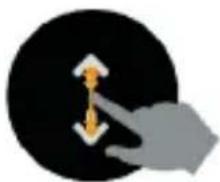
natural_image
Abstract graphic of a hand pressing down on a black circular background with an upward arrow (no text or symbols)
natural_image
Hand touching a black circular button with a purple square on the top (no text or symbols)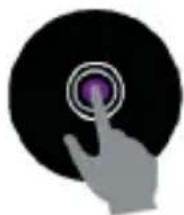
natural_image
Hand touching a circular button with concentric rings (no text or symbols)Charging
- If you use a Power Adaptor (not included), the power adaptor current is 5 V, 500 mA.
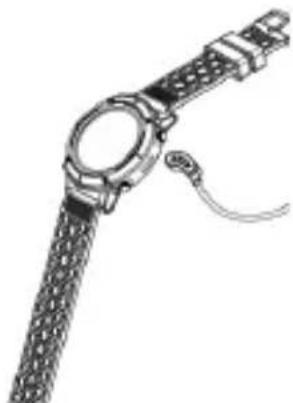
- It takes 2-hours to fully charge the smartwatch. To charge it, please follow steps below.
natural_image
Illustration of a wristwatch with mesh strap and cable (no text or symbols)- Make sure the POGO-pins on the charging cable fit correctly onto the charging terminals on the back of smartwatch.
- Plug the big end of the USB cable to a power source
EN

Installing the Orunning app on your phone
Download: Search for the Orunning app or scan the following QR code for installation.


For Android For IOS
Pair the bracelet with a mobile phone
- Enable Bluetooth on your smartphone.
- Open the "Orunning" app on your smartphone and set your profile on Settings.
- Tap "Connect device" on Settings.
- Select "GPS Watch" and choose the selected watch from the image.
- Follow the steps, search your device name and connect it

12
Unpair the bracelet with a mobile phone
- Open the "Orunning" app on your smartphone
- Tap "Disconnect device" on Settings.
- Select the "Forget your device on your smartphone" Bluetooth setting.
How to use
- Turn on: Press and hold the power button for 3 seconds
- Connect Bluetooth shortcuts: Swipe down on the watch dial interface
- Access the main menu: Swipe left on the watch dial interface
- Switch main menu: Swipe up/down
- Confirm: Tap the icon
- Exit: Swipe right
- Return to watch dial interface: Short press the power button on any interface
- Sport mode shortcuts: Press the under button
- Check notifications: Swipe right on the watch dial interface
EN
KUBO
- Turn off: Press and hold the power button for 3 seconds
Main menu

flowchart
graph TD
    A["手机图标"] --> B["12:58"]
    C["手机图标"] --> B
    D["手机图标"] --> B
    E["手机图标"] --> B
    F["手机图标"] --> B
    G["手机图标"] --> B
    H["手机图标"] --> B
    I["手机图标"] --> B
    J["手机图标"] --> B
    K["手机图标"] --> B
    L["手机图标"] --> B
    M["手机图标"] --> B
    N["手机图标"] --> B
    O["手机图标"] --> B
    P["手机图标"] --> B
    Q["手机图标"] --> B
    R["手机图标"] --> B
    S["手机图标"] --> B
    T["手机图标"] --> B
    U["手机图标"] --> B
    V["手机图标"] --> B
    W["手机图标"] --> B
    X["手机图标"] --> B
    Y["手机图标"] --> B
    Z["手机图标"] --> B
    AA["手机图标"] --> B
    AB["手机图标"] --> B
    AC["手机图标"] --> B
    AD["手机图标"] --> B
    AE["手机图标"] --> B
    AF["手机图标"] --> B
    AG["手机图标"] --> B
    AH["手机图标"] --> B
    AI["手机图标"] --> B
    AJ["手机图标"] --> B
    AK["手机图标"] --> B
    AL["手机图标"] --> B
    AM["手机图标"] --> B
    AN["手机图标"] --> B
    AO["手机图标"] --> B
    AP["手机图标"] --> B
    AQ["手机图标"] --> B
    AR["手机图标"] --> B
    AS["手机图标"] --> B
    AT["手机图标"] --> B
    AU["手机图标"] --> B
    AV["手机图标"] --> B
    AW["手机图标"] --> B
    AX["手机图标"] --> B
    AY["消息图标"]
    AZ["电话键盘"]
    BA["键盘"]
    BB["键盘"]
    BC["键盘"]
    BD["键盘"]
    BE["键盘"]
    BF["键盘"]
    BG["键盘"]
    BH["键盘"]
    BI["键盘"]
    BJ["键盘"]
    BK["键盘"]
    BL["键盘"]
    BM["键盘"]
    BN["键盘"]
When turning on the smartwatch, you will see the watch dial.
On the watch dial interface, swipe left to enter the main menu.
14
SMARTWATCH W1 KBSW4857BK
EN
On the watch dial interface, swipe right to enter the notification shortcut page.
On the watch dial interface, swipe up and down to enter other shortcuts page
Functions GPS locate
natural_image
Circular icon with Wi-Fi signal symbol inside, no text or numbers presentAcquiring Satellite Signals
The device may need a clear view of the sky to acquire satellite signals. Go outdoors to an open area and orient the front of the device towards the sky. Location should be done away from buildings.
Improving GPS satellite reception
a. Smartwatches will automatically locate GPS before moving (if you connect the Orunning app, it will synchronize AGPS positioning to make your positioning faster).
b. Take your device outside to an open area away from tall buildings and trees.
c. Remain stationary for a few minutes.
EN

KUBO
GPS is located successfully.

natural_image
Circular icon with green Wi-Fi signal symbol on black background (no text or symbols)You can skip GPS loading.
When the GPS icon is flashing GPS indicates that the GPS is loading. When the icon turns green and does not flash, it indicates that the GPS has been successfully positioned.
Watch dial

You can press and hold the screen to change the watch dial interface.
Main menu

flowchart
graph LR
    A["App icon 1"] --> B["App icon 2"]
    B --> C["App icon 3"]
Swipe left on the dial interface to enter the main menu. Then, click the icon you wish to enter the appropriate feature.
Status interface

natural_image
Two circular app icons with control buttons, one displaying a battery and the other showing a lock and function buttons (no text or symbols)In this interface, you can see the Bluetooth connection status, power display and "Do not disturb" mode; you can also adjust the dial brightness, as well as quickly enter the settings page.
EN

KUBO
Pedometer

bar
| Metric | Value | | :--- | :--- | | Speed (km/s) | 15182 | | Distance (Km) | 2.3 | | Historical Date | PK, OK, SK, M, T, W, T, F, S, B |The bracelet will record your daily activity automatically. After synchronizing it with the Orunning app, you can check your step count, calories and distance data on your smartphone.
Heart rate

pie
| Rating | Value | | :--- | :--- | | lowest | 1 | | highest | 93 | | top | 87 | | lowest | 72 |Click the icon to enter the heart rate monitor interface. Here, you can start testing your heart rate with your hand, and swipe right to exit the interface. After synchronizing it with the Orunning app, you can check your heart rate data on your smartphone.
18
Sport
Click on the sport mode to enter the multi-function sport function.
There are five integrated sports: Walking, Running, Indoor Run, Cycling, Hiking. You can select the desired mode and then start the sport – the bracelet will record the data automatically.
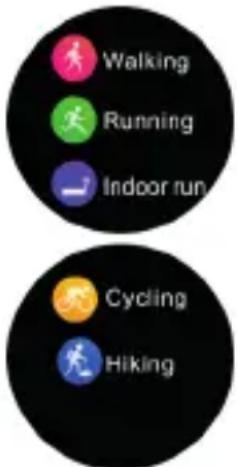
Walking, Running, Indoor Run, Cycling, Hiking. You can start the exercise directly or press to set the the desired moving target (distance, calories, time, free style)

EN
KUBO
In the Walking and Hiking sports interfaces, the watch will display the corresponding data: step, heart rate, duration, distance, steps and calories.

other
| Metric | Value | | :--- | :--- | | GPS Step | 10000 | | GPS Consumption | 4 | | GPS Heart Rate | 78 Apr |In the Running, Indoor Run, Cycling interface, the watch will display the following data: speed, heart rate, duration, distance and calories.

pie
| Metric | Value | |---|---| | GPS | 6'43" km/h | | SHEV | 00:43:28 | | 171+ | 171+ | | 00:95 | 00:95 | | Consumption | 4 | | distance | 6.88 N/A | | Heart rate | 78 am | | 20-15 | 20-15 |Sleep Monitor
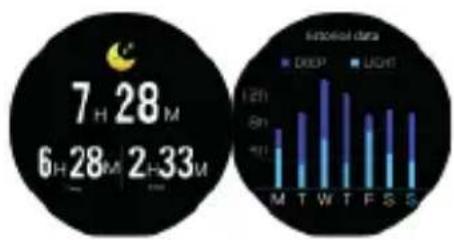
SMARTWATCH W1 KBSW4857BK
EN
The bracelet will automatically monitor your sleep. When you wake up, the bracelet will show your sleep report with the following parameters: time of total sleep, light sleep and deep sleep. After synchronizing it with the Orunning app, you will be able to check more detailed information.
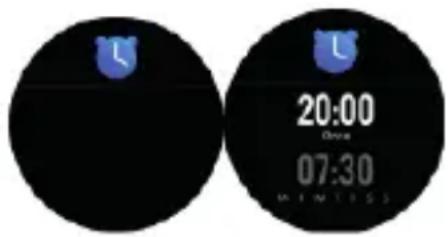
Tap the screen and you will be able to check the alarm set on the app. When the alarm is on, the corresponding icon will be animated and the bracelet will vibrate.
Notification
Swipe right on the watch dial or tap the notification icon to view the following notification
EN
KUBO
contents: incoming calls, text message, QQ, Wechat, WhatsApp, Facebook and Twitter message notifications.
Weather

After synchronizing it with the Orunning app, the bracelet will show the weather forecast. You can manually set the city or set up an automatic city in the app.
Setting

natural_image
Circular icon with four colored circular shapes and a central gear symbol, no text or symbols present.
Press the "Settings" button, click the icon and
22
SMARTWATCH W1 KBSW4857BK
EN
enter the bracelet details interface to view the bracelet name and version number

Click this button to reset your watch

Click this button to turn the sedentary reminder set on or off. The sedentary reminder is set in the app.

Click this button to adjust the watch dial brightness
Click this button to set the time for your watch to light up
With the app connected, click this button to remotely control your phone camera to take a photo.
EN
KUBO
Stopwatch
flowchart
graph TD
    A["Device 1"] --> B["Time: 00:00:00"]
    B --> C["Time: 00:00:00"]
    C --> D["Display: 12:00:00, 18:01:30, 30:00:45, 30:02:45"]
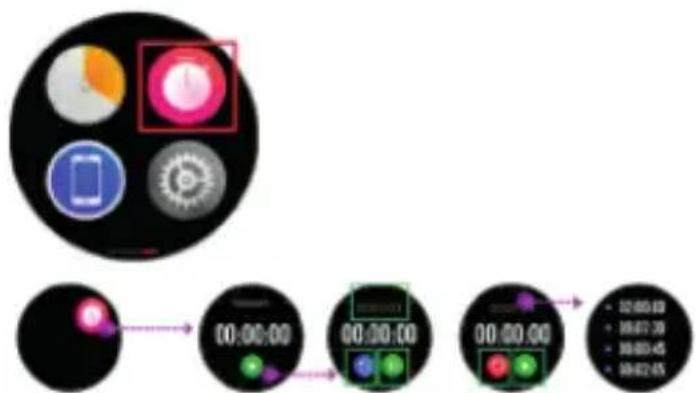
You can use the stopwatch to calculate durations.
Tap the ▶icon to start the stopwatch, tap the
■icon to pause it, tap the 📞con to reset the stopwatch or tap the 🔊con to record the time.
Music control
natural_image
Circular icon with a play button and two playback buttons, no text or symbols present.Tap to reproduce the last song, the next song or the previous song or to play/pause reproduction.
SPECIFICATIONS
| Model | KBSW4857BK |
| Weight | 70g |
| Size | 265x48×15.0mm |
| Strap | 22 wide |
| Shell Material | Alloy Plastic |
| Strap material | Silicon |
| Support for systems | Android 4.4 and IOS 8.0 and later |
| Battery capacity | 500mAh |
| Input Voltage | 5 V |
| Input Current | 1 A (Max) |
| Resistant | IP68 |
| Bluetooth | BT4.0 BLE |
3. POST-SALE SERVICE
Kubo has designed this appliance in order to guarantee maximum reliability. However, if a problem occurs do not attempt to open the appliance - there is a risk of electrical shock. If you are not able to solve the problem, please contact the Customer Support Service of any Worten, Modelo or Continente store in order to be assisted. Worten Equipamentos para o Lar provides a 2-year warranty for manufacturing defects from the date of purchase of the appliance.
WARNING: any attempt to repair the appliance without contacting the manufacturer or seller will void the warranty.
All users must be familiar with these instructions. Knowing what could go wrong can help prevent problems from occurring.
4. ENVIRONMENTAL PROTECTION

natural_image
Symbol of a trash bin crossed with two opposing diagonal lines (no text or numbers present)In order to protect the environment, we strive to reduce the volume of packaging used, limiting it to three easily sorted materials: cardboard, paper and plastic. The appliance is manufactured using recyclable materials after disassembled by a specialized company. Please comply with local regulations concerning the recycling of all materials.
Worten hereby declares that this equipment (6935743 – Smartwatch Multisport GPS Kubo W1) is in compliance with Directive 53/2014/EU of the European Parliament and of the Council of 16 April 2014. The full declaration is available at the following Internet address: https://www.suporteworten.pt/.
Estimado cliente,
natural_image
Technical line drawings of a mechanical device with four views (front, side, top, and front) showing internal components and mounting features.Smart Watch
natural_image
Hand pointing at a black circular button with two orange arrows indicating left and right motion (no text or symbols)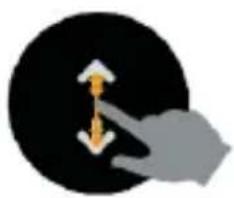
natural_image
Abstract graphic of a hand pressing down on a black circular background with an upward arrow (no text or symbols)
natural_image
Silhouette of a hand pressing a button on a black circular background (no text or symbols)
natural_image
Hand touching a purple button on a black circular background (no text or symbols)ES
KUBO
Carga
natural_image
Line drawing of a wristwatch with textured strap and wrist strap (no text or symbols)Para Android Para IOS
natural_image
Circular icon with a white Wi-Fi signal symbol inside, no text or numbers present.natural_image
Circular icon with green Wi-Fi signal symbol on black background (no text or symbols)natural_image
Two circular app icons with control buttons and battery, one displaying a white button and the other showing blue and purple buttons (no text or symbols)pie
| Metric | Value | | :--- | :--- | | GPS | 6'43" cm/h | | SHE | 00:43:28 | | Consumption | 4 Consumption | | distance | 6.88 mA | | heart rate | 78 am heart rate | | Time | 00:15:00 |Monitor del sueño

natural_image
Circular black button with a pink speech bubble and the word 'message' below it (no additional text or symbols)natural_image
Circular icon with four colored circular shapes and a central gear symbol, no text or labels present.
natural_image
Circular black-and-white media player interface with playback controls (no text or symbols)natural_image
Symbol of a trash bin crossed with two crossed lines, no text or numbers presenthttps://www.suporteworten.pt/.
Caro(a) cliente,
Smart Watch
natural_image
Four hand gestures showing finger movement and navigation icons on black background (no text or symbols)PT
KUBO
Carregamento
natural_image
Line drawing of a wristwatch with textured strap and belt (no text or symbols)
Para Android Para IOS
PT
KUBO
natural_image
Circular icon with Wi-Fi signal symbol inside, no text or numbers presentnatural_image
Circular icon with green Wi-Fi signal symbol on black background (no text or symbols)natural_image
Two circular app icons with control buttons and navigation elements, no visible text or symbolsbar
| Metric | Value | | :--- | :--- | | Speed (km/h) | 15182 | | Time (Kcal) | 2.3 | | Current (kcal) | 368 | Historical data: Bar chart displays 'M', 'T', 'W', 'T', 'F', 'S', 'S' with corresponding 'SK' markers. The bar chart shows 'SK' as the average value across all categories.pie
| Metric | Value | |---|---| | Epm | 87 | | ap€ | 93 | | highest | 72 | | lowest | 72 |pie
| Metric | Value | | :--- | :--- | | GPS | 6'43" cm/h | | SHE | 00:43:28 | | Consumption | 4 Consumption | | distance | 6.88 mA | | heart rate | 78 am heart rate | | Time | 00:15:00 |PT
KUBO
Monitor de sono

bar
| Time | DEEP | LIGHT | |------|------|-------| | 7 | 28 | 33 | | 6 | 28 | 33 | | 2 | 28 | 33 |natural_image
Circular black button with a pink speech bubble and the word 'message' below it (no additional text or symbols)natural_image
Circular icon with four colored circular shapes and a black border, no text or symbols present.
natural_image
Circular black-and-white media player interface with playback controls (no text or symbols)natural_image
Symbol of a trash bin crossed with two opposing diagonal lines (no text or numbers present)
Imported, produced and distributed by | Importado,
- KUBO
- SMARTWATCH
- W7
- INDEX
- SAFETY INSTRUCTIONS 4
- OPERATING INSTRUCTIONS 10
- POST-SALE SERVICE 26
- ENVIRONMENTAL PROTECTION 27
- SAFETY INSTRUCTIONS
- Important Warnings
- Assistance
- maintenance must not be carried out by children without supervision.
- These instructions are also available at www.suporteworten.pt
- Power Supply
- Power Cord and Other Cables
- Humidity and Water
- Cleaning
- General Precautions
- EN
- OPERATING INSTRUCTIONS
- Product Description
- Smart Watch
- Product usage
- Operation diagram
- Charging
- Installing the Orunning app on your phone
- Pair the bracelet with a mobile phone
- Unpair the bracelet with a mobile phone
- How to use
- SMARTWATCH W1 KBSW4857BK
- Functions GPS locate
- Acquiring Satellite Signals
- Improving GPS satellite reception
- Watch dial
- Main menu
- Status interface
- Pedometer
- Heart rate
- Sport
- Weather
- Setting
- Stopwatch
- Music control
- POST-SALE SERVICE
- ENVIRONMENTAL PROTECTION
- ES
- Carga
- Monitor del sueño
- PT
- Carregamento
- Monitor de sono
Brand : Kubo
Model : KBSW4857
Category : Wristwatch