
PMA-720AE, PMA720 - Integrated amplifier DENON - Free user manual and instructions
Find the device manual for free PMA-720AE, PMA720 DENON in PDF.


| Product type | Stereo integrated amplifier |
| Brand | Denon |
| Model | PMA-720AE / PMA720 |
| Output power | 2 x 50 W into 8 ohms (RMS) |
| Compatible impedance | 4 to 16 ohms |
| Dimensions (W x H x D) | 434 x 121 x 307 mm |
| Weight | 7.5 kg |
| Power supply | 220-240 V AC, 50/60 Hz |
| Power consumption | 150 W (operation), 0.3 W (standby) |
| Analog inputs | CD, Tuner, Aux 1, Aux 2, Phono (MM) |
| Outputs | Speakers A/B, Headphones (6.35 mm jack), Pre-out (subwoofer) |
| Remote control | Yes, with R03/AAA batteries included |
| Main functions | Input selector, volume, tone (bass/treble), balance, attenuator, loudness, speakers A/B |
| Maintenance and cleaning | Dust with a soft, dry cloth. Do not use solvents or abrasive products. |
| Safety | Do not expose to moisture. Unplug before cleaning. Use only the specified voltage. |
| Spare parts and repairability | Contact Denon customer service for spare parts. Repairability index not communicated. |
| General information | High-quality integrated amplifier with discrete pure Class AB circuit. |
Frequently Asked Questions - PMA-720AE, PMA720 DENON
User questions about PMA-720AE, PMA720 DENON
0 question about this device. Answer the ones you know or ask your own.
Ask a new question about this device
Download the instructions for your Integrated amplifier in PDF format for free! Find your manual PMA-720AE, PMA720 - DENON and take your electronic device back in hand. On this page are published all the documents necessary for the use of your device. PMA-720AE, PMA720 by DENON.
USER MANUAL PMA-720AE, PMA720 DENON
Thank you for choosing a DENON amplifier. This guide provides step-by-step instructions for setting up your amplifier.
If you have setup problems:
If you need additional help in solving problems, contact DENON customer service in your area.
See the address sheet included in the box.
- The product shown in this owner's manual illustrations is PMA-720AE.
Before You Begin
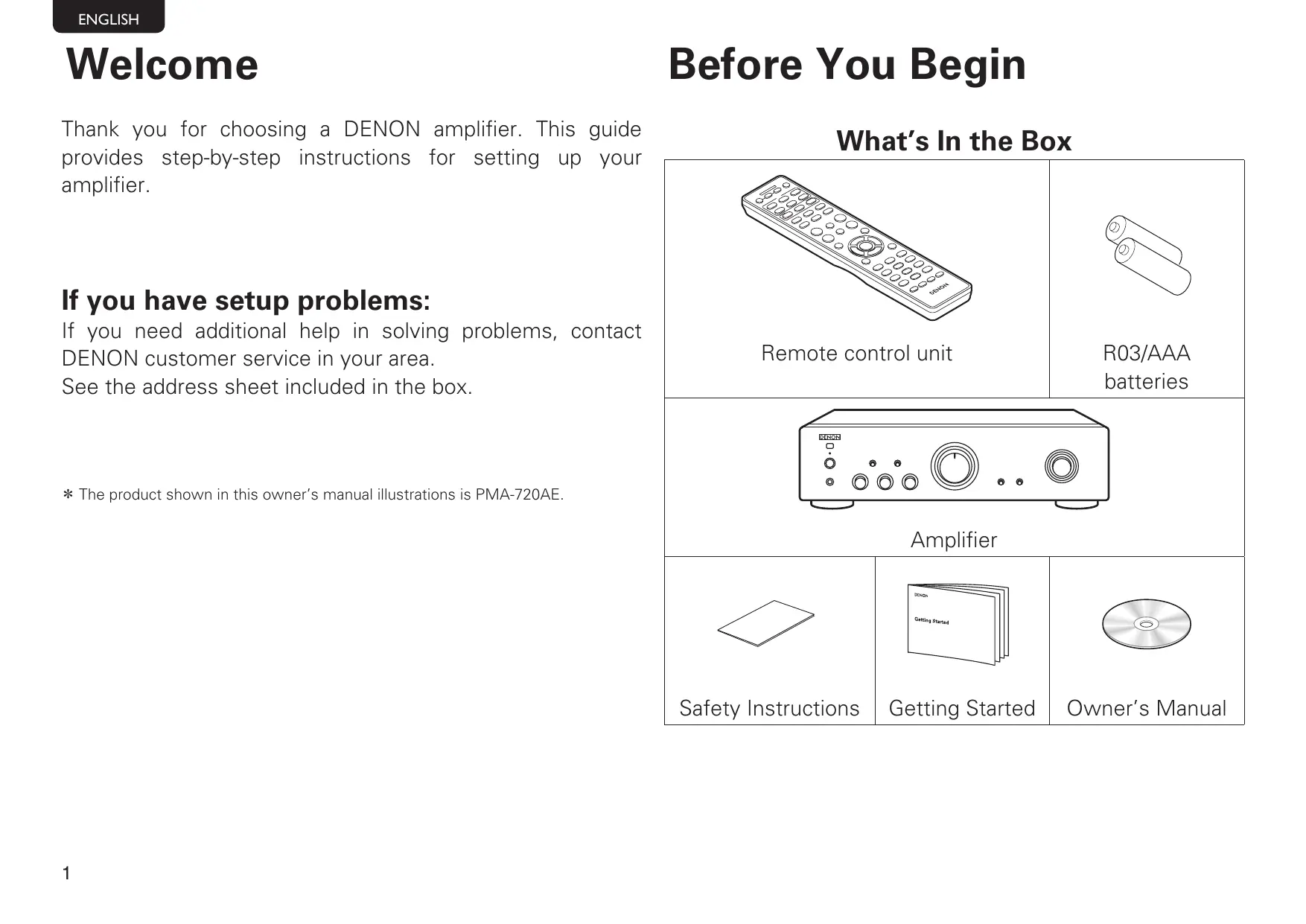
What's In the Box
| Remote control unit | R03/AAA batteries | |
| AMPLIFIER | ||
| Safety Instructions | Getting Started | Owner's Manual |
Setup Steps
There are six steps to the setup process.
1 Install batteries in the remote control unit
2 Connect the speakers to the amplifier
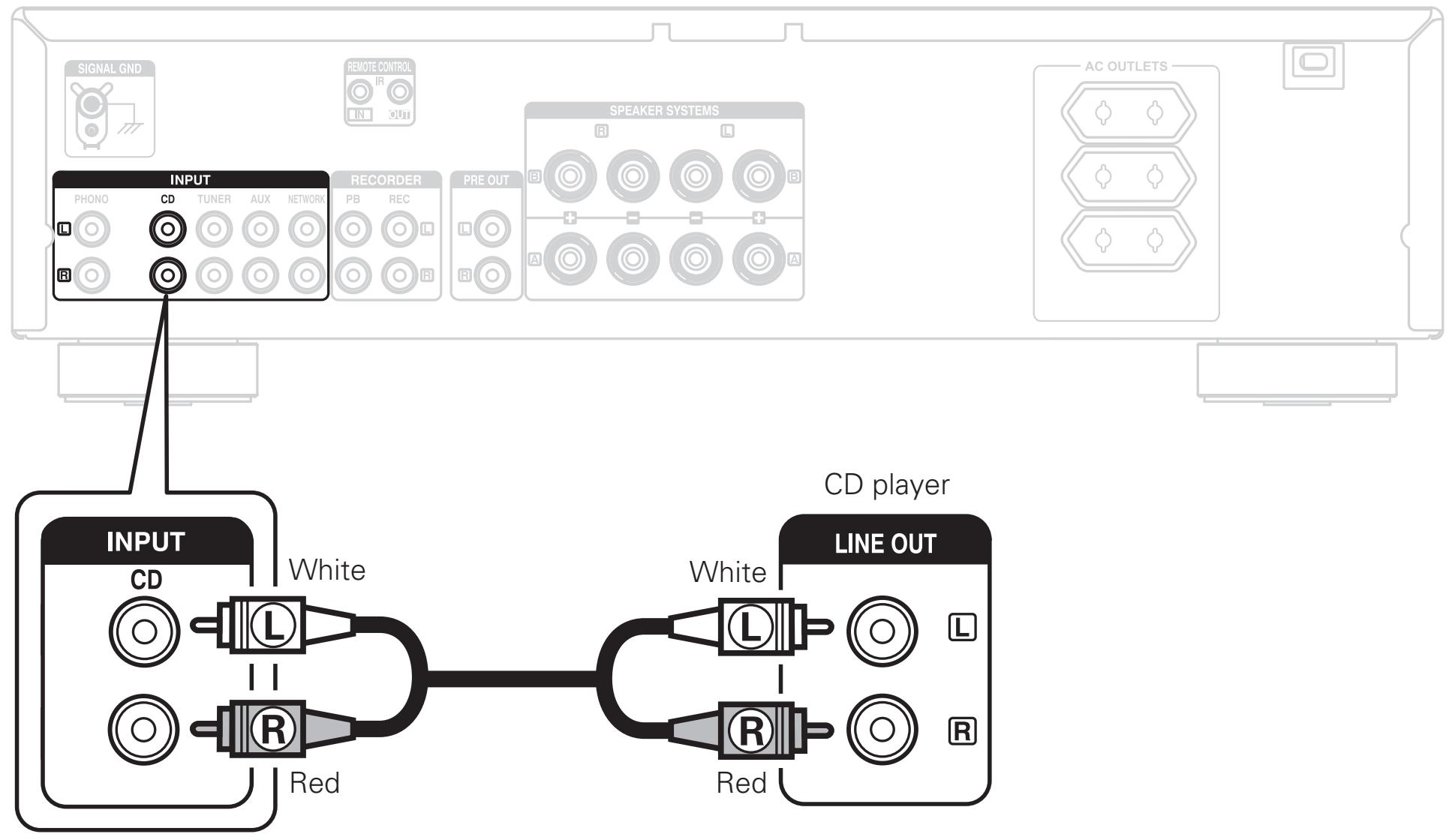
3 Connect the CD player to the amplifier
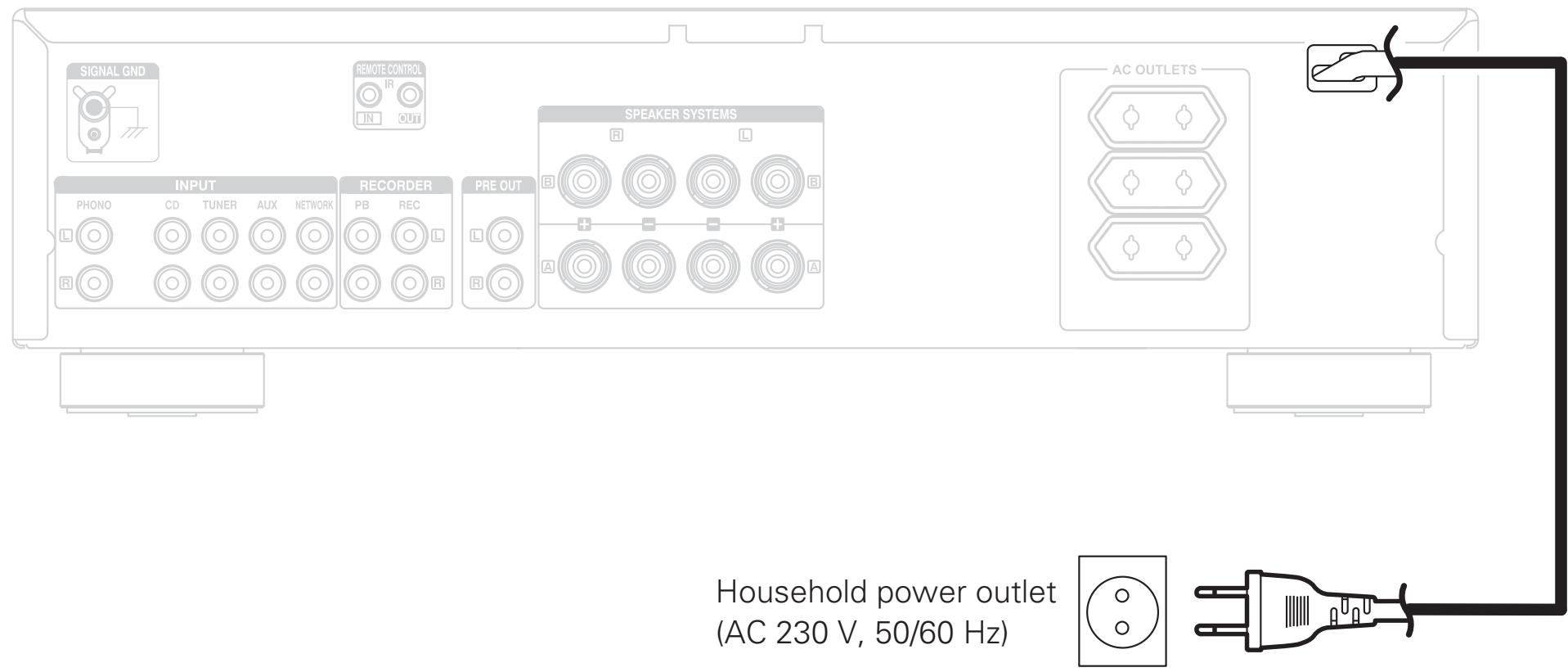
Plug the power cord into a power outlet
5 Turn the amplifier's power on
6 Begin playback
1 Install batteries in the remote control unit


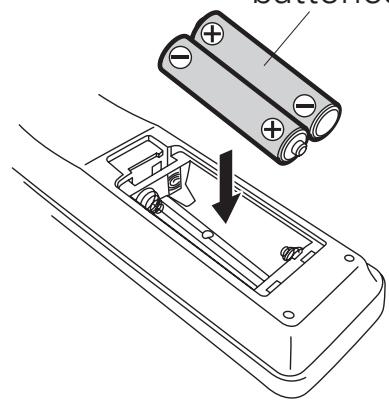
R03/AAA batteries
2 Connect the speakers to the amplifier
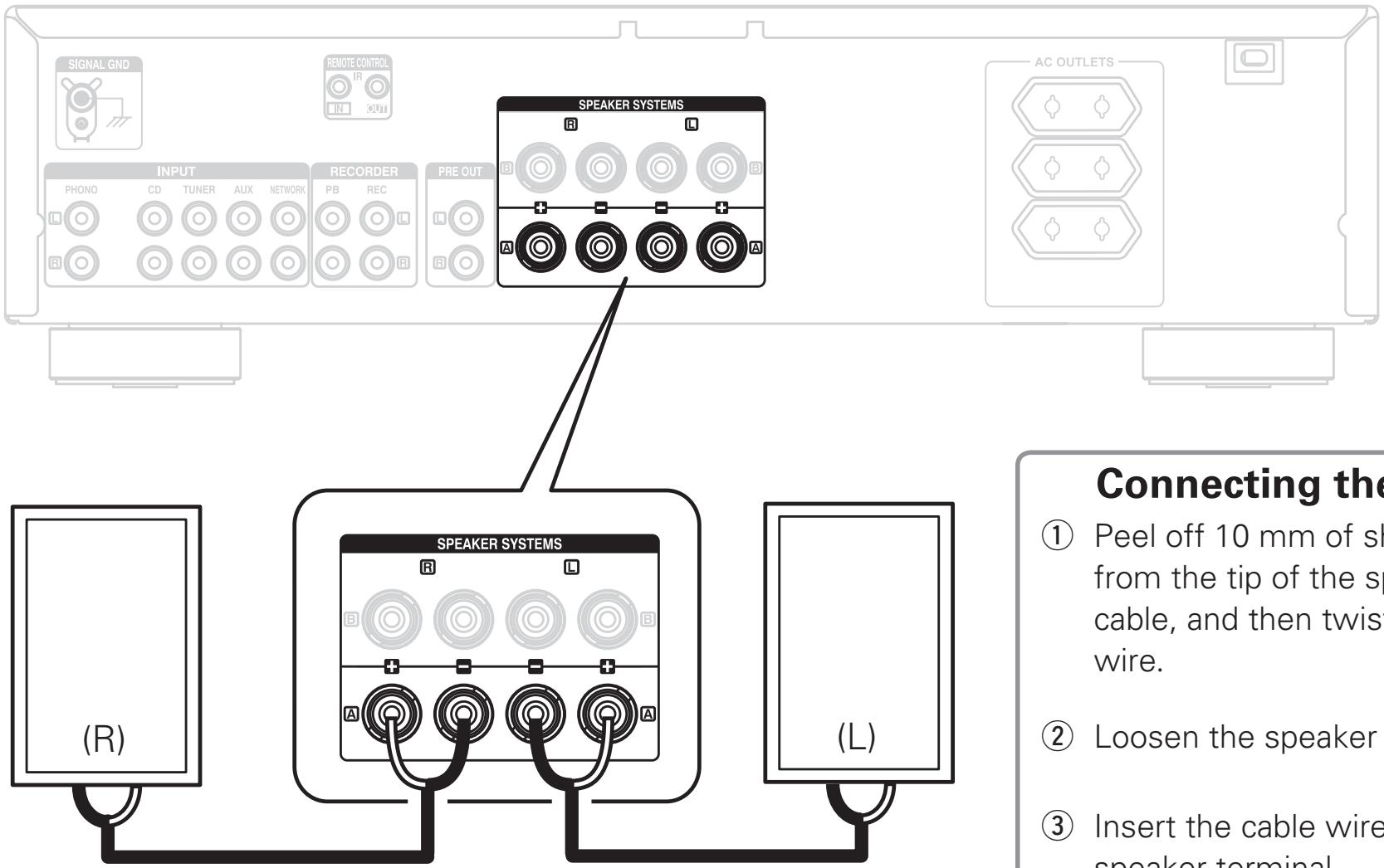
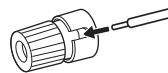
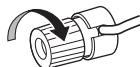
Connecting the speaker cable
① Peel off 10 ~mm of sheathing from the tip of the speaker cable, and then twist the core wire.
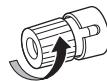
(2) Loosen the speaker terminal.
(3) Insert the cable wire into the speaker terminal.
(4) Tighten the speaker terminal.

3 Connect the CD player to the amplifier
4 Plug the power cord into a power outlet
5 | Turn the amplifier's power on
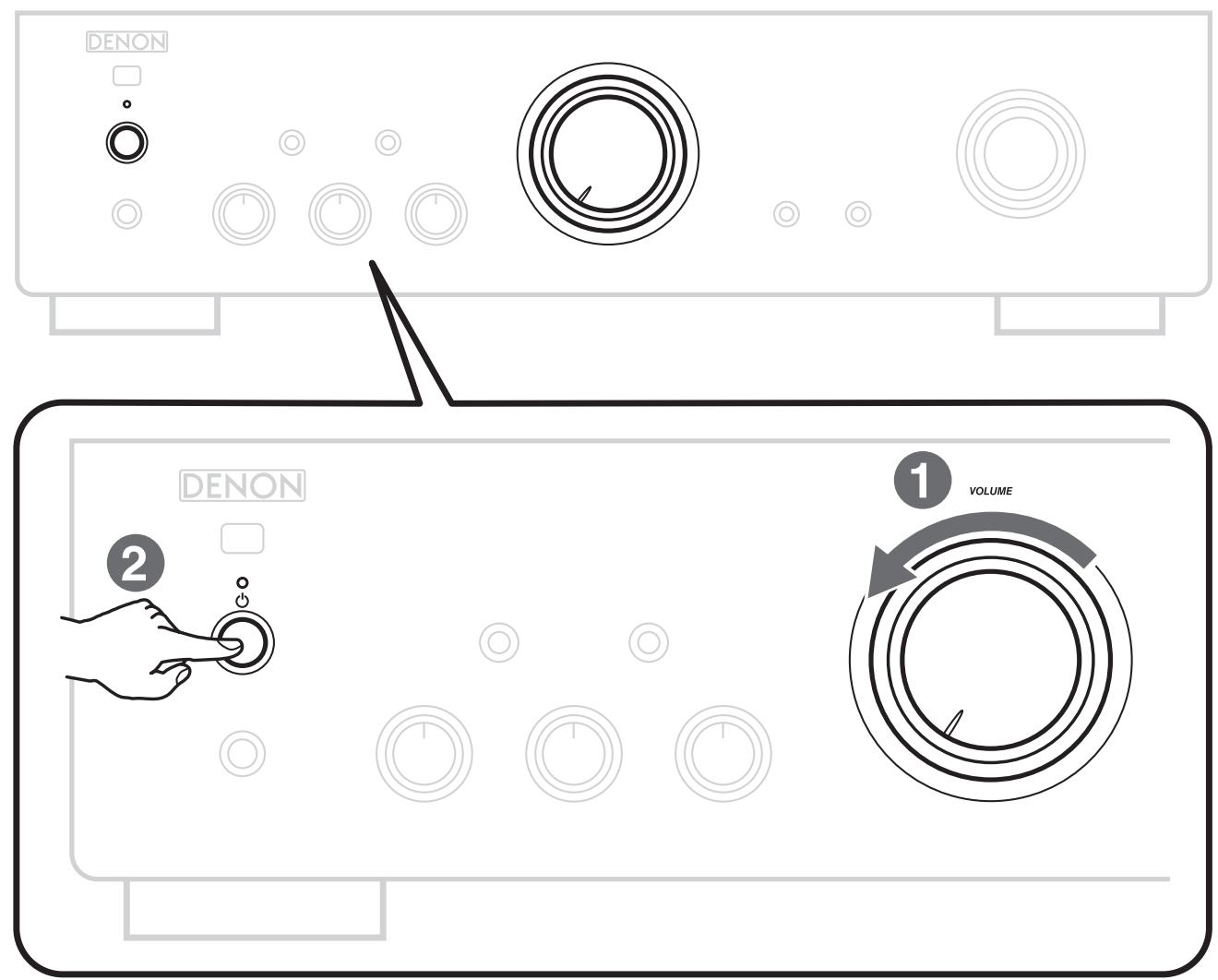
1 Reduce the volume to the minimum level.
Press the power operation button.
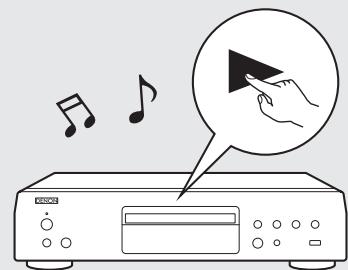
6 Begin playback
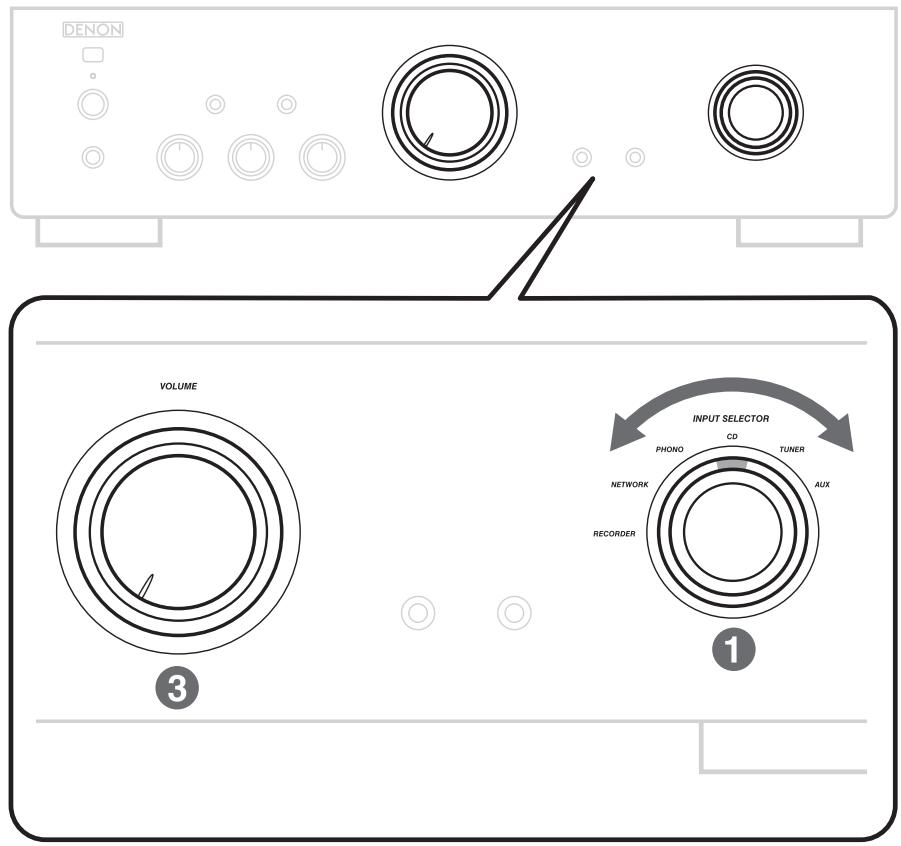
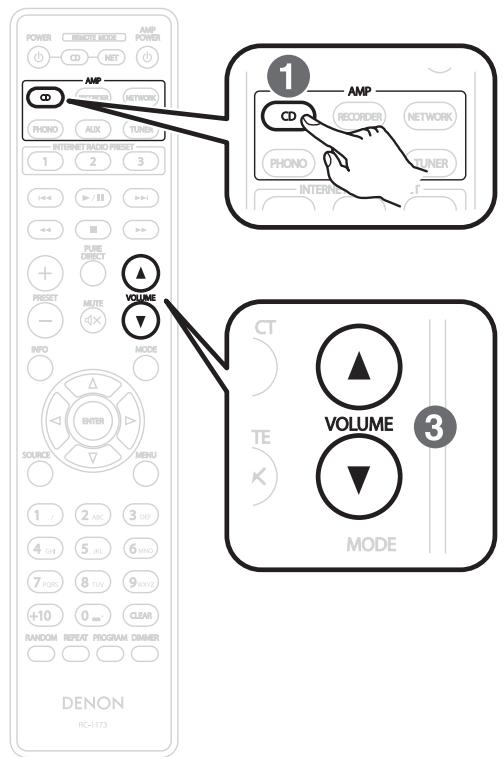
1 Set the input source to "CD".
2 Play the CD player.
3 Adjust the volume.
Owner's Manual
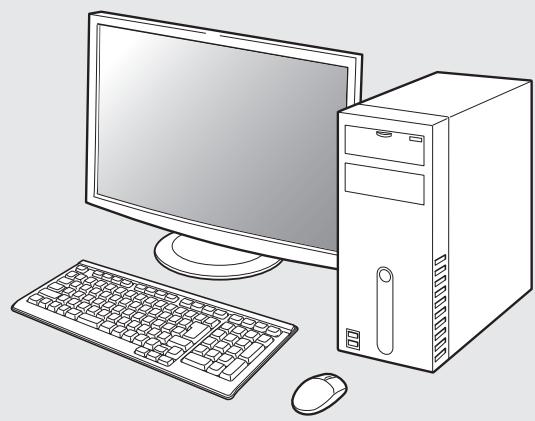
The included CD-ROM contains an Adobe PDF version of the full owner's manual for the amplifier.
Please reference this manual for more details about the setup and operation of the amplifier and it's features.

Insert the disc into your PC.
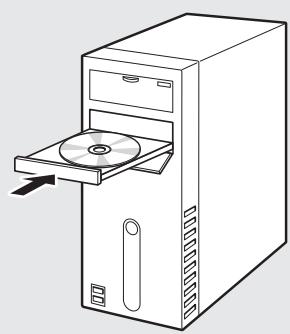

Follow the screen or double click on the PDF file.
- If you have setup problems:
- Before You Begin
- Setup Steps
- Install batteries in the remote control unit
- Connect the speakers to the amplifier
- Connecting the speaker cable
- Connect the CD player to the amplifier
- Plug the power cord into a power outlet
- | Turn the amplifier's power on
- Begin playback
- Owner's Manual
Brand : DENON
Model : PMA-720AE, PMA720
Category : Integrated amplifier