 ManualGo.com
AVRX4000 BK, AVRX4000 SP - Audio/Video Receiver DENON - Free user manual and instructions
Find the device manual for free AVRX4000 BK, AVRX4000 SP DENON in PDF.


Download the instructions for your Audio/Video Receiver in PDF format for free! Find your manual AVRX4000 BK, AVRX4000 SP - DENON and take your electronic device back in hand. On this page are published all the documents necessary for the use of your device. AVRX4000 BK, AVRX4000 SP by DENON.
USER MANUAL AVRX4000 BK, AVRX4000 SP DENON
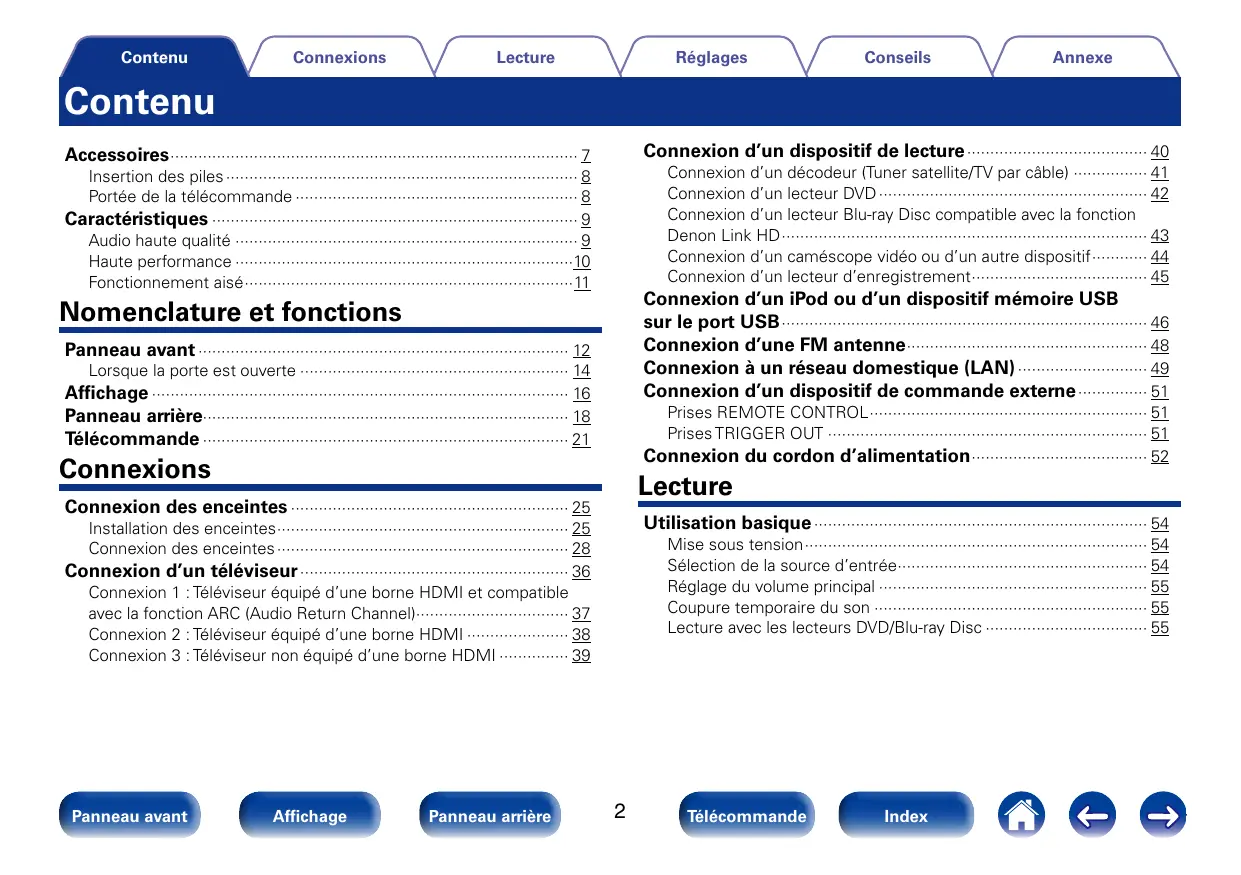
Manuel de l’Utilisateur Vous pouvez imprimer plus d’une page d’un PDF sur une seule feuille de papier. Panneau avant Affichage Panneau arrière Télécommande Index Contenu Connexions Lecture Réglages Conseils Annexe Contenu Connexion d’un dispositif de lecture········································ 40 Accessoires························································································· 7 Connexion d’un décodeur (Tuner satellite/TV par câble)················· 41 Connexion d’un lecteur DVD··························································· 42 Connexion d’un lecteur Blu-ray Disc compatible avec la fonction Denon Link HD················································································ 43 Connexion d’un caméscope vidéo ou d’un autre dispositif············· 44 Connexion d’un lecteur d’enregistrement······································· 45 Insertion des piles············································································· 8 Portée de la télécommande······························································ 8 Caractéristiques················································································ 9 Audio haute qualité··········································································· 9 Haute performance··········································································10 Fonctionnement aisé········································································11 Connexion d’un iPod ou d’un dispositif mémoire USB sur le port USB················································································ 46 Connexion d’une FM antenne····················································· 48 Connexion à un réseau domestique (LAN)····························· 49 Connexion d’un dispositif de commande externe················ 51 Nomenclature et fonctions Panneau avant················································································· 12 Lorsque la porte est ouverte··························································· 14 Affichage··························································································· 16 Panneau arrière··············································································· 18 Télécommande················································································ 21 Prises REMOTE CONTROL····························································· 51 Prises TRIGGER OUT······································································ 51 Connexion du cordon d’alimentation······································· 52 Connexions Lecture Connexion des enceintes····························································· 25 Utilisation basique········································································· 54 Installation des enceintes································································ 25 Connexion des enceintes································································ 28 Connexion d’un téléviseur··························································· 36 Connexion 1 : Téléviseur équipé d’une borne HDMI et compatible avec la fonction ARC (Audio Return Channel)·································· 37 Connexion 2 : Téléviseur équipé d’une borne HDMI······················· 38 Connexion 3 : Téléviseur non équipé d’une borne HDMI················ 39 Panneau avant Affichage Panneau arrière Mise sous tension··········································································· 54 Sélection de la source d’entrée······················································· 54 Réglage du volume principal··························································· 55 Coupure temporaire du son···························································· 55 Lecture avec les lecteurs DVD/Blu-ray Disc···································· 55
Télécommande Index Contenu Connexions Lecture Réglages Lecture du contenu d’un iPod····················································· 56 Affichage Panneau arrière Annexe Écoute de Radio Internet······························································ 73 Écoute de musique avec un iPod···················································· 57 Configuration du mode de fonctionnement (Mode navig. iPod)······ 58 Lecture répétée (Répéter)······························································· 60 Lecture aléatoire (Aléatoire)···························································· 60 Lecture du contenu d’un dispositif mémoire USB················ 61 Lecture des fichiers d’un dispositif mémoire USB·························· 62 Écoute d’émissions FM································································· 64 Écoute d’émissions FM ································································· 65 Syntonisation en entrant la fréquence radio (Accord direct)············ 66 Recherche RDS··············································································· 67 Recherche PTY················································································ 67 Recherche TP·················································································· 68 Texte Radio······················································································ 69 Modification du mode de syntonisation (Mode Réglage)················ 69 Écoute des stations préréglées······················································· 69 Préréglage de la station radio actuelle (Mém. Préréglages)············ 70 Syntonisation et préréglage automatique des stations radio (Mém. prérégl. Auto)······································································· 71 Saisie d’un nom pour la station émettrice préréglée (Nom préréglé)················································································ 71 Saut des stations radio préréglées (Passer préréglage)·················· 72 Annulation du saut des canaux préréglés······································· 72 Panneau avant Conseils Écoute de Radio Internet································································ 74 Lecture de la dernière station Radio Internet lue···························· 75 Utilisation de vTuner pour ajouter des stations Radio Internet comme favoris················································································· 76 Lecture de fichiers stockés sur un ordinateur et un stockage NAS·················································································· 77 Application des paramètres de partage des fichiers multimédia···· 78 Lecture de fichiers stockés sur un ordinateur et un stockage NAS·················································································· 79 Écoute de Last.fm··········································································· 81 Listening to Last.fm········································································ 82 Déconnexion··················································································· 85 Visionner des photos sur le site Flickr····································· 86 Visionner des photos partagées par certains utilisateurs················ 87 Visionner toutes les photos sur Flickr············································· 89 Écoute de Spotify··········································································· 90 Écoute de Spotify············································································ 90 Ajout de contenu au bouton FAVORITE STATION················· 95 Lecture du contenu ajouté au bouton FAVORITE STATION············· 96 Fonction AirPlay·············································································· 97 Jouer directement de la musique d’iPhone, iPod touch, ou iPad···· 97 Lecture de la musique iTunes avec cet appareil······························ 98 Sélection d’enceintes (matériels) multiples···································· 98 Réalisation des opérations de lecture sur iTunes avec la télécommande de cet appareil························································ 99
Télécommande Index Contenu Connexions Lecture Réglages Fonctions pratiques····································································· 100 Affichage Panneau arrière Annexe Fonction InstaPrevue··································································· 123 Lecture répétée (Répéter)······························································101 Lecture aléatoire (Aléatoire)···························································101 Ajout de contenu aux favoris à partir du menu Option (Enreg. favoris)···············································································102 Lecture du contenu ajouté dans “Enreg. favoris”··························102 Suppression du contenu ajouté aux favoris (Suppr. Favoris)··········103 Recherche de contenu à l’aide de mots-clés (Recherche textuelle)·····································································103 Lecture simultanée de musique et d’une image favorite (Diaporama)····················································································104 Lecture d’images fixes dans l’ordre (Vitesse diapo.)······················105 Affichage de la vidéo voulue lors de la lecture audio (Sélect. Vidéo)················································································105 Réglage de la qualité d’image pour votre environnement de visualisation (Mode photo)·····························································106 Lecture de musique dans Toutes zones stéréo······························107 Sélection d’un mode d’écoute···················································108 Sélection d’un mode d’écoute·······················································109 Lecture directe··············································································· 110 Lecture Pure Direct········································································ 110 Fonction de contrôle HDMI························································ 122 Procédure de réglage···································································· 122 Panneau avant Conseils Commutation de la source d’entrée·············································· 124 Paramétrage du mode d’affichage des écrans secondaires·········· 124 Modification de l’emplacement d’affichage des écrans secondaires··················································································· 125 Fonction de minuterie sommeil··············································· 126 Utilisation de la minuterie sommeil··············································· 127 Fonction de sélection rapide····················································· 128 Appel de la sélection rapide·························································· 128 Modification des réglages····························································· 128 Fonction de sortie d’enregistrement······································ 129 Enregistrement sur un dispositif externe······································ 130 Fonction de contrôle Internet··················································· 131 Contrôle de l’appareil à partir d’un contrôle Web·························· 131 Lecture dans la ZONE2/ZONE3 (pièce séparée)·················· 133 Connexion de ZONE······································································ 133 Lecture dans ZONE······································································· 137 Réglages Plan du menu de l’interface graphique·································· 139 Fonctionnement du menu····························································· 146 Saisie de caractères····································································· 147 Utilisation de l’écran du clavier······················································ 148 Utilisation des touches numériques·············································· 148
Télécommande Index Contenu Connexions Lecture Réglages Niveau de dialogue········································································ 149 Niveau sub.··················································································· 149 Paramètres surr.············································································ 150 Tonalité·························································································· 153 Restorer························································································ 154 Délai audio····················································································· 154 Volume·························································································· 154 Audyssey······················································································· 155 Graphic EQ···················································································· 160 Vidéo································································································ 161 Réglages image············································································· 161 Config. HDMI················································································ 162 Sortie vidéo composante······························································ 164 Réglages sorties············································································ 165 Affichage à l’écran········································································· 167 Format TV······················································································ 167 Entrées····························································································· 168 Affectation des entrées································································· 168 Renommer les sources··································································170 Masquer les sources······································································170 Niveau des sources········································································170 Sélect. Entrées···············································································171 Affichage Panneau arrière Annexe Enceintes··························································································172 Conf. Audyssey®············································································172 Audio································································································ 149 Panneau avant Conseils Procédure pour les réglages des enceintes (Configuration Audyssey®)······························································174 Message d’erreur···········································································179 Retour aux réglages “Conf. Audyssey®”······································· 181 Config. manuelle··········································································· 182 Affectation des Amplis·································································· 182 Config. enceintes·········································································· 183 Distances······················································································ 185 Niveaux························································································· 186 Crossover······················································································ 187 Graves··························································································· 188 Config. enceintes avant································································· 188 Lecture 2 can.··············································································· 189 Réseau····························································································· 191 Informations·················································································· 191 Contrôle IP···················································································· 191 Nom convivial················································································ 191 Réglages······················································································· 192 Diagnostic····················································································· 193 Mode Maintenance······································································· 194
Télécommande Index Contenu Connexions Lecture Réglages Langue·························································································· 195 Config. de ZONE2 / Config. de ZONE3········································· 195 Renommer zone············································································ 197 Sélect.Rapid.Nom········································································· 197 Sortie Trigger 1 / Trigger 2······························································ 198 Veille auto······················································································ 198 Afficheur façade············································································ 199 Informations·················································································· 199 Données d’utilisation······································································201 Micrologiciel···················································································201 Verrou de config.··········································································· 203 À propos de HDMI········································································· 229 Fonction de conversion vidéo······················································· 232 Lecture de dispositifs mémoire USB·········································· 234 Lecture de fichiers stockés sur un ordinateur ou un stockage NAS·················································································· 236 Lecture de radio Internet······························································· 237 Fonction mémoire personnelle plus············································ 237 Fonction dernière mémoire··························································· 237 Modes audio et canaux de sortie················································· 238 Modes audio et paramètres surround········································· 239 Types de signaux d’entrée et modes audio correspondants··············································································· 242 Explication des termes·································································· 245 Renseignements relatifs aux marques commerciales············· 252 Spécifications·················································································· 254 Index································································································· 258 Licence····························································································· 261 Liste des codes préréglés····························································· 268 Commande d’appareils externes avec la télécommande··············································································· 204 Enregistrement des codes préréglés············································ 205 Commande des dispositifs···························································· 207 Initialisation des codes préréglés enregistrés································210 Spécification de la zone utilisée avec la télécommande················210 Réinitialisation de la télécommande···············································210 Conseils Contenu····························································································211 AVR······························································································· 268 Groupe CBL/SAT··········································································· 268 Groupe TV······················································································ 272 Groupe VCR/PVR··········································································· 275 Groupe BD/DVD············································································ 276 Groupe Audio ··············································································· 278 Conseils························································································· 212 Dépistage des pannes··································································· 214 Réinitialisation des réglages d’usine······································ 228 Affichage Panneau arrière Annexe Annexe Général···························································································· 195 Panneau avant Conseils
1 CBL/SAT OUT PHONO COMPONENT VIDEO 1 CBL/SAT
1 CBL/SAT PHONO COMPONENT VIDEO 1 CBL/SAT
(ASSIGNABLE) PR/CR PB/CB PB/CB
DOLBY (D) (D+) (HD) +
Gamme dynamique La différence entre le niveau sonore non déformé maximum et le niveau sonore minimum perceptible du bruit émis par l’appareil. Redistribution and use in source and binary forms, with or without modification, are permitted provided that the following conditions are met:
- Redistributions of source code must retain the above copyright notice, this list of conditions and the following disclaimer.
- Redistributions in binary form must reproduce the above copyright notice, this list of conditions and the following disclaimer in the documentation and/or other materials provided with the distribution.
- Neither the name of the Xiph.org Foundation nor the names of its contributors may be used to endorse or promote products derived from this software without specific prior written permission.
Télécommande Index Contenu Connexions Lecture Réglages “Made for iPod” and “Made for iPhone” mean that an electronic accessory has been designed to connect specifically to iPod, or iPhone, respectively, and has been certified by the developer to meet Apple performance standards. Apple is not responsible for the operation of this device or its compliance with safety and regulatory standards. Please note that the use of this accessory with iPod, or iPhone, may affect wireless performance. AirPlay, the AirPlay logo, iPad, iPhone, iPod, iPod classic, iPod nano, iPod shuffle and iPod touch are trademarks of Apple Inc., registered in the U.S. and other countries.
Télécommande Index Annexe Contenu Connexions Index Réglages vv C vv Chiffres 3D········································································· 229 4K·········································································· 229 vv A Accessoires······························································· 7 Affichage··································································16 AirPlay······························································ 97, 245 Ajoutez nouvelle option········································· 202 ALAC····································································· 245 Aléatoire··························································· 60, 101 Antenne intérieure FM············································ 48 App Store······························································ 245 Audyssey Dynamic EQ®········································ 245 Audyssey Dynamic Surround Expansion··············· 245 Audyssey Dynamic Volume®·································· 245 Audyssey MultEQ® XT32······································· 245 Panneau avant Lecture Affichage Annexe vv D Câbles····································································· 24 Casque·····································································14 Circuit de protection·············································· 246 Conf. Audyssey®·····················································172 Connexion Amplificateur de puissance·································· 35 Caméscope·························································· 44 Cordon d’alimentation·········································· 52 Dispositif mémoire USB······································· 46 Enceintes····························································· 28 FM········································································ 48 iPod (USB)···························································· 46 Lecteur Blu-ray Disc (Denon Link HD)·················· 43 Lecteur d'enregistrement···································· 45 REMOTE CONTROL············································ 51 Réseau domestique (LAN)··································· 49 TRIGGER OUT······················································ 51 TV······························································ 37, 38, 39 Conseils·································································212 Contrôle Internet····················································131 Conversion vidéo··················································· 232 Coupure temporaire du son···································· 55 Panneau arrière Conseils
Télécommande Deep Color···························································· 229 Denon Link HD························································ 43 Dépistage des pannes···········································214 DLNA···································································· 246 Dolby Dolby Digital················································ 111, 246 Dolby Digital EX··········································· 111, 246 Dolby Digital Plus········································ 111, 246 Dolby Pro Logic II········································ 111, 246 Dolby Pro Logic IIx······································ 111, 247 Dolby Pro Logic IIz······································· 111, 247 Dolby TrueHD··············································· 111, 247 Double amplificateur··············································· 33 DTS······································································· 247 DTS 96/24··················································· 112, 247 DTS Digital Surround·········································· 247 DTS-ES Discrete 6.1···································· 112, 248 DTS-ES Matrix 6.1······································· 112, 248 DTS Express················································ 112, 248 DTS-HD······················································· 112, 248 DTS-HD High Resolution Audio·························· 248 DTS-HD Master Audio········································ 248 DTS Neo:X··················································· 112, 248 Index Contenu Connexions vv E Lecture Réglages vv H Enceinte avant-haut············································ 27, 31 Enceinte larges avant········································· 27, 31 Enceintes Configuration·······················································172 Connexion···························································· 28 Installation···························································· 25 Enceintes surround arrière································· 27, 31 vv F FLAC····································································· 249 Flickr········································································ 86 FM··········································································· 64 Fréquence d’échantillonnage································ 249 vv I Impédance des enceintes····································· 249 Informations···························································199 Audio···································································199 Micrologiciel······················································· 200 Notification························································· 200 Vidéo·································································· 200 ZONE·································································· 200 InstaPrevue····························································123 iTunes···································································· 249 vv G Affichage Panneau arrière Annexe vv L HDCP···························································· 231, 249 HDMI Contrôle···············································122, 163 Gamme dynamique··············································· 249 Panneau avant Conseils
Télécommande Last.fm···································································· 81 Lecture ALAC······························································ 61, 77 Dispositif mémoire USB······································· 61 FLAC······························································ 61, 77 Flickr····································································· 86 FM········································································ 65 iPod (USB)···························································· 56 JPEG······························································ 61, 77 Last.fm································································· 81 Lecteur Blu-ray Disc············································· 55 Lecteur DVD························································· 55 MP3·························································· 61, 73, 77 MPEG-4 AAC············································ 61, 73, 77 NAS······································································ 77 PC········································································· 77 PTY······································································· 67 Radio Internet······················································· 73 RDS······································································ 67 Spotify·································································· 90 Texte Radio··························································· 69 TP········································································· 68 WAV······························································· 61, 77 WMA························································ 61, 73, 77 ZONE2/ZONE3····················································137 LFE········································································ 250 Index Contenu Connexions vv M MAIN ZONE·························································· 250 Menu de fonctionnement du tuner Accord direct························································ 66 Mém. Préréglages················································ 70 Mém. prérégl. Auto···············································71 Mode Réglage······················································ 69 Nom préréglé························································71 Passer préréglage················································ 72 Menu de fonction pratique Aléatoire······························································ 101 Diaporama···························································104 Enreg. favoris······················································102 Mode photo·························································106 Recherche textuelle············································103 Répéter······························································· 101 Sélect. Vidéo·······················································105 Suppr. Favoris······················································103 Toutes zones stéréo············································107 Vitesse diapo.······················································105 Messages d’erreur (Conf. Audyssey®)····················179 Minuterie sommeil·················································126 Mise à jour du micrologiciel···································201 Mise sous tension··················································· 54 Mixage réducteur·················································· 250 Modem································································· 250 Mode navig. iPod···················································· 58 Mode son··············································· 108, 116, 239 Audyssey DSX®··················································· 113 DIRECT·························································110, 115 Dolby··································································· 111 DTS····································································· 112 Multi-canaux PCM··············································· 113 Original································································ 114 PURE DIRECT··············································110, 115 STEREO······························································ 115 Panneau avant Affichage Lecture Réglages MP3······································································ 250 MPEG···································································· 250 vv P Panneau arrière························································18 Panneau avant··························································12 Plan du menu de l’interface graphique···················139 Assistant de config.·············································145 Audio···························································139, 149 Enceintes···················································· 143, 172 Entrées························································142, 168 Général························································144, 195 Réseau························································143, 191 Vidéo···························································141, 161 Position d’écoute···················································173 PTY·········································································· 67 Annexe vv S Saisie de caractères···············································147 Sélection de la source d’entrée······························ 54 Sélection rapide·····················································128 Signal d’entrée······················································ 242 Spotify····································································· 90 vv T Télécommande························································ 21 Insertion des piles·················································· 8 Texte Radio······························································ 69 TP············································································ 68 Type de contenu···················································· 229 vv V Veille auto·······························································198 vTuner····························································· 76, 250 vv R RDS········································································· 67 Réglage du volume principal··································· 55 Réglages audio·······················································149 Réglages Audyssey········································ 155, 174 Réglages réseau·····················································191 Réglages vidéo·······················································161 Réinitialisation du microprocesseur······················ 228 Répéter···························································· 60, 101 Panneau arrière Conseils
Télécommande vv W Windows Media DRM·········································· 251 Windows Media Player········································· 251 WMA····································································· 251 vv Z ZONE2/ZONE3··········································17, 133, 251 Index Contenu Connexions Lecture Réglages Licence nn Expat Cette section décrit la licence logicielle utilisée pour cet appareil. Pour s’assurer d’un contenu correct, l’original (anglais) est utilisé. Expat License. Copyright (c) 1998, 1999, 2000 Thai Open Source Software Center Ltd nn Boost http://www.boost.org/ Boost Software License - Version 1.0 - August 17th, 2003 Permission is hereby granted, free of charge, to any person or organization obtaining a copy of the software and accompanying documentation covered by this license (the “Software”) to use, reproduce, display, distribute, execute, and transmit the Software, and to prepare derivative works of the Software, and to permit third-parties to whom the Software is furnished to do so, all subject to the following: The copyright notices in the Software and this entire statement, including the above license grant, this restriction and the following disclaimer, must be included in all copies of the Software, in whole or in part, and all derivative works of the Software, unless such copies or derivative works are solely in the form of machine-executable object code generated by a source language processor. THE SOFTWARE IS PROVIDED “AS IS”, WITHOUT WARRANTY OF ANY KIND, EXPRESS OR IMPLIED, INCLUDING BUT NOT LIMITED TO THE WARRANTIES
LIABLE FOR ANY DAMAGES OR OTHER LIABILITY, WHETHER IN CONTRACT, TORT OR OTHERWISE, ARISING FROM, OUT OF OR IN CONNECTION WITH THE SOFTWARE OR THE USE OR OTHER DEALINGS IN THE SOFTWARE. Panneau avant Affichage Permission is hereby granted, free of charge, to any person obtaining a copy of this software and associated documentation files (the “Software”), to deal in the Software without restriction, including without limitation the rights to use, copy, modify, merge, publish, distribute, sublicense, and/or sell copies of the Software, and to permit persons to whom the Software is furnished to do so, subject to the following conditions: The above copyright notice and this permission notice shall be included in all copies or substantial portions of the Software. THE SOFTWARE IS PROVIDED “AS IS”, WITHOUT WARRANTY OF ANY KIND, EXPRESS OR IMPLIED, INCLUDING BUT NOT LIMITED TO THE WARRANTIES
“Articles” means, collectively, all articles written by Author which describes how the Source Code and Executable Files for the Work may be used by a user. b. “Author” means the individual or entity that offers the Work under the terms of this License. c. “Derivative Work” means a work based upon the Work or upon the Work and other pre-existing works. d. “Executable Files” refer to the executables, binary files, configuration and any required data files included in the Work. “Publisher” means the provider of the website, magazine, CD-ROM, DVD or other medium from or by which the Work is obtained by You. f. “Source Code” refers to the collection of source code and configuration files used to create the Executable Files. Index Contenu Connexions g. “Standard Version” refers to such a Work if it has not been modified, or has been modified in accordance with the consent of the Author, such consent being in the full discretion of the Author. h. “Work” refers to the collection of files distributed by the Publisher, including the Source Code, Executable Files, binaries, data files, documentation, whitepapers and the Articles. “You” is you, an individual or entity wishing to use the Work and exercise your rights under this License.
2. Fair Use/Fair Use Rights. Nothing in this License
is intended to reduce, limit, or restrict any rights arising from fair use, fair dealing, first sale or other limitations on the exclusive rights of the copyright owner under copyright law or other applicable laws.
3. License Grant. Subject to the terms and conditions
of this License, the Author hereby grants You a worldwide, royalty-free, non-exclusive, perpetual (for the duration of the applicable copyright) license to exercise the rights in the Work as stated below: a. You may use the standard version of the Source Code or Executable Files in Your own applications. b. You may apply bug fixes, portability fixes and other modifications obtained from the Public Domain or from the Author. A Work modified in such a way shall still be considered the standard version and will be subject to this License. You may otherwise modify Your copy of this Work (excluding the Articles) in any way to create a Derivative Work, provided that You insert a prominent notice in each changed file stating how, when and where You changed that file. You may distribute the standard version of the Executable Files and Source Code or Derivative Work in aggregate with other (possibly commercial) programs as part of a larger (possibly commercial) software distribution. Panneau avant Affichage Lecture Réglages
The Articles discussing the Work published in any form by the author may not be distributed or republished without the Author’s consent. The author retains copyright to any such Articles. You may use the Executable Files and Source Code pursuant to this License but you may not repost or republish or otherwise distribute or make available the Articles, without the prior written consent of the Author. Any subroutines or modules supplied by You and linked into the Source Code or Executable Files this Work shall not be considered part of this Work and will not be subject to the terms of this License.
4. Patent License. Subject to the terms and conditions
of this License, each Author hereby grants to You a perpetual, worldwide, non-exclusive, no-charge, royalty-free, irrevocable (except as stated in this section) patent license to make, have made, use, import, and otherwise transfer the Work.
5. Restrictions. The license granted in Section 3 above
is expressly made subject to and limited by the following restrictions: You agree not to remove any of the original copyright, patent, trademark, and attribution notices and associated disclaimers that may appear in the Source Code or Executable Files. b. You agree not to advertise or in any way imply that this Work is a product of Your own. c. The name of the Author may not be used to endorse or promote products derived from the Work without the prior written consent of the Author. d. You agree not to sell, lease, or rent any part of the Work. This does not restrict you from including the Work or any part of the Work inside a larger software distribution that itself is being sold. The Work by itself, though, cannot be sold, leased or rented. Panneau arrière
Télécommande Conseils Annexe e. You may distribute the Executable Files and Source Code only under the terms of this License, and You must include a copy of, or the Uniform Resource Identifier for, this License with every copy of the Executable Files or Source Code You distribute and ensure that anyone receiving such Executable Files and Source Code agrees that the terms of this License apply to such Executable Files and/ or Source Code. You may not offer or impose any terms on the Work that alter or restrict the terms of this License or the recipients’ exercise of the rights granted hereunder. You may not sublicense the Work. You must keep intact all notices that refer to this License and to the disclaimer of warranties. You may not distribute the Executable Files or Source Code with any technological measures that control access or use of the Work in a manner inconsistent with the terms of this License. f. You agree not to use the Work for illegal, immoral or improper purposes, or on pages containing illegal, immoral or improper material. The Work is subject to applicable export laws. You agree to comply with all such laws and regulations that may apply to the Work after Your receipt of the Work. Index Contenu Connexions
Representations, Warranties and Disclaimer. THIS WORK IS PROVIDED “AS IS”, “WHERE IS”
AND “AS AVAILABLE”, WITHOUT ANY EXPRESS
OR IMPLIED WARRANTIES OR CONDITIONS
OR GUARANTEES. YOU, THE USER, ASSUME
INCLUDING WITHOUT LIMITATION, WARRANTIES
WORKS. Indemnity. You agree to defend, indemnify and hold harmless the Author and the Publisher from and against any claims, suits, losses, damages, liabilities, costs, and expenses (including reasonable legal or attorneys??? fees) resulting from or relating to any use of the Work by You. Limitation on Liability. EXCEPT TO THE EXTENT REQUIRED BY APPLICABLE LAW, IN NO EVENT WILL THE AUTHOR OR THE PUBLISHER BE LIABLE TO YOU ON ANY LEGAL THEORY FOR ANY SPECIAL, INCIDENTAL, CONSEQUENTIAL,
a. This License and the rights granted hereunder will terminate automatically upon any breach by You of any term of this License. Individuals or entities who have received Derivative Works from You under this License, however, will not have their licenses terminated provided such individuals or entities remain in full compliance with those licenses. Sections 1, 2, 6, 7, 8, 9, 10 and 11 will survive any termination of this License. b. If You bring a copyright, trademark, patent or any other infringement claim against any contributor over infringements You claim are made by the Work, your License from such contributor to the Work ends automatically. Subject to the above terms and conditions, this License is perpetual (for the duration of the applicable copyright in the Work). Notwithstanding the above, the Author reserves the right to release the Work under different license terms or to stop distributing the Work at any time; provided, however that any such election will not serve to withdraw this License (or any other license that has been, or is required to be, granted under the terms of this License), and this License will continue in full force and effect unless terminated as stated above. Publisher. The parties hereby confirm that the Publisher shall not, under any circumstances, be responsible for and shall not have any liability in respect of the subject matter of this License. The Publisher makes no warranty whatsoever in connection with the Work and shall not be liable to You or any party on any legal theory for any damages whatsoever, including without limitation any general, special, incidental or consequential damages arising in connection to this license. The Publisher reserves the right to cease making the Work available to You at any time without notice Panneau arrière
a. This License shall be governed by the laws of the location of the head office of the Author or if the Author is an individual, the laws of location of the principal place of residence of the Author. If any provision of this License is invalid or unenforceable under applicable law, it shall not affect the validity or enforceability of the remainder of the terms of this License, and without further action by the parties to this License, such provision shall be reformed to the minimum extent necessary to make such provision valid and enforceable. No term or provision of this License shall be deemed waived and no breach consented to unless such waiver or consent shall be in writing and signed by the party to be charged with such waiver or consent. This License constitutes the entire agreement between the parties with respect to the Work licensed herein. There are no understandings, agreements or representations with respect to the Work not specified herein. The Author shall not be bound by any additional provisions that may appear in any communication from You. This License may not be modified without the mutual written agreement of the Author and You. nn libogg http://www.xiph.org/ogg/ Copyright (c) 2002, Xiph.org Foundation Redistribution and use in source and binary forms, with or without modification, are permitted provided that the following conditions are met:
- Redistributions of source code must retain the above copyright notice, this list of conditions and the following disclaimer. Index Contenu Connexions
- Redistributions in binary form must reproduce the above copyright notice, this list of conditions and the following disclaimer in the documentation and/or other materials provided with the distribution.
- Neither the name of the Xiph.org Foundation nor the names of its contributors may be used to endorse or promote products derived from this software without specific prior written permission. THIS SOFTWARE IS PROVIDED BY THE COPYRIGHT HOLDERS AND CONTRIBUTORS “AS IS” AND ANY EXPRESS OR IMPLIED WARRANTIES, INCLUDING, BUT NOT LIMITED TO, THE IMPLIED WARRANTIES
OF MERCHANTABILITY AND FITNESS FOR A
DAMAGES (INCLUDING, BUT NOT LIMITED TO,
CONTRACT, STRICT LIABILITY, OR TORT (INCLUDING
NEGLIGENCE OR OTHERWISE) ARISING IN ANY
WAY OUT OF THE USE OF THIS SOFTWARE, EVEN IF ADVISED OF THE POSSIBILITY OF SUCH DAMAGE. nn libvorbis http://www.xiph.org/vorbis/ Copyright (c) 2002-2004 Xiph.org Foundation Redistribution and use in source and binary forms, with or without modification, are permitted provided that the following conditions are met: Panneau avant Affichage Lecture Réglages
- Redistributions of source code must retain the above copyright notice, this list of conditions and the following disclaimer.
- Redistributions in binary form must reproduce the above copyright notice, this list of conditions and the following disclaimer in the documentation and/or other materials provided with the distribution.
- Neither the name of the Xiph.org Foundation nor the names of its contributors may be used to endorse or promote products derived from this software without specific prior written permission. THIS SOFTWARE IS PROVIDED BY THE COPYRIGHT HOLDERS AND CONTRIBUTORS “AS IS” AND ANY EXPRESS OR IMPLIED WARRANTIES, INCLUDING, BUT NOT LIMITED TO, THE IMPLIED WARRANTIES
OF MERCHANTABILITY AND FITNESS FOR A
DAMAGES (INCLUDING, BUT NOT LIMITED TO,
CONTRACT, STRICT LIABILITY, OR TORT (INCLUDING
Télécommande Conseils Annexe Redistribution and use in source and binary forms, with or without modification, are permitted provided that the following conditions are met:
- Redistributions of source code must retain the above copyright notice, this list of conditions and the following disclaimer.
- Redistributions in binary form must reproduce the above copyright notice, this list of conditions and the following disclaimer in the documentation and/or other materials provided with the distribution.
- Neither the name of the Xiph.org Foundation nor the names of its contributors may be used to endorse or promote products derived from this software without specific prior written permission. THIS SOFTWARE IS PROVIDED BY THE COPYRIGHT HOLDERS AND CONTRIBUTORS “AS IS” AND ANY EXPRESS OR IMPLIED WARRANTIES, INCLUDING, BUT NOT LIMITED TO, THE IMPLIED WARRANTIES
OF MERCHANTABILITY AND FITNESS FOR A
DAMAGES (INCLUDING, BUT NOT LIMITED TO,
CONTRACT, STRICT LIABILITY, OR TORT (INCLUDING
NEGLIGENCE OR OTHERWISE) ARISING IN ANY
WAY OUT OF THE USE OF THIS SOFTWARE, EVEN IF ADVISED OF THE POSSIBILITY OF SUCH DAMAGE. Index Contenu Connexions nn Tremor http://wiki.xiph.org/index.php/Tremor Copyright (c) 2002, Xiph.org Foundation Redistribution and use in source and binary forms, with or without modification, are permitted provided that the following conditions are met:
- Redistributions of source code must retain the above copyright notice, this list of conditions and the following disclaimer.
- Redistributions in binary form must reproduce the above copyright notice, this list of conditions and the following disclaimer in the documentation and/or other materials provided with the distribution.
- Neither the name of the Xiph.org Foundation nor the names of its contributors may be used to endorse or promote products derived from this software without specific prior written permission. Lecture Réglages THIS SOFTWARE IS PROVIDED BY THE COPYRIGHT HOLDERS AND CONTRIBUTORS “AS IS” AND ANY EXPRESS OR IMPLIED WARRANTIES, INCLUDING, BUT NOT LIMITED TO, THE IMPLIED WARRANTIES
OF MERCHANTABILITY AND FITNESS FOR A
DAMAGES (INCLUDING, BUT NOT LIMITED TO,
CONTRACT, STRICT LIABILITY, OR TORT (INCLUDING
WAY OUT OF THE USE OF THIS SOFTWARE, EVEN IF ADVISED OF THE POSSIBILITY OF SUCH DAMAGE. nn Mersenne Twister http://www.math.sci.hiroshima-u.ac.jp/~m-mat/MT/ MT2002/CODES/mt19937ar.c Copyright (C) 1997 - 2002, Makoto Matsumoto and Takuji Nishimura, All rights reserved. Conseils
2. Redistributions in binary form must reproduce the
above copyright notice, this list of conditions and the following disclaimer in the documentation and/ or other materials provided with the distribution. The names of its contributors may not be used to endorse or promote products derived from this software without specific prior written permission. THIS SOFTWARE IS PROVIDED BY THE COPYRIGHT HOLDERS AND CONTRIBUTORS “AS IS” AND ANY EXPRESS OR IMPLIED WARRANTIES, INCLUDING, BUT NOT LIMITED TO, THE IMPLIED WARRANTIES
OF MERCHANTABILITY AND FITNESS FOR A
CONSEQUENTIAL DAMAGES (INCLUDING, BUT
NOT LIMITED TO, PROCUREMENT OF SUBSTITUTE
GOODS OR SERVICES; LOSS OF USE, DATA, OR
CAUSED AND ON ANY THEORY OF LIABILITY, WHETHER IN CONTRACT, STRICT LIABILITY, OR TORT
IN ANY WAY OUT OF THE USE OF THIS SOFTWARE, EVEN IF ADVISED OF THE POSSIBILITY OF SUCH DAMAGE. Redistribution and use in source and binary forms, with or without modification, are permitted provided that the following conditions are met: Redistributions of source code must retain the above copyright notice, this list of conditions and the following disclaimer. Panneau avant Affichage Panneau arrière
COPYRIGHT AND PERMISSION NOTICE
Copyright 1998 by the Massachusetts Institute of Technology. http://www.zlib.net/ http://curl.haxx.se Copyright (C) 1995-2004 Jean-loup Gailly and Mark Adler This software is provided ‘as-is’, without any express or implied warranty. In no event will the authors be held liable for any damages arising from the use of this software. Permission is granted to anyone to use this software for any purpose, including commercial applications, and to alter it and redistribute it freely, subject to the following restrictions: The origin of this software must not be misrepresented; you must not claim that you wrote the original software. If you use this software in a product, an acknowledgment in the product documentation would be appreciated but is not required.
2. Altered source versions must be plainly marked as
such, and must not be misrepresented as being the original software.
3. This notice may not be removed or altered from any
source distribution. Jean-loup Gailly jloup@gzip.org, Mark Adler madler@ alumni.caltech.edu Panneau avant Affichage http://c-ares.haxx.se Copyright (c) 1996 - 2011, Daniel Stenberg, <daniel@ haxx.se>. All rights reserved. Permission to use, copy, modify, and distribute this software for any purpose with or without fee is hereby granted, provided that the above copyright notice and this permission notice appear in all copies. THE SOFTWARE IS PROVIDED “AS IS”, WITHOUT WARRANTY OF ANY KIND, EXPRESS OR IMPLIED, INCLUDING BUT NOT LIMITED TO THE WARRANTIES
OF MERCHANTABILITY, FITNESS FOR A PARTICULAR
PURPOSE AND NONINFRINGEMENT OF THIRD
PARTY RIGHTS. IN NO EVENT SHALL THE AUTHORS OR COPYRIGHT HOLDERS BE LIABLE FOR ANY
CLAIM, DAMAGES OR OTHER LIABILITY, WHETHER
IN AN ACTION OF CONTRACT, TORT OR OTHERWISE, ARISING FROM, OUT OF OR IN CONNECTION WITH THE SOFTWARE OR THE USE OR OTHER DEALINGS IN THE SOFTWARE. Permission to use, copy, modify, and distribute this software and its documentation for any purpose and without fee is hereby granted, provided that the above copyright notice appear in all copies and that both that copyright notice and this permission notice appear in supporting documentation, and that the name of M.I.T. not be used in advertising or publicity pertaining to distribution of the software without specific, written prior permission. M.I.T. makes no representations about the suitability of this software for any purpose. It is provided “as is” without express or implied warranty. Except as contained in this notice, the name of a copyright holder shall not be used in advertising or otherwise to promote the sale, use or other dealings in this Software without prior written authorization of the copyright holder. Panneau arrière