
HG05616B - Kitchen scale SILVERCREST - Free user manual and instructions
Find the device manual for free HG05616B SILVERCREST in PDF.


| Product Type | Digital Kitchen Scale |
| Brand | SilverCrest |
| Model | HG05616B |
| Display | LCD screen with backlight |
| Weighing Range | 0.2 g to 5 kg |
| Accuracy | 1 g (0.1 oz) |
| Units | g, kg, lb, oz, ml, fl.oz (water/milk) |
| Power Supply | 2 x 1.5 V AAA batteries (not included) |
| Auto-Off | Yes, after 2 minutes of inactivity |
| Tare Function | Yes, with container weight removal |
| Overload Protection | Yes, beeps when over 5 kg |
| Low Battery Indicator | Yes, battery symbol on display |
| Platform Material | Tempered glass |
| Housing Material | ABS plastic |
| Dimensions (W x D x H) | 20 x 15 x 2 cm |
| Weight (device only) | 300 g |
| Cleaning | Wipe with damp cloth; do not immerse |
| Safety | For household use only; keep away from water |
| Spare Parts Availability | Not available; only batteries replaceable |
| Repair | Non-serviceable; contact customer service |
| Included Accessories | 1 x scale, 1 x user manual |
Frequently Asked Questions - HG05616B SILVERCREST
User questions about HG05616B SILVERCREST
0 question about this device. Answer the ones you know or ask your own.
Ask a new question about this device
Download the instructions for your Kitchen scale in PDF format for free! Find your manual HG05616B - SILVERCREST and take your electronic device back in hand. On this page are published all the documents necessary for the use of your device. HG05616B by SILVERCREST.
USER MANUAL HG05616B SILVERCREST
natural_image
Black and white photo of a glass bowl filled with fresh berries, placed on a digital kitchen scale (no text or symbols visible)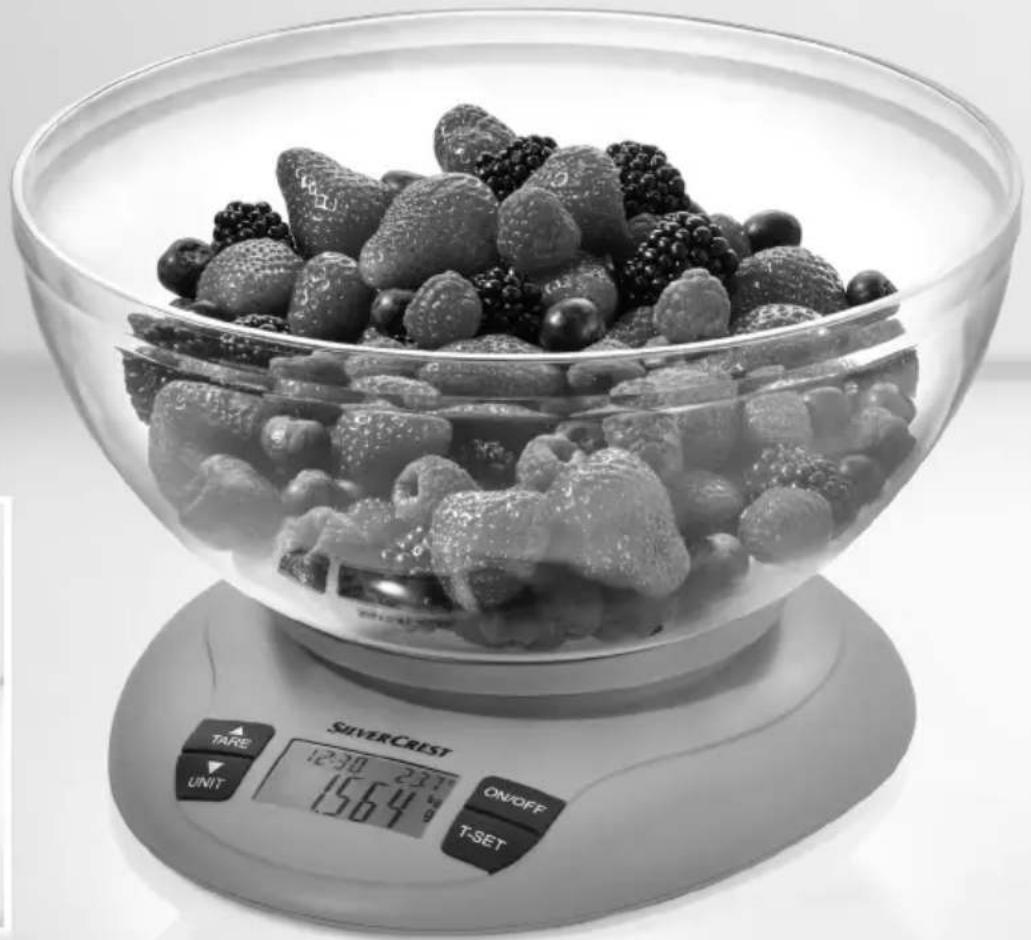
natural_image
Black-and-white photo of a glass bowl filled with fresh strawberries and berries, placed on a digital kitchen scale (no text or symbols on the food or background)KITCHENSCALES
GB
KITCHENSCALES
Operation and safety notes
SI
KUHINJSKATEHTNICA
GB Operation and safety notes Page 5


flowchart
graph TD
    A["Device 8"] --> B["Component 7"]
    B --> C["Motor Control"]
    C --> D["Resistor before use"]
    D --> E["Resistor before use"]
    E --> F["Resistor before use"]
    F --> G["Resistor before use"]
    G --> H["Resistor before use"]

Introduction......Page 6
Proper use....Page 6
Description of parts....Page 6
Technical data....Page 6
Scope of delivery....Page 6
Safety instructions....Page 6
General safety instructions....Page 6
Safety instructions for batteries/rechargeable batteries Page 8
Before first use....Page 9
Replacing battery....Page 9
Operation Page 9
Weighing....Page 9
Weigh and add Page 10
Remove part of the weighed food Page 10
Set the countdown timer / alarm Page 10
Display ambient temperature....Page 10
Switch off the product......Page 10
Troubleshooting Page 11
Cleaning and care....Page 11
Disposal Page 11
Warranty Page 12
Warranty claim procedure......Page 12
Service Page 12
Kitchen scales
- Introduction
We congratulate you on the purchase of your new product. You have chosen a high quality product. The instructions for use are part of the product. They contain important information concerning safety, use and disposal. Before using the product, please familiarise yourself with all of the safety information and instructions for use. Only use the product as described and for the specified applications. If you pass the product on to anyone else, please ensure that you also pass on all the documentation with it.
- Proper use
This product is designed to weigh household quantities of foods, indicate temperatures and for timing in private household. The product measures the weight of non-aggressive, non-corrosive and non-abrasive liquids or solids. It is not intended for weighing medication or prohibited materials. The product is not intended for commercial use. The manufacturer is not liable to damage caused by improper use.
• Description of parts
1 Weighing bowl
2 ON/OFF button
3 Timer button (T-SET)
4 LCD readout
5 Unit of weight button (UNIT) / Timer button▼
6 TARE button/Timer button ▲
7 Hanger
8 Battery compartment
9 Numerical display
10 Temperature display
11 Unit display
12 Minus symbol
13 TARE symbol T
14 Alarm display
- Technical data
Max. measuring range: 5 kg (11 lb) (176 oz)
Graduation: 1 g (0 lb:0.1 oz) (0.05 oz)
Temperature: 0 °C–40 °C
Graduation: 0.1 °C
Tolerance: ± 2 °C
Battery: 1 x 3 V === (direct current)
Lithium battery (CR2032
Lithium round cell)
Rated current: 10 mA
Model numbers: HG05616A/HG05616B
- Scope of delivery
Check that all the items are present and that the product and all its parts have no defects immediately after unpacking. Do not under any circumstances use the product if the pack age contents are incomplete.
1 kitchen scales
1 weighing bowl
1 battery (preinstalled)
1 operating manual
● Safety instructions

General safety instructions


WARNING!
DANGER TO LIFE AND
RISK OF ACCIDENTS FOR INFANTS AND CHILDREN!
Never leave children unattended with packaging materials or the product. There is otherwise a risk of fatal injury by suffocation. Always keep children away from the product.
This product can be used by children aged from 8 years and above and persons with reduced physical, sensory or mental capabilities or lack of experience and knowledge if they have been given supervision or instruction concerning use of the product in a safe way and understand the hazards involved. Children shall not play with the product. Cleaning and user maintenance shall not be made by children without supervision.

CAUTION! RISK OF
INJURY! Do not exceed
the 5 kg capacity of the product. This could damage the product.
- Do not expose the product to - extreme temperatures,
- strong vibrations,
- heavy mechanical loads,
- direct sunlight,
- magnetic fields,
- moisture.
These can damage the product.
This product has delicate electronic components. This means that if it is placed near an object that transmits radio signals, it could cause interference. This could be, for example, mobile telephones, walkie talkies, CB radios, remote controls and
microwaves. If the display indicates a problem, move such objects away from it.
Electromagneticinterference/high-frequency emissions can lead to the product failing. In cases of the product failing to work, remove the battery for a short while and then replace it. Do this as described in the "Replacing battery" section.
- Protect the product from electrostatic charge/discharge. This could hinder the internal data exchange, which causes errors in the LCD readout.
- Check the product for damage before use. Never use a damaged product.
WARNING!
Never open the
housing of the product. This can result in injury and damage to the product. Repairs must be carried out by an electrician only.
- Do not allow anyone inexperienced to use the product. Make sure that anyone intending to use the product has read the operating manual and is capable of operating the product safely.
■ Place the product on a solid, horizontal and flat surface.
■ Normal functioning of the product may be disturbed by
electromagnetic interference. In this case, briefly remove the battery from the product and insert it again. Do this as described in the "Replacing battery" chapter.

FOOD-SAFE! The taste and smell of your food are not detrimentally affected by this product.

weighing bowl isdishwasher suitable.

Safety instructions for batteries/rechargeable batteries
DANGER TO LIFE! Keep batteries/rechargeable batteries out of reach of children. If accidentally swallowed seek immediate medical attention.

DANGER OF EXPLO- SION! Never recharge
non-rechargeable batteries. Do not short-circuit batteries / rechargeable batteries and / or open them. Overheating, fire or bursting can be the result.
Never throw batteries/rechargeable batteries into fire or water.
Do not exert mechanical loads to batteries/rechargeable batteries.
Risk of leakage of batteries / rechargeable batteries
- Avoid extreme environmental conditions and temperatures, which could affect batteries / rechargeable batteries, e.g. radiators / direct sunlight.
If batteries/rechargeable batteries have leaked, avoid contact with skin, eyes and mucous membranes with the chemicals! Flush immediately the affected areas with fresh water and seek medical attention!
You can remove leaked battery fluids with a dry, absorbent cloth.

WEAR PROTECTIVE GLOVES! Leaked or
damaged batteries/rechargeable batteries can cause burns on contact with the skin. Wear suitable protective gloves at all times if such an event occurs.
In the event of a leakage of batteries/rechargeable batteries, immediately remove them from the product to prevent damage.
Remove batteries/rechargeable batteries if the product will not be used for a longer period.
Risk of damage of the product
■ Only use the specified type of battery/rechargeable battery!
- Insert batteries / rechargeable batteries according to polarity marks (+) and (-) on the battery / rechargeable battery and the product.
Use a dry, lint-free cloth to clean the contacts on the battery / rechargeable battery and in the battery compartment before inserting!
■ Remove exhausted batteries / rechargeable batteries from the product immediately.
- Before first use
Note: Remove all packaging materials from the product.
- Turn the product over and place it on a soft underlay to avoid scratching the surface.
- Loosen the screw located at the cover of the battery compartment 8 on the back of the product by using a screw driver.
- Open the cover of the battery compartment 8.
- Remove the insulating strip from the battery compartment 8.
- Close the cover of the battery compartment 8 and tighten the screw by using a screw driver.
- Replacing battery
-
Turn the product over and place it on a soft underlay to avoid scratching the surface.
-
Loosen the screw located at the cover of the battery compartment 8 on the back of the product by using a screw driver.
- Open the cover of the battery compartment 8.
- Remove the used battery from the battery compartment 8.
- Insert the new battery (as specified in section "Technical data").
Note: Make sure you insert the battery with the correct polarity. This is indicated in the cover of the battery compartment 8. - Close the cover of the battery compartment 8 and tighten the screw by using a screw driver.
Operation
- Weighing
Note: Starting with or without the weighing bowl 1, the product always starts at zero reading (the temperature will also be shown) when you switch it on.
Note: Zero reading means 0 in g or 0:0.0 in lb:oz or 0.00 in oz.
However, if you place the weighing bowl 1 on the product after you have switched it on, the product will indicate the weight of the weighing bowl 1.
Press the TARE button / Timer button ▲ 6 to reset the numerical display 9 to zero reading. The TARE symbol T 13 will appear.
☐ Place the weighing bowl 1 on the product.
☐ Press the ON / OFF button 2 to switch the product on.
☐ Select the unit of weight by pressing the unit of weight button (UNIT)/Timer button ▼5. After each time it is pressed, the unit display 11 will switch to the next unit listed: kg / g -> lb / oz -> n
Place the food you wish to weigh in the weighing bowl 1.
☐ The LCD readout 4 indicates the weight of the food in the selected unit of weight.
Important! Be sure never to add more than 5 kg to the weighing bowl ^1 . Overloading the product can damage it.
- Weigh and add
The product allows you to weigh foods consecutively without removing food already in the weighing bowl 1.
Place the weighing bowl 1 on the product.
☐ Press the ON / OFF button 2 to switch the product on.
☐ Select the unit of weight by pressing the unit of weight button (UNIT) / Timer button ▼ 5 as described in "Weighing" section.
Place the food you wish to weigh in the weighing bowl [1].
☐ The LCD readout 4 indicates the weight of the food in the selected unit of weight.
Now press the TARE button / Timer button ▲ 6.
The numerical display 9 will show zero reading. The TARE symbol T 13 will appear.
Now place more food in the weighing bowl 1.
☐ The LCD readout 4 indicates the weight of the food you have added in the selected unit of weight.
□ Continue in this way only until the maximum capacity of the product is reached or the weighing bowl 1 is full.
- Remove part of the weighed food
Place the weighing bowl 1 on the product.
☐ Press the ON / OFF button 2 to switch the product on.
☐ Select the unit of weight by pressing the unit of weight button (UNIT) / Timer button ▼ 5 as described in "Weighing" section.
Place the food you wish to weigh in the weighing bowl [1].
☐ The LCD readout 4 indicates the weight of the food in the selected unit of weight.
Now press the TARE button / Timer button ▲6.
The numerical display 9 will show zero reading.
The TARE symbol T 13 will appear.
□ Now remove the required amount of food from the weighing bowl 1.
☐ The LCD readout 4 will show a negative value indicated by the minus symbol ■ 12.
Now press the TARE button / Timer button ▲ 6.
The numerical display 9 will show zero reading.
The TARE symbol T 13 will disappear.
- Set the countdown timer / alarm
The timer on the product has a time span of 00:10 to 99:50 minutes. The set time is counted down in reverse to "00:00". An alarm signal then sounds and the alarm display 14 flashes.
☐ Press the ON / OFF button 2 to switch the product on.
☐ Press the Timer button (T-SET) 3. The alarm display ⚙14 will appear.
☐ Set the required time by pressing the unit of weight button (UNIT) / Timer button ▼ 5 or the TARE button / Timer button ▲ 6.
☐ Press the Timer button (T-SET) 3 again to confirm the set time and to start the countdown timer.
□ Press the Timer button (T-SET) 3 again to stop the countdown timer.
Press the Timer button (T-SET) 3 again to reset the set time to "00:00". The alarm display 14 will disappear.
Note: When the set time has elapsed, an alarm signal sounds.
☐ Press the ON / OFF button 2 to stop the alarm and at the same time switch off the product.
- Display ambient temperature
When the product is switched on, the LCD readout 4 shows the current ambient temperature. This is indicated by the temperature display 10 in °C.
- Switch off the product
The product switches itself off automatically after 90 seconds of inactivity to save energy.
☐ Press the ON / OFF button 2 to switch the product off manually.
● Troubleshooting
| Error Cause Solution | ||
| The LCD readout 4 indicates "Err". | The maximum capacity of the product of 5 kg (11 lb) (176 oz) has been exceeded. | Remove the food from the product.Reduce the amount of food and weigh it in several steps. |
| The LCD readout 4 indicates "Err" and does not change. | The maximum capacity of the product of 5 kg (11 lb) (176 oz) has been exceeded. | Remove the food from the product.Switch the product off and then back on again.Reduce the amount of food and weigh it in several steps. |
| The LCD readout 4 indicates "Lo". | The battery is empty. | Replace the battery as described in the "Replacing battery" chapter. |
| It is not possible to switch the product on. | The battery may be empty. | Replace the battery as described in the "Replacing battery" chapter.If it is still not possible to switch the product on, please contact a specialist. |
- Cleaning and care
Note: For storage you can hang the product using the hanger 7 (see Fig. C).
☐ Clean the product with a slightly dampened, non-fluffing cloth. To remove more stubborn dirt, you can also dampen the cloth with a weak soap solution.
☐ Do not use chemical cleaners, scouring agents or sharp objects for cleaning. These can damage the product.
□ Never immerse the product in water or other liquids. This can damage the product.
☐ The weighing bowl 1 is dishwasher safe.
☐ The weighing bowl 1 can also be used as a cover.
●Disposal
The packaging is made entirely of recyclable materials, which you may dispose of at local recycling facilities.

Observe the marking of the packaging materials for waste separation, which are marked with abbreviations (a) and numbers (b) with following meaning: 1-7: plastics / 20-22: paper and fibre-board/80-98: composite materials.

The product and packaging materials are recyclable, dispose of it separately for better waste treatment. The Triman logo is valid in France only.

Contact your local refuse disposal authority for more details of how to dispose of your worn-out product.

To help protect the environment, please dispose of the product properly when it has reached the end of its useful life and not in the household waste. Information on collection points and their opening hours can be obtained from your local authority.
Faulty or used batteries / rechargeable batteries must be recycled in accordance with Directive 2006/66/EC and its amendments. Please return the batteries/rechargeable batteries and/or the product to the available collection points.

Environmental damage through incorrect disposal of the batteries/rechargeable batteries!
Batteries / rechargeable batteries may not be disposed of with the usual domestic waste. They may contain toxic heavy metals and are subject to hazardous waste treatment rules and regulations. The chemical symbols for heavy metals are as follows: Cd = cadmium, Hg = mercury, Pb = lead. That is why you should dispose of used batteries / rechargeable batteries at a local collection point.
Warranty
The product has been manufactured to strict quality guidelines and meticulously examined before delivery. In the event of product defects you have legal rights against the retailer of this product. Your legal rights are not limited in any way by our warranty detailed below.
The warranty for this product is 3 years from the date of purchase. Should this product show any fault in materials or manufacture within 3 years from the date of purchase, we will repair or replace it - at our choice - free of charge to you.
The warranty period begins on the date of purchase. Please keep the original sales receipt in a safe location. This document is required as your proof of
purchase. This warranty becomes void if the product has been damaged, or used or maintained improperly.
The warranty applies to defects in material or manufacture. This warranty does not cover product parts subject to normal wear, thus possibly considered consumables (e.g. batteries) or for damage to fragile parts, e.g. switches, rechargeable batteries or glass parts.
● Warranty claim procedure
To ensure quick processing of your case, please observe the following instructions:
Please have the till receipt and the item number (e.g. IAN 123456_7890) available as proof of purchase.
You will find the item number on the type plate, an engraving on the front page of the instructions (bottom left), or as a sticker on the rear or bottom of the appliance.
If functional or other defects occur, please contact the service department listed either by telephone or by e-mail.
You can return a defective product to us free of charge to the service address that will be provided to you. Ensure that you enclose the proof of purchase (till receipt) and information about what the defect is and when it occurred.
Service
GB Service Great Britain
Tel.: 0800 404 7657
E-Mail: owim@lidl.co.uk
CE
Pooblaščeni serviser:
OWIM GmbH & Co. KG
Stiftsbergstraße 1
74167 Neckarsulm
NEMČIJA
NOSTE OCHRANNÉ RUKAVICE! Vytečené
Lithium-Batterie (CR2032
Lithium-Knopfzelle)
Nennstrom: 10 mA
Modellnummer: HG05616A/HG05616B
Lieferumfang


- KITCHENSCALES
- KUHINJSKATEHTNICA
- Introduction......Page 6
- Safety instructions....Page 6
- Before first use....Page 9
- Operation Page 9
- Troubleshooting Page 11
- Cleaning and care....Page 11
- Disposal Page 11
- Warranty Page 12
- Kitchen scales
- - Introduction
- - Proper use
- • Description of parts
- - Technical data
- - Scope of delivery
- ● Safety instructions
- General safety instructions
- WARNING!
- DANGER TO LIFE AND
- RISK OF ACCIDENTS FOR INFANTS AND CHILDREN!
- CAUTION! RISK OF
- INJURY! Do not exceed
- Safety instructions for batteries/rechargeable batteries
- DANGER OF EXPLO- SION! Never recharge
- Risk of leakage of batteries / rechargeable batteries
- WEAR PROTECTIVE GLOVES! Leaked or
- Risk of damage of the product
- - Before first use
- - Replacing battery
- Operation
- - Weighing
- - Weigh and add
- - Remove part of the weighed food
- - Set the countdown timer / alarm
- - Display ambient temperature
- - Switch off the product
- ● Troubleshooting
- - Cleaning and care
- ●Disposal
- Environmental damage through incorrect disposal of the batteries/rechargeable batteries!
- Warranty
- ● Warranty claim procedure
- Service
- GB Service Great Britain
- CE
- Pooblaščeni serviser:
- NOSTE OCHRANNÉ RUKAVICE! Vytečené
- Lieferumfang
Brand : SILVERCREST
Model : HG05616B
Category : Kitchen scale